Need help?
Do you have a question about the Reflex Fillcontrol Plus Compact and is the answer not in the manual?
Provides guidance on the safe and reliable functioning of the device.
Details manufacturer's liability and conditions for warranty claims.
Explains symbols, signal words, and safety notes used throughout the manual.
Covers personnel qualifications and necessary personal protective equipment for safe operation.
Defines device purpose and highlights inadmissible conditions and residual risks.
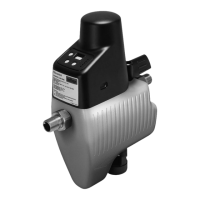
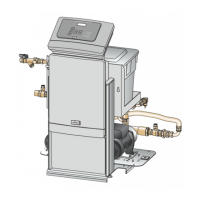
Presents a visual overview, component labels, and identification details via nameplate.
Details the standard package contents and lists available optional equipment and accessories.
Provides essential technical specifications for the device, including operating parameters.
Outlines installation site requirements and procedures for checking the device upon receipt.
Details the necessary preparatory steps before installing the device.
Provides step-by-step instructions for the physical installation of the device.
Illustrates the electrical connections required for the device setup.
Details the safety precautions and steps for connecting the device to the power supply.
Illustrates the terminal connections for various device functions and signals.
Lists the prerequisites for successfully commissioning the installed device.
Explains how to calculate and set the minimum operating pressure (Po) for the controller.
Provides step-by-step instructions for setting the minimum operating pressure (Po) on the controller.
Details how to adjust the pressure reducer to the desired setting pressure.
Guides the user through the process of filling the system circuit with fresh mains water.
Describes the available operating modes, including Automatic mode.
Lists the default factory settings available in the service menu.
Details potential fault messages, their causes, and troubleshooting steps.
Provides instructions for cleaning the system isolator and its integrated dirt trap.
Outlines procedures for checking the pressure reducer and the maintenance battery.
Offers safety precautions and steps for safely disassembling the device.
Provides contact information for customer service and technical support.
States that respective statutory guarantee regulations apply.
 General
| Brand | Reflex |
|---|---|
| Model | Fillcontrol Plus Compact |
| Category | Industrial Equipment |
| Language | English |

 To Next Page