07
Front panel controls
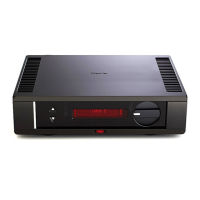
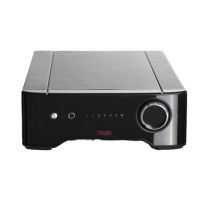
Powering up - The Aura is activated by depressing the ON/OFF switch situated to the left of the front panel. Power on is indicated by the
REGA LOGO in the centre illuminating red. It is recommended to activate the Aura before the power ampliers and deactivate after they
have been switched o. After switching o, the indicator will extinguish. This Rega pre-amplier circuit has been carefully designed to work
with a minimal “warm up” period. Some manufacturers and retailers may recommend leaving ampliers permanently switched on. Rega
cannot condone such practice in these environmentally sensitive times. We would recommend that your Rega amplier is always switched
o after use. Full sound quality is attained after less than ten minutes (a process speeded up by playing music).
Mono - This function allows you to play mono recordings via a stereo cartridge.
Mute - Allows you to mute the signal when changing the gain setting, in-between tracks or when changing records.
Gain - Please note: Mute or turn the volume control to minimum when changing the gain setting. The gain setting switch selects the voltage
gain of the phono amplier. Gain I selects 69.5dB (switch out) and Gain II selects 63.5dB (switch in); this will provide an input sensitivity of
67μV and 131μV respectively for an output level of 200mV unbalanced and 400mV balanced. The balanced output is eectively 6dB higher
than the unbalanced output. It is advisable to start with the lower gain setting II and if necessary; increase the gain level to I if more level
is required for lower output cartridges. Because the balanced output is eectively 6dB higher, it could be advisable to select gain II setting
when using the balanced output; this will also depend greatly on the sensitivity of the connected amplier.
AURA EN
Gain I Gain II
Capacitance - There are ve dierent input capacitance settings of 1000pF, 2000pF, 3200pF, 4300pF & 5700pF. Select the required
capacitance to match to that specied by the manufacturer in the cartridge specications. It is permissible to try dierent loading conditions
as sometimes changing the capacitance gives a dierent sonic performance more suited to your personal taste; this also applies if there
is no loading capacitance specied by the manufacturer. To match some ‘legacy’ pre-ampliers, select 5700pF. The 1000pF setting is
optimised for the Rega range of MC cartridges.
Load - There are ve dierent input load settings of 50Ω, 100Ω, 150Ω, 300Ω & 400Ω. Select the required load to match to that specied by
the manufacturer in the cartridge specications. It is permissible to try dierent loading conditions as sometimes changing the load gives
a dierent sonic performance more suited to your personal taste. To match some ‘legacy’ pre-ampliers, select 400Ω. The 100Ω setting is
optimised for the Rega range of MC cartridges.


 To Next Page