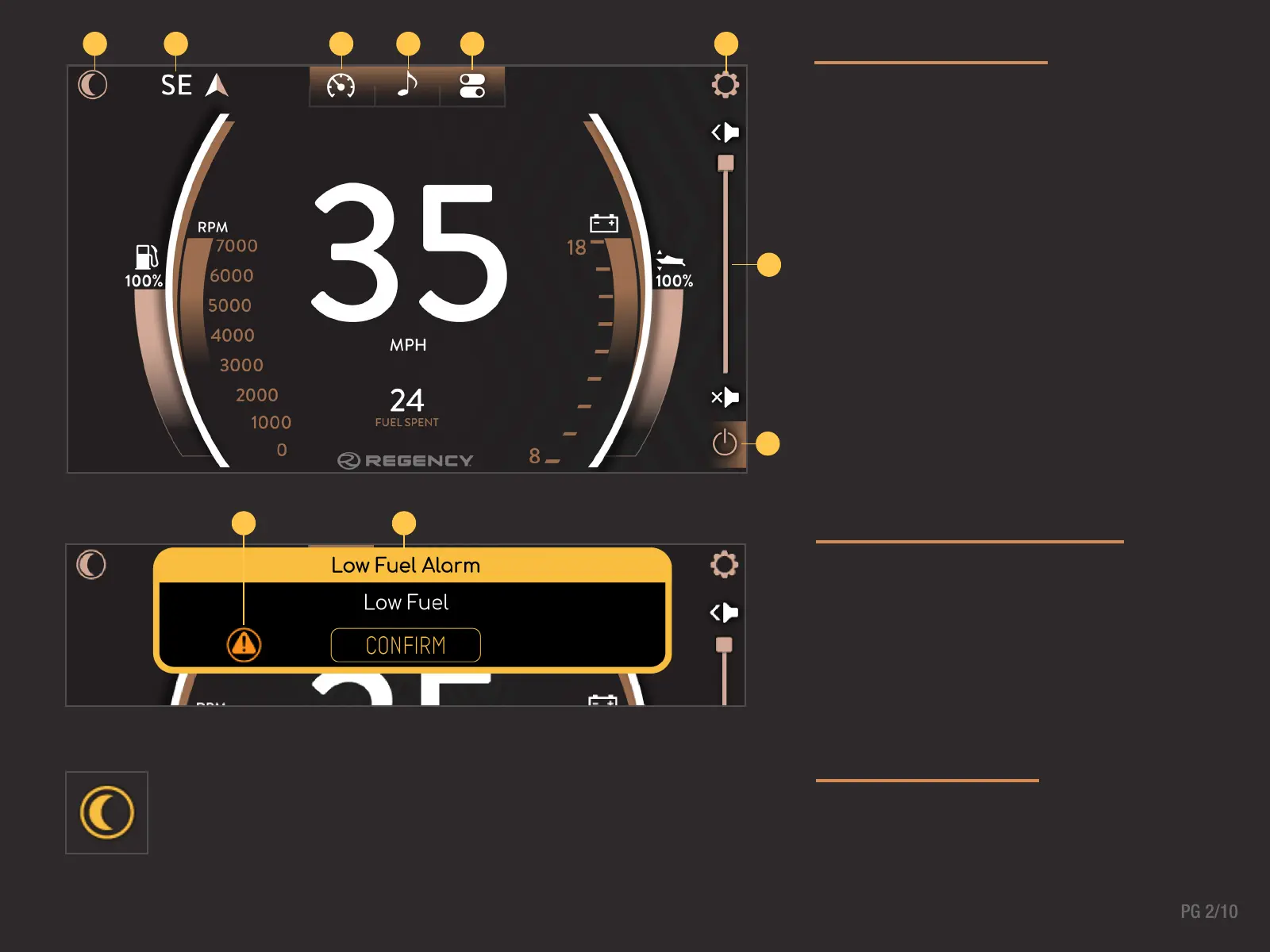
The high-resolution touch control display brings more
features to the surface providing an unmatched user
experience.
Critical information including engine performance, fuel
level and voltage is always in view or just a touch away.
1. Alert Indicator
2. Alert Banner
The Night Mode button toggles the back-lighting between the daytime
and nighttime set points. This can be adjusted in the System Display
section of the Settings menu.
MAIN DISPLAY
ALERTS & ALARMS
NIGHT MODE
1 2 4 5 6
1 2
3
8
7
1. Night Mode Button
2. Heading
3. Gauge Screen
4. Audio Screen
5. Controls Screen
6. Settings Menu Button
7. Volume Control
8. Radio Power On/Off



 To Next Page