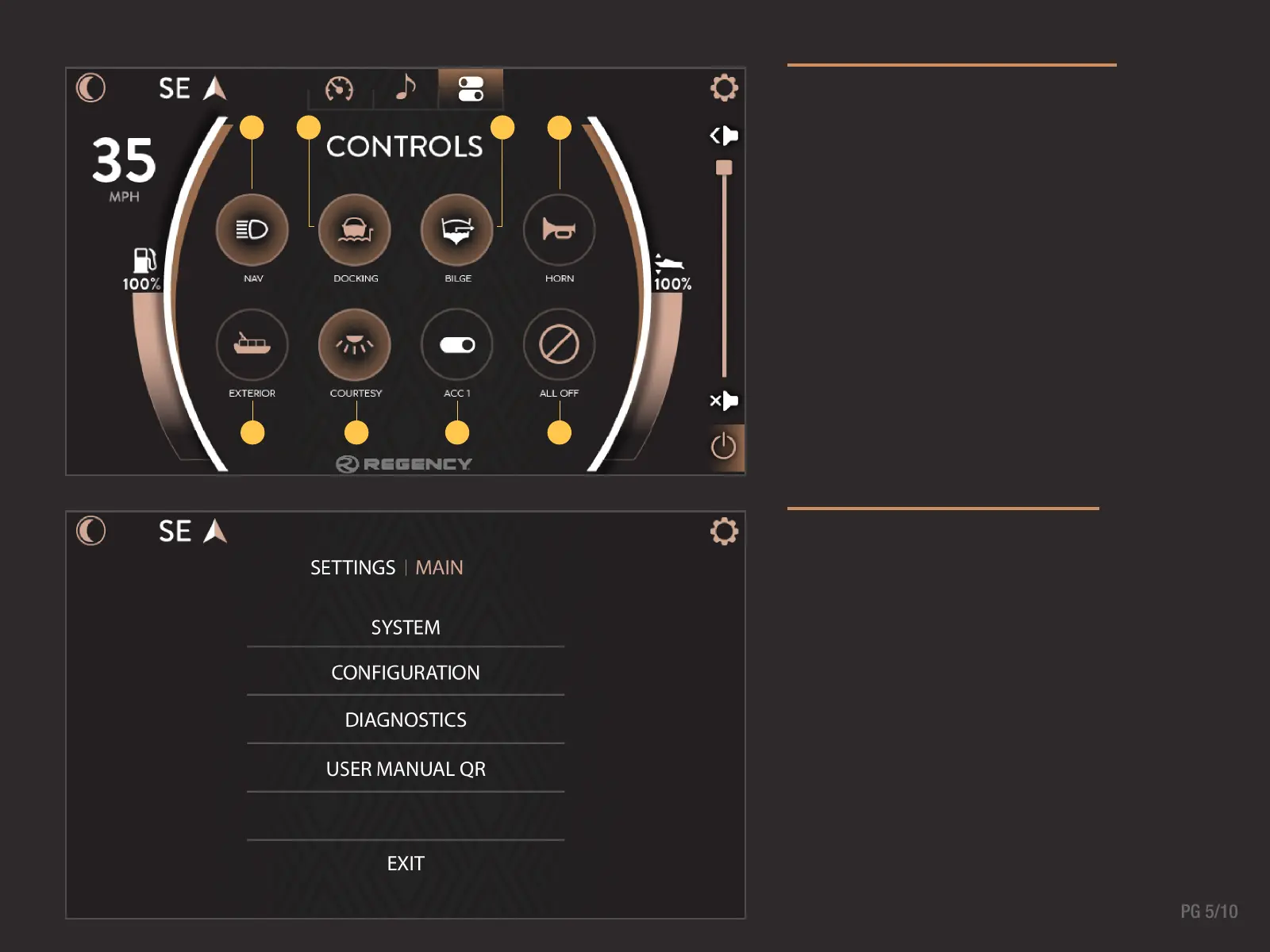
CONTROLS SCREEN
The Controls Screen allows On/Off switching functionality
to all interior and exterior lighting, water pump systems,
and blower. A highlighted icon will indicate which
elements are active.
SETTINGS SCREEN
Manage updates, system settings and configurations,
and view diagnostics information in the settings screen.
Changes are automatically saved upon leaving the
settings screen mode.
1 2 3
4
5 6 7 8
1. Navigation Lights On/Off
2. Docking Lights On/Off
3. Bilge On/Off
4. Horn On/Off
5. Exterior Lights On/Off
6. Courtesy Lights On/Off
7. Accessory 1 On/Off
8. All Buttons Off



 To Next Page