7
Owner's Information
OPERATING THE APPLIANCE
- ADVANCED OPERATION
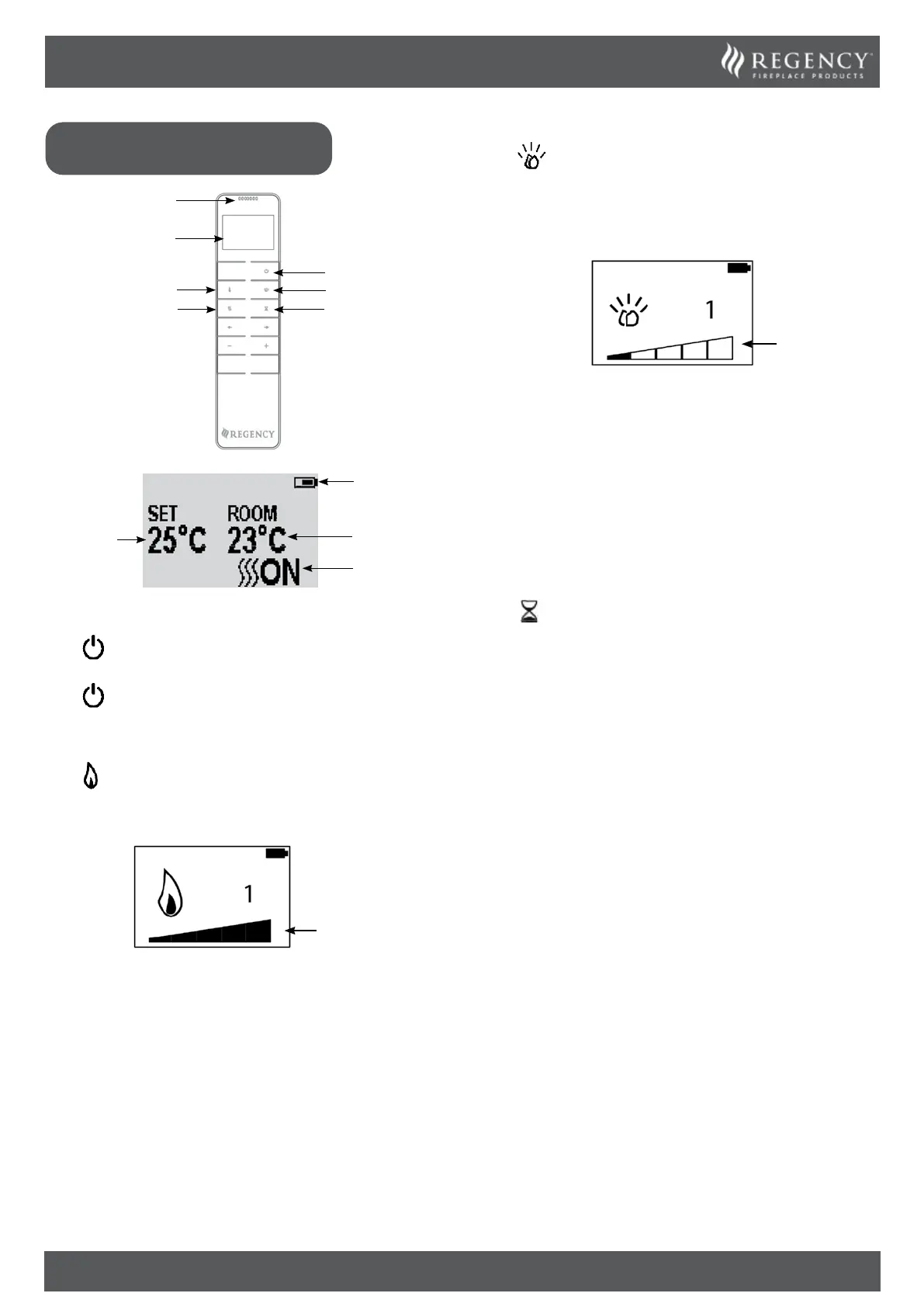
Flame
Power
Heating
Temperature Sensor
Convection
Display
Fuel Bed
Timer
Heating Period
Battery Power
Actual Room
Temperature
Temperature
Setting
TURN ON/OFF
Press button to turn on the flame effect.
Press
button to turn off all the functions.
FLAME COLOUR ADJUSTMENT
Press button.
There are 5 levels of brightness.
Brightness
Level
Press the ‘+’ button to increase the flame brightness.
Press the ‘-’ button to decrease the flame brightness.
FUEL BED COLOUR ADJUSTMENT
Press to enter the fuel bed light adjustment screen.
There are 15 fuel bed colour options, including off.
There are 5 levels of brightness.
Brightness
Level
Press the ‘’ or ‘’ button to cycle through the fuel bed colour
options.
Press the ‘+’ button to increase the fuel bed brightness.
Press the ‘-’ button to decrease the fuel bed brightness.
TIMER
This setting is only in normal heating control mode. It allows the
appliance to be returned to Standby after a set period of time. The
heater must be switched on to use this function.
Press
to cycle through the setting from Off and 0.5 hours to
10 hours. Timer logo and remaining time will show on the screen.
The heater of appliance can be automatically run by using timer.
CHANGE THE TEMPERATURE SETTING
Press and hold the ‘’ or ‘’ button for 3 seconds to change the
temperature unit from °C to °F.


 To Next Page