24
4
3
2
1
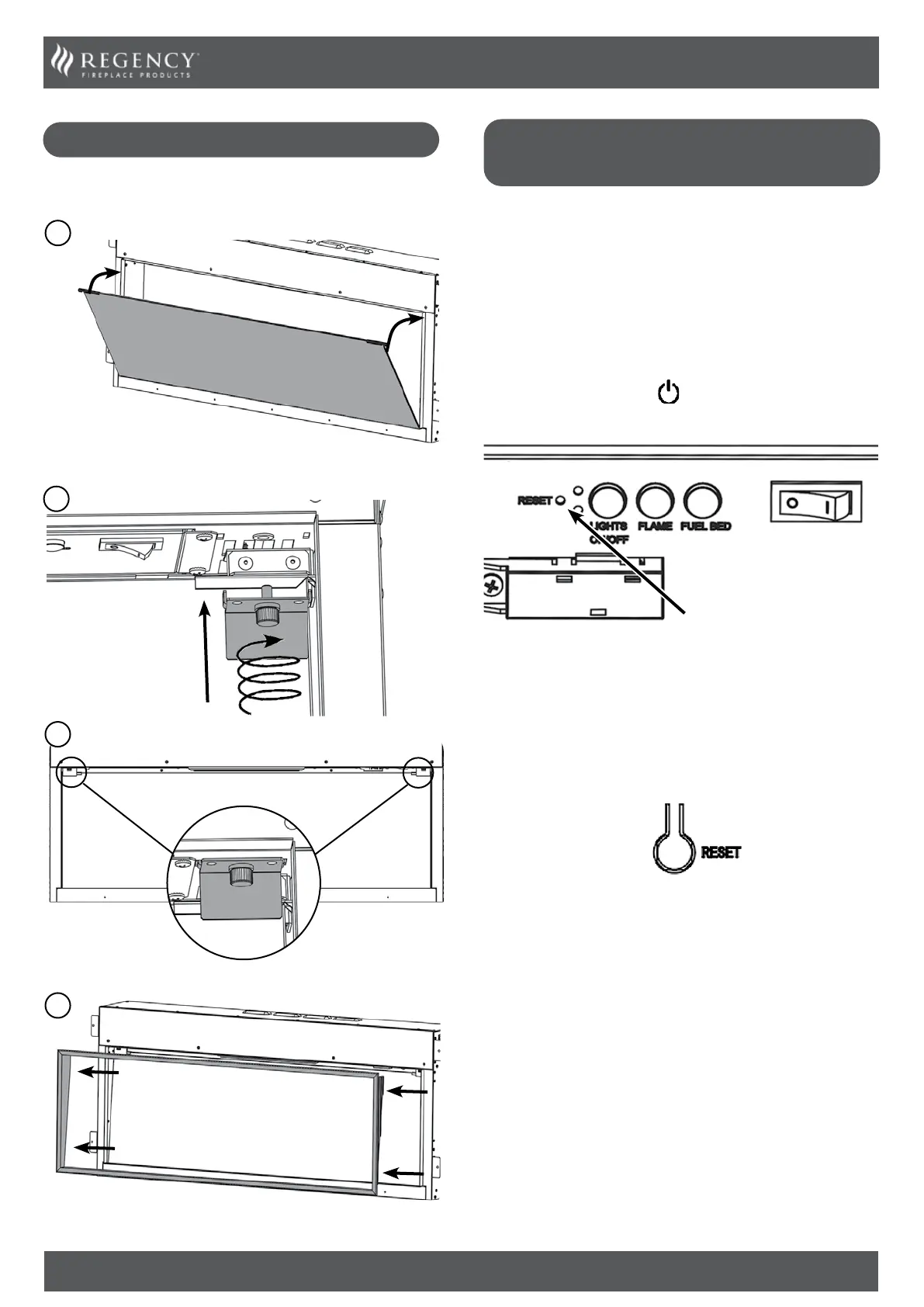
COMPLETION OF ASSEMBLY
Once media has been installed follow steps below to reinstall glass
& decorative finishing trim.
Signal Code
The below operations should be carried out before coding
when changing to a new remote or the unit cannot be
controlled by the remote:
The reset button is located on the control panel located on the
right-hand side.
Press the reset button for 3 seconds (a pen point may be needed)
until 3 short beeps sound from the unit, release the button.
Within 10 seconds, press the
button on remote. The coding is
finished when 1 long beep sounds from the unit.
Reset Button for
Remote Control
Resetting of the remote control is necessary if the
appliance operates wrongly due to external interference
signal and the remote control is not in use.
Open the back cover of the Remote.
Press the Reset button for 3 seconds and reset the coding
PAIRING THE REMOTE CONTROL
TO THE APPLIANNCE



 To Next Page