88
Owner's Information
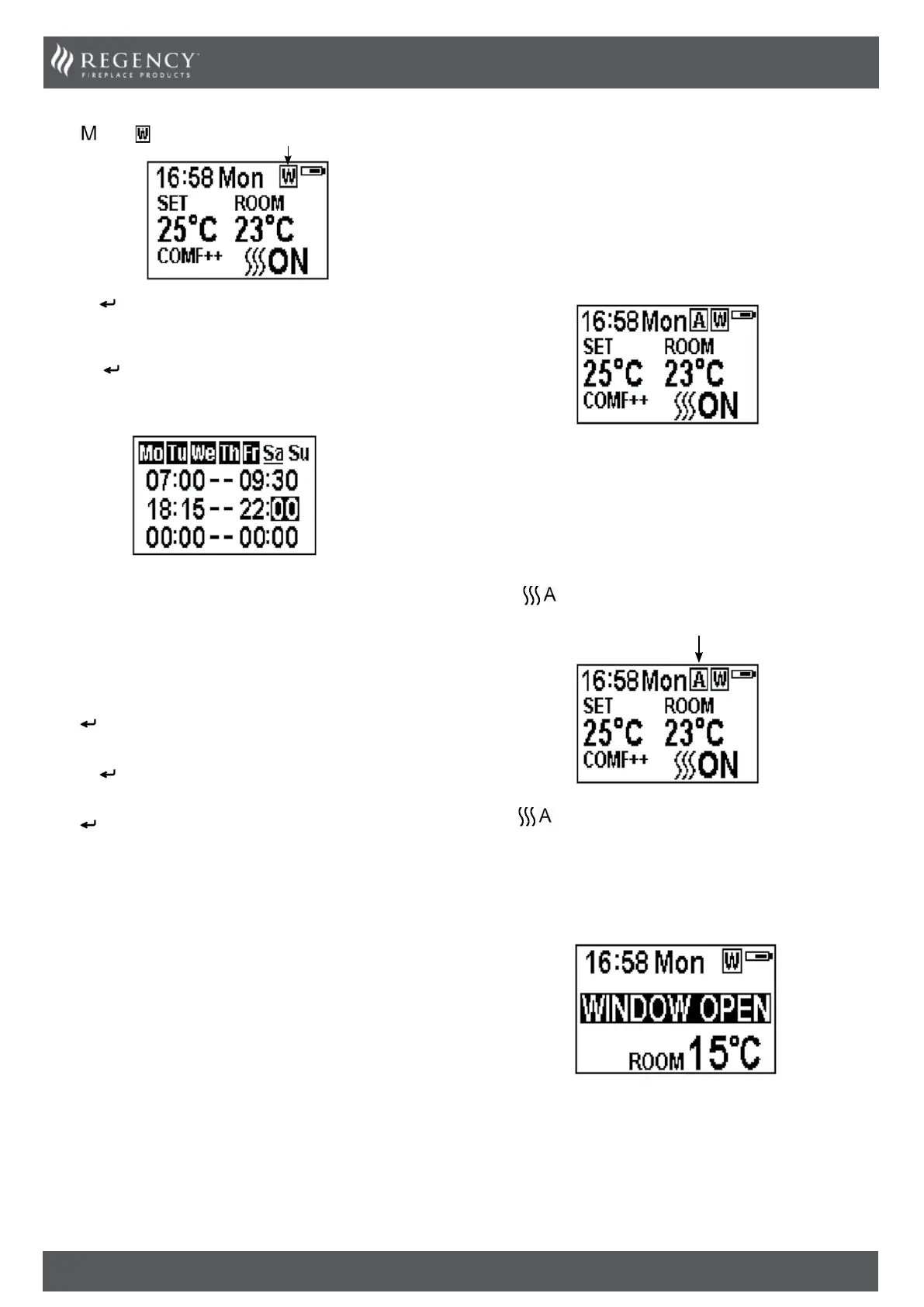
Press until shows.
Hold the button for 6 seconds.
Press ‘’ or ‘’ to move the cursor (a flashing underline).
Press the
button in the corresponding week position to select
(the character is highlighted) or cancel (the character is displayed
normally) the current setting, the same time period can be selected
together.
Press the ‘’ button to move the cursor to the time period setting
area.
Press ‘’ or ‘’ button to choose hour or minute.
Press ‘+’ or ‘-’ to set the number.
A maximum of 3 timed heating periods can be set per day.
Minute increment / decrement by 15min per press.
Press
to set the heating time for the selected day and return to
the week line.
Hold the
button for 3 seconds or wait for 10 seconds to save
and exit the heating time period setting.
Press
‘’ or ‘’ to check the timer setting for the week timer
heating mode.
To turn heating off, return to Normal Control Mode.
When in Weekly Timer Mode switching the appliance off
with the remote will stop the light output. The heat output
will continue according to the timer settings.
ADJUSTING THE SET TEMPERATURE
Press the ‘+’ or ‘-’ button to increase or decrease the temperature
on the basis of COMF temperature.
COMF means the actual temperature is the same as setting.
ECO means the actual temperature is 2℃ lower than the setting
temperature.
ECO- means 4℃ lower.
COMF+ means 2℃ higher.
COMF++ means 4℃ higher.
ADAPTIVE START CONTROL
The heater will automatically determine the appropriate time to
heat to ensure that it will reach the set-pointed temperature at the
set time (up to 45 minutes prior to the set time).
ADVANCE MODE
The heating state can be advanced to the next period under both
the daily and week timer heating mode.
If the heater is on in the current period, pressing the button will
turn the heater off.
If the heater is off in the current period, pressing the button will
turn the heater on.
Heating output depends on the room temperature and setting
temperature.
Press
to enter the Advance mode under the daily and week
timer heating mode.
Press again or timer period ends will exit the Advance mode.
WINDOW OPEN DETECTING
When the transmitter detects a rapid drop in room temperature,
it will be judged as an open window: the warning icon will be
displayed and the heating will be turned off automatically.
After indoor temperature rise or manual intervention (by operating
remote control), it will return to normal working state.



 To Next Page