05
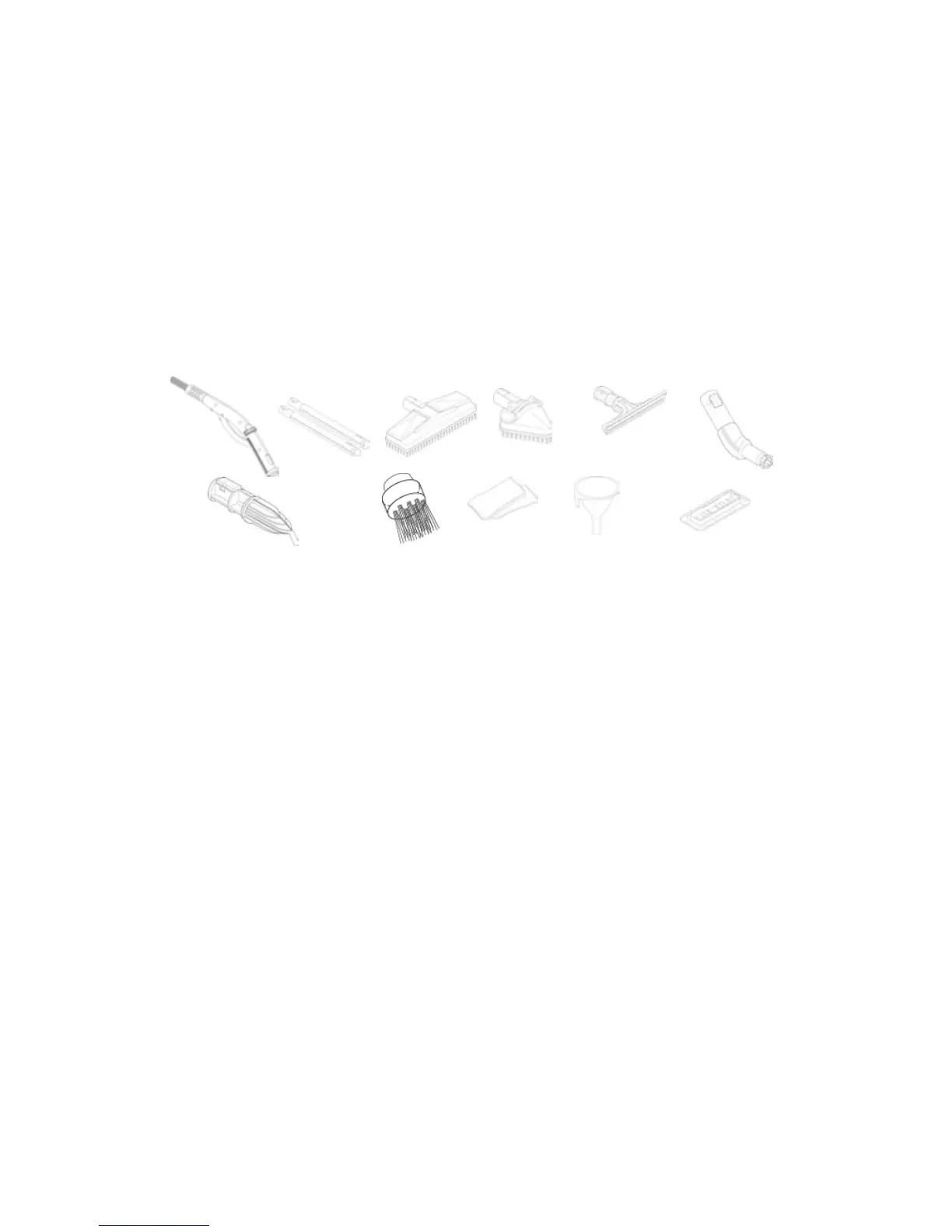
ACCESSORIES WITH STEAM CLEANER
11.Flexiblehosewithsteamgun,steamcontrolkeyandsteamregulator
12. Extensiontubes
13. Largebrush
14. Triangular/Upholsterybrush
15. Squeegee
16. Angleadapter
17. High pressure nozzle
18. Small round brush: nylon brush, brass brush
19. Wiping cloth
20. Funnel
21. Carpet sole plate
HOW TO USE YOUR STEAM CLEANER
1. Removethewatertankcap(6),andllthetank(6)uptoamaximumof1.5
quartsofwater(1.5Lor6cups).
2. Connect the electrical cord to the main power outlet.
3. Connecttheexibletube(12)totheappropriateaccessorythatyouwishtouse.
4. Turnthemainswitch(1)allthewaytotheright(lastposition).Atthisposition
the orange ready light will come on when the unit reaches operating pressure.
5. If you hear a slight hum coming from the steam cleaner, this means that the
pumpismovingwaterfromthewatertanktotheboilerwherethenecessary
steam is generated for steam cleaning.
6. NOTE:Position#1(steamiconinthemiddle)isusedtoexhauststeamonly.
Theorangesteamreadylightdoesnotcomeonwhentheswitchisinthe#1
position.
7.Duringuse,theorangesteamreadylight(3)willalternativelyturnonandoff.
Thisisnormal,andindicatesthatsteamisbeinggeneratedintheboiler.
8.Beforestorage,youmustexhaustthesteam.Toexhaustthesteam,setthe
switchatthe#1positionandpressthesteamtrigger(11)onthesteamgun.
9. Whenyouaredone,turnthemainswitch(0)totheoffposition,andunplugthe
unit. Your steamer is now ready for storage.
11
12
14
15
16
17
18
19
20
21
13



 To Next Page