EasyManua.ls Logo

Rellorus OB22-001A - User Manual

Rellorus OB22-001A
9 pages
Print Icon
To Next Page IconTo Next Page
Loading...
Manufacturer: Shenzhen Yilan Network Technology Co., Ltd.
Address: A905, Bldg. 9, Jindi Kaixuan Plaza, 31 Longcheng Ave.,
Longgang St., Longgang, Shenzhen, CHINA 518000
Service Email: support@rellorushome.com
https://www.homyeko.com
5012640
Made in China
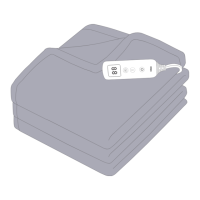
Heated Throw Blanket
Model: OB22-001A
USER GUIDE
Question and Answer IconNeed help?

Do you have a question about the Rellorus OB22-001A and is the answer not in the manual?

Overview

This document describes the Rellorus Heated Throw Blanket, Model: OB22-001A, a product designed to provide warmth for the human body.

Function Description

The Rellorus Heated Throw Blanket is an electrical appliance designed for household use to warm the human body. It features a controller for adjusting heat levels and setting a timer. The product is equipped with a safety system that prevents overheating by automatically switching off in case of malfunction. If the overheat protection is activated, the product cannot be operated further, and the user should contact customer service.

Important Technical Specifications

  • Model: OB22-001A
  • Name: Heated Throw Blanket
  • Input Voltage: 120V ~ 60Hz
  • Rated Power Consumption: 120W
  • Heating Levels: 10 levels (1, 2, 3, 4, 5, 6, 7, 8, 9, H), with 'H' being the highest setting (113°F) and '1' being the lowest (77°F).
  • Auto-off Timing Settings: 4 settings (1, 2, 3, 4 hours)
  • Product Dimensions: 50 inches x 60 inches (127 cm x 153 cm)
  • Materials: Flannel
  • Power Cord: 6.56 ft (2 meters) detachable power cord
  • Safety Certifications: ETL Listed, Intertek 5012640

Usage Features

  • Full Body Size: The blanket measures 50 x 60 inches, providing ample coverage.
  • Luxurious Softness: Made of flannel for a comfortable feel.
  • Adjustable Heating Levels: Offers 10 different heating levels, allowing users to select their preferred warmth from 77°F to 113°F.
  • Timer Function: Includes a 1-4 hour timer with automatic shut-off. The default timer setting is 4 hours when the product is first turned on.
  • Overheating Protection: Built-in safety system to prevent the blanket from overheating.
  • Controller Diagram:
    • LED Screen Display: Shows current settings.
    • Timer Button: Used to set the working time mode (1-4 hours).
    • Temperature Button: Used to choose the desired heating level.
    • Power Button: Turns the blanket on/off.
  • On/Off Operation:
    1. Connect the controller to the heated blanket by aligning the coupler and gently pushing to lock.
    2. Plug the main plug into an outlet.
    3. Press the power button to turn on. The default is 'H' heating mode and a 4-hour timer. 'H' will display for 1 second, then a red dot appears on the LED screen.
    4. Press the power button again to turn off. Only the red dot remains, indicating standby mode.
  • Temperature Adjustment:
    • When on, the default heating level is 'H' (113°F).
    • Press the temperature button to cycle through 10 heating levels (1-9, H).
    • A short press changes the level step by step.
    • A long press directly sets the level to 'H'.
    • User Tip: For fastest preheating, set the product to the highest heating level after turning it on.
  • Timer Adjustment:
    • The default timer is 4 hours.
    • Press the timer button to cycle through 1-2-3-4 hours. The red dot will display during setting. The selection is confirmed after the digit flickers 5 times.
    • If no timer setting is made after pressing the button, the timer setting mode exits automatically after 5 flickers.
  • Automatic OFF: When the set timer expires, the product stops heating, and the controller displays "0" in timer settings. The temperature will not be displayed. To reuse, press the power button, and the previous temperature and timer settings will be restored.

Maintenance Features

  • Cleaning:
    1. Always remove the mains plug from the outlet first.
    2. Disconnect the controller from the product.
    3. Soak the product for 15 minutes in mild soap and cool water.
    4. Machine wash on a gentle cycle in water at 30°C for 2 minutes, or hand wash.
    5. Rinse with fresh, cool water.
    6. Machine dry on a gentle, cool cycle or hang to dry. Reshape the product to its original dimensions and spread it flat on a clothes horse or clothesline immediately after washing.
  • Storage:
    1. Store only after it has completely cooled down and is completely dry.
    2. Loop the cord loosely.
    3. Store in an airy, dry environment.
    4. Do not place any object on the product during storage.
  • Prohibitions (Safety Instructions):
    • DO NOT submerge the controller in water or allow it to contact other liquids. Clean the controller with a dry, lint-free cloth.
    • DO NOT dry clean, chemically clean (with bleach or cleaning fluids), use a wringer, clothespins, iron, wring out, or use mothballs/sprays.
    • DO NOT reconnect or use until COMPLETELY dry.
    • DO NOT wash the cord or put it into water.
    • DO NOT use commercial dryers or local laundromat dryers, as they can damage the wiring.
    • DO NOT use on pets.
    • DO NOT use on people insensitive to heat or vulnerable people unable to react to overheating.
    • DO NOT use on very young children (0-3 years old).
    • Children (3-8 years old) can use it only if the controller is set by an adult responsible for their safety and if they have been given adequate instructions.
    • Children over 8, people with reduced physical/sensory/mental skills, or lacking experience/knowledge can use it if supervised and instructed on safe use.
    • Children should not play with the product.
    • Cleaning and maintenance must not be performed by unsupervised children.
    • DO NOT puncture or fasten with pins or metallic means.
    • DO NOT use when folded or bunched up.
    • DO NOT use if wet.
    • DO NOT pull, twist, or make sharp bends on the cords.
    • DO NOT use with liniment, salve, or ointment preparations.
    • If the product has magnetic closure, DO NOT use if you have a pacemaker or other medical devices sensitive to magnets.
    • DO NOT use in an atmosphere with overly abundant oxygen.
    • Unplug when not in use and never leave unattended while using, especially with children present.
    • Never pull by the cord or use the cord as a handle; do not pinch the cord.
    • Use only at rated voltage; not recommended with generators or power converters.
    • The electronic components in the controller warm up; never cover the controller while in use.
    • Check the product frequently for signs of damage or wear. If damaged or not heating, it must be checked by the manufacturer before reuse. No user-serviceable parts.
    • If the mains connection cord is damaged, it must be disposed of with the product if it cannot be removed.
    • The product is not designed for medical use in hospitals.
    • Electrical and magnetic fields may interfere with medical devices like pacemakers; consult a doctor before use if equipped with such devices.

Troubleshooting

  • Light fails to illuminate on the control unit: Check if the coupler is fully connected, the switch is attached, instructions are followed, and the power supply is functional.
  • Product does not produce enough heat or does not work: The product provides safe heat within international safety standards to avoid low-temperature burns. The temperature setting is for keeping warm, not getting hot.
    • Solution: Fold the product with at least four folds, connect the controller, plug into an outlet, set to the highest heat, wait 5 minutes, and place your hand inside the folds. If warmth is felt, it's working. Turn off, lay flat, and resume normal operation after 20 minutes. If no heat is felt, unplug and contact Customer Support.
  • Product does not work upon receipt: Take it out of packing, place it flat (do not fold). Check coupler and mains plug connections. Switch on to check functionality. If still not working, contact customer service.
  • Product does not heat uniformly: This may be due to folding or coiled heating wires.
    • Solution: Place the blanket flat. Temperature differences between body contact areas and non-contact areas are normal.
  • "E" or other improper operation symbols appear: Indicates a problem with the controller.
    • Solution:
      1. Check if the controller is tightly connected. Disconnect, reconnect, and plug back in.
      2. Check if the controller is covered and overheated. Disconnect, wait for it to cool, reconnect, and restart.
      3. If "E" persists, the overheat protection system might be activated. Contact customer service.
  • Product no longer works after a period of use: May be due to improper operation or washing.
    • Solution: Contact customer service.
  • Power cord/wiring damaged, control unit damaged, fabric rucking/creasing, wear/tear, heat discoloration, misused/accidentally damaged:
    • Solution: Discontinue use and contact customer support.
  • If suggestions do not resolve problems, it may be due to permanent switch-off protection via the safety system. Contact customer service.

Warranty & Customer Support

  • Warranty: 12-month warranty from the date of purchase for domestic use only, covering defective workmanship or materials. Excludes cosmetic deterioration, accidental damage, misuse, or opening the product. Proof of purchase is required.
  • Customer Support Email: support@rellorushome.com
  • Website: https://www.homyeko.com
  • Statement: After-sale services are only provided for products sold by authorized sellers. For unauthorized purchases, contact the seller directly.

Rellorus OB22-001A Specifications

General IconGeneral
BrandRellorus
ModelOB22-001A
CategoryAccessories
LanguageEnglish