Need help?
Do you have a question about the Rem Air System replacement pump and is the answer not in the manual?
Details include model, voltage, pressure, flow rate, power consumption, weight, and contour dimensions.
Instructions for powering the pump, understanding LED indicators, and activating the remote control.
Guidance on using L/R buttons to select mattress sides for inflation or deflation.
Instructions for setting, saving, and recalling preferred air pressure settings for mattress comfort.
Troubleshooting remote range issues ('Er' message) and performing calibration for successful operation.
Information on the required battery type for the remote and low battery indicator.
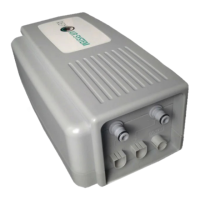
The REM Air System is a wireless remote control air pump designed as a leading replacement air system for luxury air mattresses. It emphasizes quality, performance, and user-friendliness, incorporating remote sensor and whisper technology for a simplistic setup.
The primary function of the REM Air System is to inflate and deflate air mattresses to a desired pressure, controlled wirelessly via a remote. It allows users to adjust the firmness of their mattress, with specific controls for dual-chamber mattresses to adjust each side independently. The system also features a memory function to save preferred pressure settings for quick recall.
To power on, connect the power source to an outlet and plug the other end into the pump's input receiver. The pump's LED light will initially show red for 30 seconds. Once it turns green, it indicates that the pump is working and communicating with the remote. To activate the remote, press any button on the remote control (RC). The LCD screen will light up and then turn off after 10 seconds of inactivity to conserve battery.
Users can select which side of a dual-chamber mattress to inflate or deflate by pressing the "L/R" button on the remote. During inflation, the numerical reading on the remote's LCD screen will increase on a scale of 0-60 (representing the true scientific read scale). Once the desired air pressure is reached, pressing any key will stop the inflation or deflation process.
The memory function enables users to quickly return to a previously set desired air pressure. To use this feature, select the desired side of the mattress using the "L/R" button and then press the "Memory" button. The pump will then automatically inflate or deflate to the default setting. The factory default setting is 25mbar (or 37 numerical value).
To save a custom memory setting, first inflate or deflate the mattress to the preferred comfort level. Once the pump has stopped at the desired comfort number, hold down the "Memory" button for 3 seconds. The LCD screen will display "Memory" and then flash "Save." This action memorizes the new setting. This allows for different memory settings to be saved for each chamber in a dual-chamber mattress, providing personalized comfort for each user.
The remote control has an effective range of 5 to 10 meters. If the remote displays "Er," it indicates that it is out of range, and users should move closer to the pump.
If the remote displays "Er" even when within the specified range (5 to 10 meters) during initial installation, it means the remote needs to be calibrated with the pump. The calibration process is straightforward:
The remote control requires two AAA-LR03-1.5V batteries. The remote's LCD screen will signal when the battery power is low. It is important to change the batteries promptly to avoid any potential damage or interruption in functionality.
 General
| Brand | Rem |
|---|---|
| Model | Air System replacement pump |
| Category | Water Pump |
| Language | English |

 To Next Page