1
18B&OLRBIUDB*T[G3DJH
CLIO nu665-3
C:\Documentum\Checkout\nu665-3_eng_T1.WIN 12/9/2001 11:03
-page14
1.06
AUTOMATIC DOOR LOCKING WHEN DRIVING
First decide whether you wish to
activate this function.
To activate it
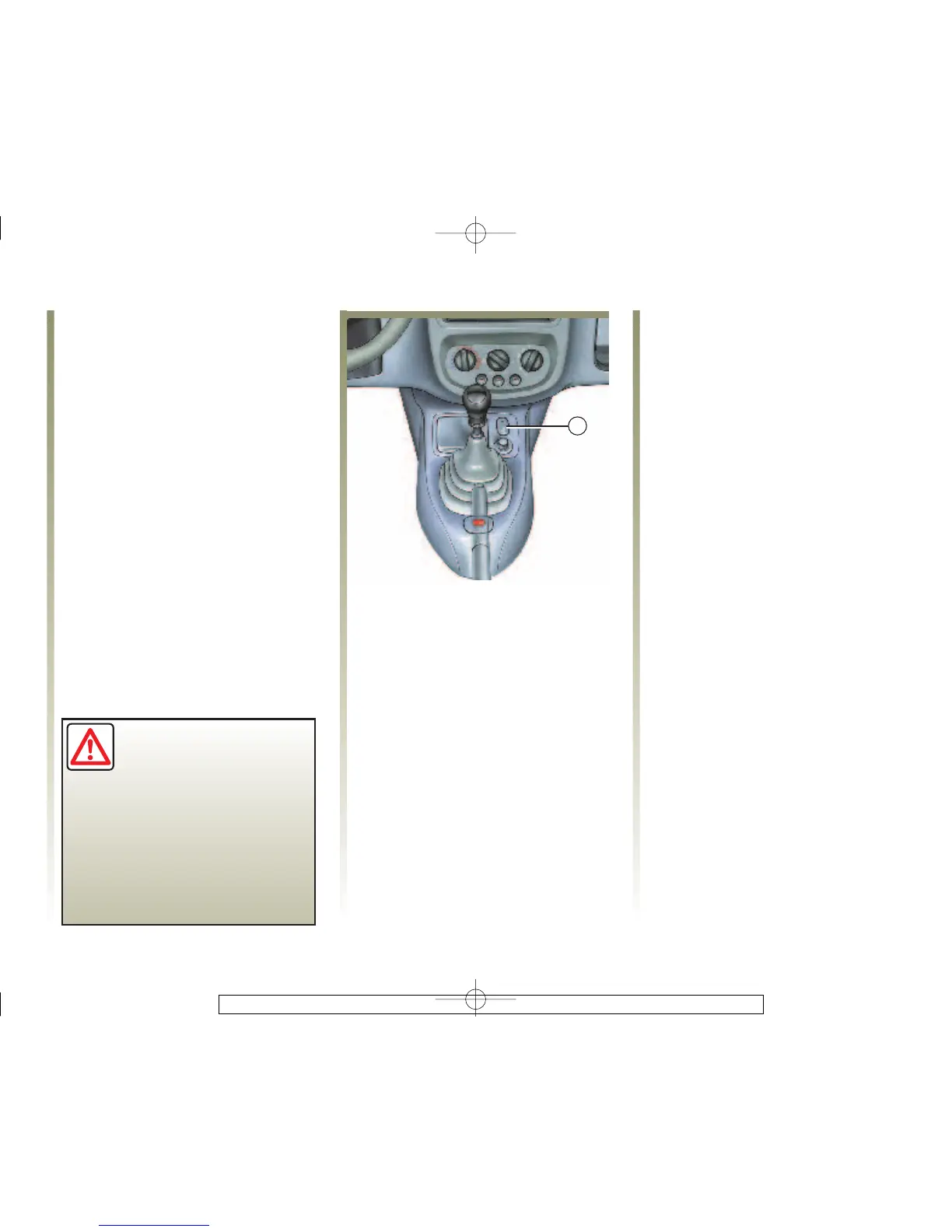
With the ignition on, press the
central door locking button 1 on the
locking side (padlock side) for about
5 seconds, until you hear the beep.
To deactivate it
With the ignition on, press the
central door locking button 1 on the
unlocking side (opposite the
padlock) for approx. 5 seconds,
until you hear the beep.
If you decide to keep the
doors locked when you
are driving, remember
that it may be more
difficult for those assisting you
to gain access to your car in the
event of an emergency.
Operating principle
When the car moves off, the system
automatically locks the doors as
soon as a speed of 4 mph (6 km/h) is
attained. The indicator light on
button 1 will illuminate.
The door is unlocked
- by opening a front door.
Note: Ifareardoorisopened,it
will automatically be locked again
when the car reaches a speed of
approx. 4 mph (6 km/h).
- by pressing the door unlocking
button 1.
Operating faults
If you note a fault (no automatic
locking, indicator light
incorporated in the button 1 does
not illuminate when the doors are
locked...), first check that that all
thedoorsareproperlyclosed.If
they are properly closed correctly,
consult your Renault Dealer.
Also make sure that locking has not
been inadvertently deactivated. If
this is the case, switch the ignition
off and on again and reactivate it as
described above.














 To Next Page