boîte de vitesses Quickshift 5 ................... (jusqu’à la fin de l’UD)
levier de sélection boîte Quickshift 5 ........ (jusqu’à la fin de l’UD)
2.23
ENG_UD3669_2
Boîte de vitesses Quickshift 5 (S65 - B65 - C65 - Renault)ENG_NU_778-2_NU_Renault_2
Boîte de vitesses Quickshift 5
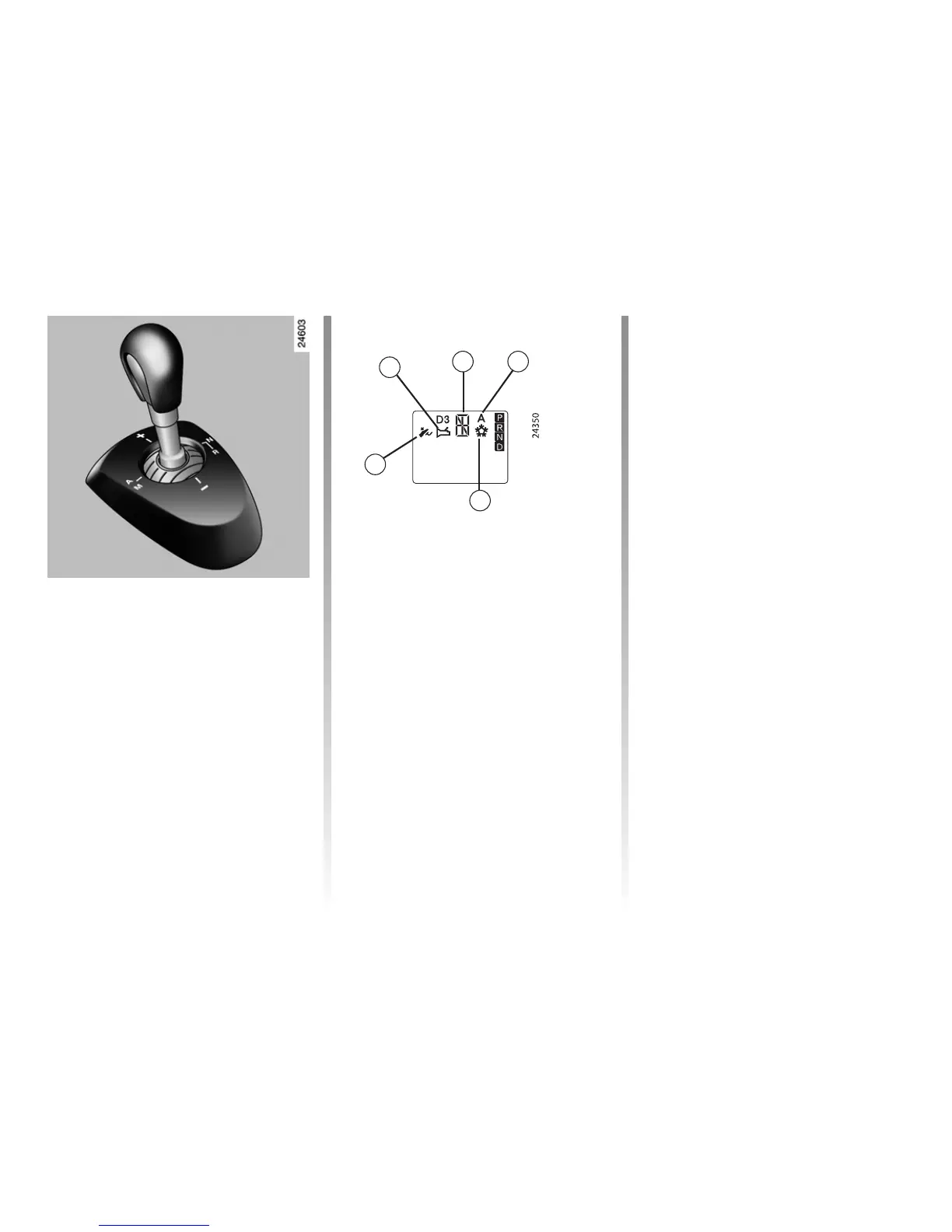
Selector lever
– allows you to shift directly from first
gear to reverse gear, to select re
-
verse gear and neutral and to change
gear in manual mode (see shift pat
-
tern);
– allows you to switch between manual
and automatic modes at any time,
with the engine switched on and re
-
verse gear engaged, by moving the
lever to the left.
Note: the selector lever automatically
returns to the centre position after use.
Display
1 gear display
2 automatic mode
3 not used
4 brake pedal depressed indicator light
5 gearbox fault warning light.
The gear selected (
1, 2, 5, N, R,) is dis-
played on the instrument panel. In auto
-
matic mode, A is also displayed.
Operation
Switch on the ignition.
The display on the instrument panel
switches on.
If neutral
N is displayed, start the
engine but do not depress the acceler
-
ator pedal.
If a gear other than neutral
N is dis-
played, the display will flash; it will be
possible to start the engine if you
depress the brake pedal (warning
light
4 will light up if your forget)
while holding the key in the starting
position.
The vehicle will automatically change to
neutral N and the engine will start.
You may also select neutral after switch
-
ing on the ignition by pushing the lever
to the right whilst depressing the brake
pedal.
When the engine is running, automatic
mode will be selected by default.
Note: do not attempt to start the engine
by pushing the vehicle if the battery is
flat (the display remains off when the ig
-
nition is switched on).
QUICKSHIFT 5 GEARBOX
1 2
3
4
5














 To Next Page