1.11
ENG_UD73744_5
Carte en mode mains libres : utilisation (BJA - Renault)
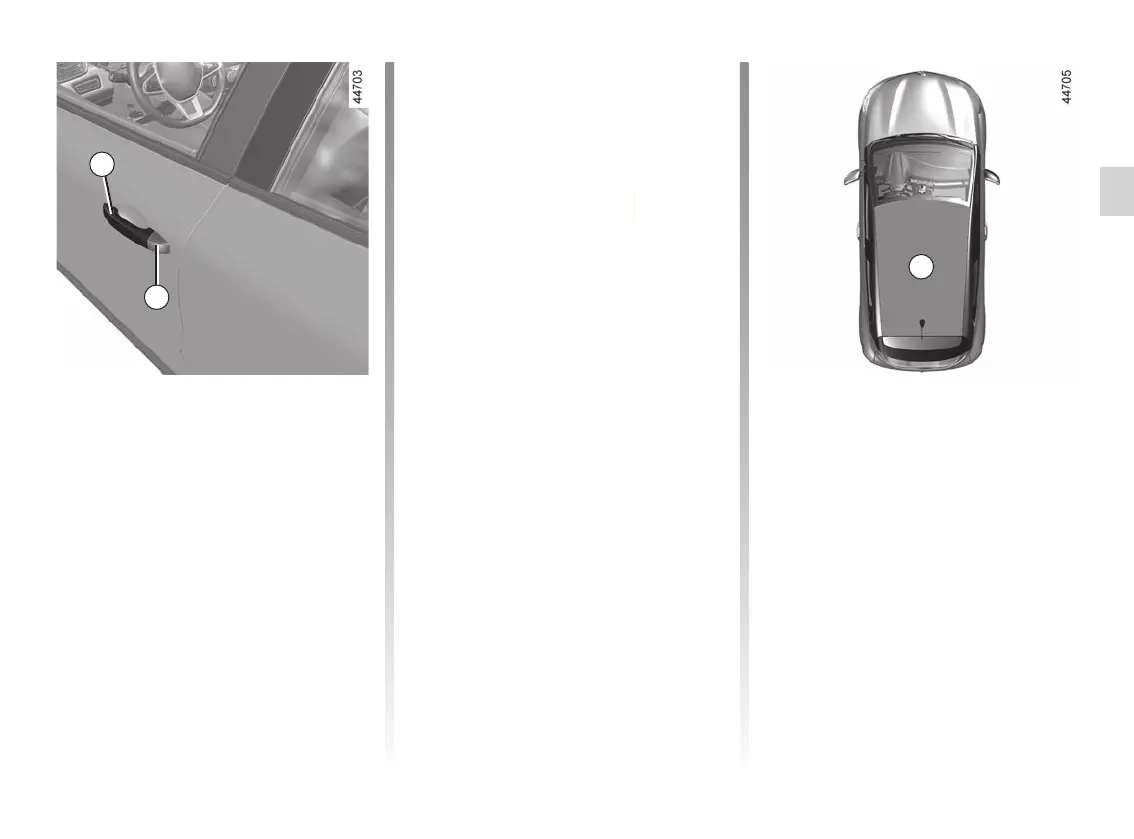
“Hands-free” unlocking/
locking using button 2
(depending on the vehicle)
With the card in zone 3 and the vehi-
cle locked, press the button 2 on the
handle 1 of one of the two front doors:
the vehicle unlocks. Press the button 2
also unlocks all the doors and the tail-
gate.
Unlocking is indicated by one flash of
the hazard warning lights and the indi-
cator lights.
Pressing the 2 button again locks the
vehicle.
“HANDS-FREE” CARD: use (3/4)
To indicate that the vehicle has been
locked, the hazard warning lights flash
twice and then light up for approxi-
mately four seconds.
Special features of the
unlocking system
Under certain circumstances, approach
unlocking is deactivated:
– after eight days of no use of the vehi-
cle;
– if the card remains close to the 3
area of the vehicle for approximately
five minutes after the vehicle has
been locked;
– after several passes in the vicinity of
the 3 area of the vehicle and without
the door being unlocked.
Use the remote control card or, depend-
ing on the vehicle, press the 2 button on
the door handle 1 to unlock the vehicle
and reactivate the mode.
Special features relating to
“hands-free” locking
After locking in “hands-free” mode, you
have to wait approximately three sec-
onds to be able to unlock the vehicle
again. During these three seconds, the
door handles can be tried to make sure
that the vehicle is locked properly.
Note: if a door or the boot is open or not
properly shut, locking is not carried out.
A beep sounds and the hazard warning
lights and side repeaters do not flash.
4
1
2
















 To Next Page