remote control card: use ............................
(up to the end of the DU)
«hands-free» card: use..............................
(up to the end of the DU)
card: use ....................................................
(up to the end of the DU)
central door locking ...................................
(up to the end of the DU)
doors/tailgate .............................................
(up to the end of the DU)
locking the doors .......................................
(up to the end of the DU)
1.9
ENG_UD72373_2
Carte en mode mains libres : utilisation (HFE - Renault)
“HANDS-FREE” CARD: use (1/4)
Do not store the card anywhere it
may come into contact with other
electronic equipment (computer,
phone etc.) as this could hinder its
operation.
There are two ways to unlock/lock the
vehicle:
– the card in “hands-free” mode;
– the card in remote control mode.
Using the card in hands-free
mode
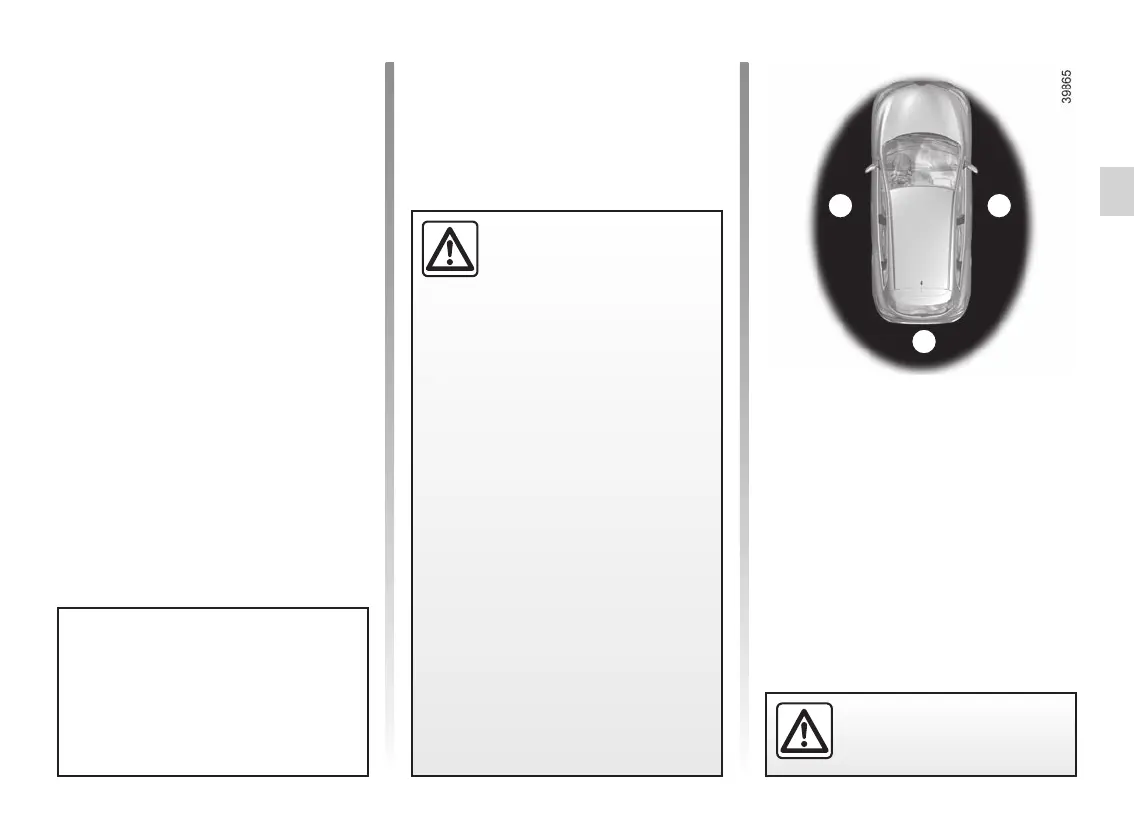
In “hands-free” mode, it is possible to
lock/unlock the vehicle without using
any of the card buttons, as long as the
card is within the access zone 1.
Note: It is possible to deactivate the
hands-free system – please refer to
the information on the “Vehicle settings
customisation menu” in Section 1.
11
1
Driver’s responsibility
when parking or stopping
the vehicle
Never leave an animal,
child or adult who is not self-suffi-
cient alone on your vehicle, even for
a short time.
They may pose a risk to themselves
or to others by starting the engine,
activating equipment such as the
electric windows or locking the
doors.
Also, in hot and/or sunny weather,
please remember that the tempera-
ture inside the passenger compart-
ment increases very quickly.
RISK OF DEATH OR SERIOUS
INJURY.
Never leave your vehicle
with the card inside.











 To Next Page