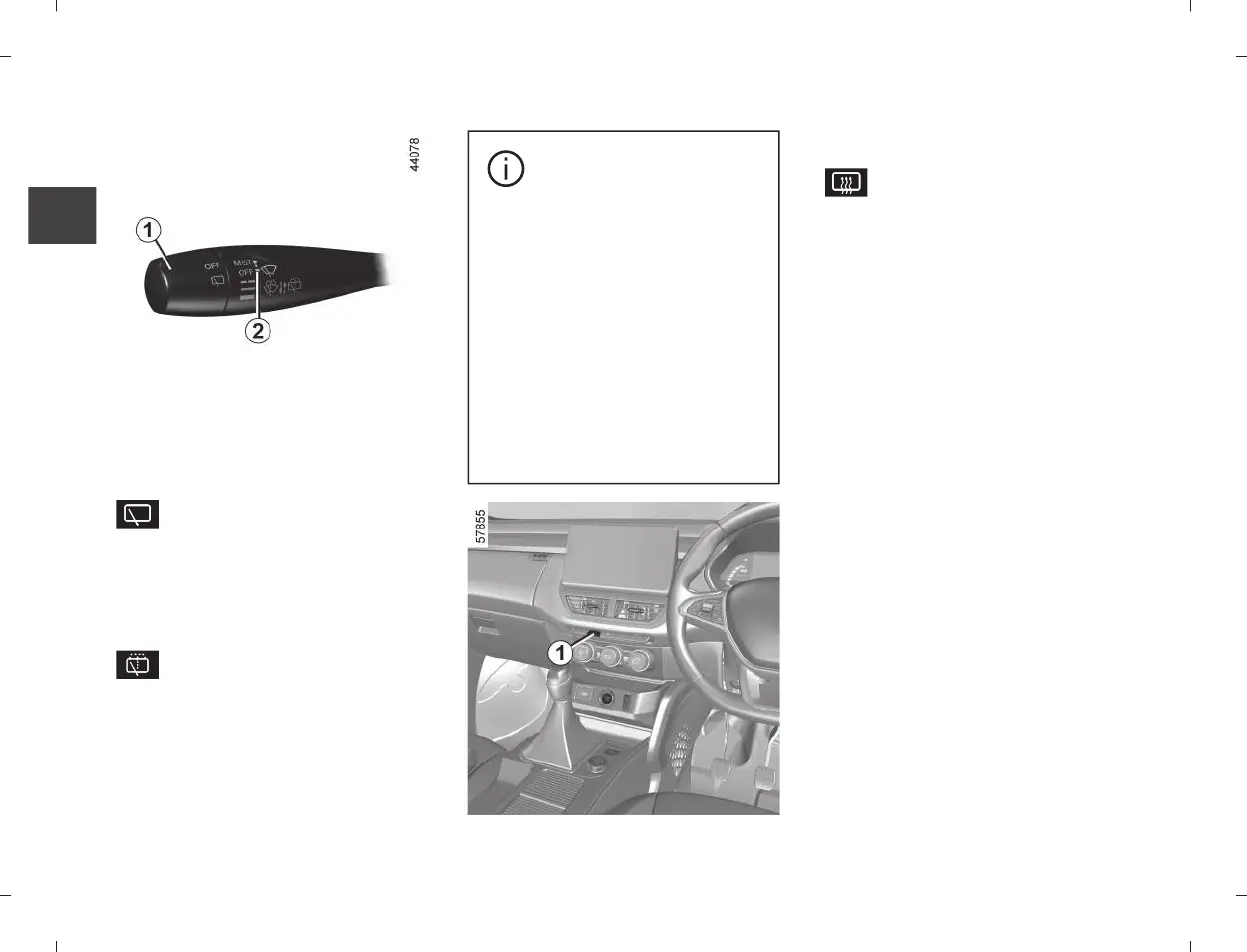
WINDSCREEN WASHING / WIPING
2
Rear screen wiper
Depending on the variants,
with the ignition on, turn the end of
stalk
1
to align the symbol with mark
2
Rear screen washer/wiper
With the ignition on, turn the
end of stalk
1
to align the symbol
with mark
2
.
When the stalk is released, it returns
to the rear wipe position.
A longer push will trigger three
sweeps of the wipers, in addition to
the wind screen washer.
Before using the rear
wiper, check that no ob-
ject is obstructing the
travel of the blade.
In frosty weather, make sure
that the wiper blades are not
stuck by ice (to avoid the risk of
the motor overheating).
Keep an eye on the condition of
the blades. They should be re-
placed as soon as they become
less efficient. This will occur ap-
proximately once a year. Clean
your windscreen regularly.
Heated rear screen
Depending on the variants,
with the engine running, press but-
ton
3
(the indicator light on the in-
strument panel lights up).
This function de-ices/demists the
rear screen.
The function is stopped:
– automatically after a period of
time set by the system (warning light
goes out);
– by pressing button
3
again (the
warning light goes out).
|
86 - Getting to know your vehicle








 To Next Page