1-13
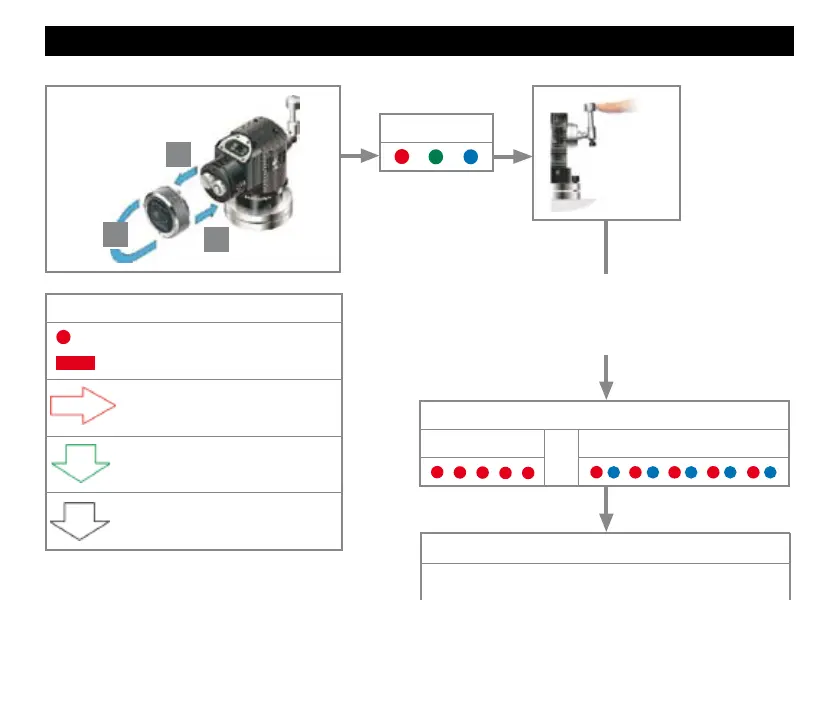
Placing the probe in configuration mode
LED check
Battery status
Battery good
or
Battery low
Deflect the stylus and hold deflected until
battery status has been displayed at the end
of the review sequence.
To change the enhanced trigger filter setting,
go to the next page.
Key to the symbols
LED short flash.
LED long flash.
Deflect the stylus < 4 seconds to
move to the next menu option.
Deflect the stylus > 4 seconds to
move to the next menu..
To exit, leave the stylus
untouched for > 20 seconds.
> 5 s
1
2
3
3


 To Next Page