36
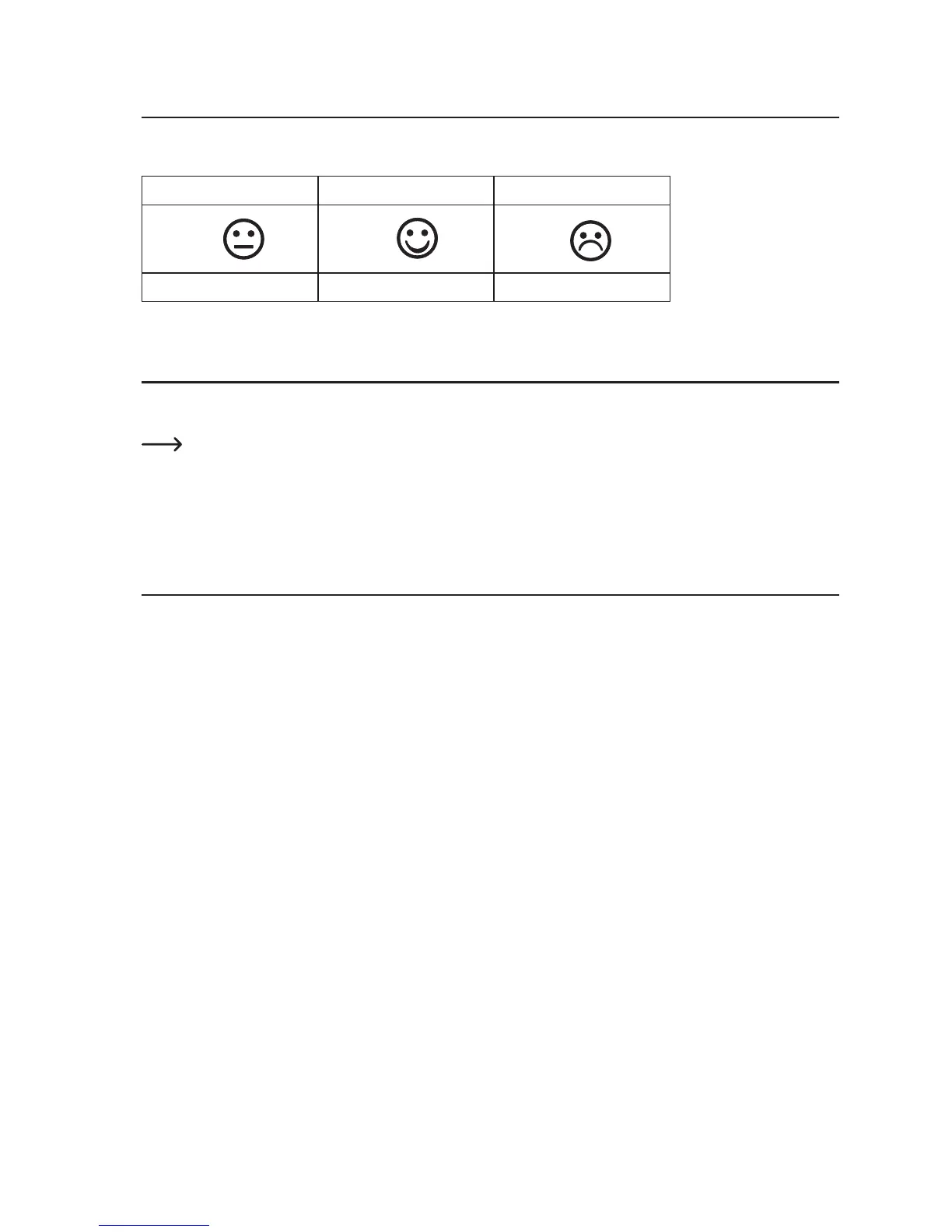
15. Comfort indicator
The corresponding comfort indicators for the indoor and outdoor areas are displayed. This indicator indicates the current
climate for humidity.
RH<45% RH 45%~65% RH >65%
too dry optimal too moist
16. Trend displays
For indoor temperature, outdoor temperature, indoor humidity and outdoor humidity, arrow symbols (trend display 5) that
indicate a trend of where the measured values are changing to are displayed.
At quick increases of the temperature (+2 °C temperature within 30 min.) or humidity values (+5% humidity within
30 min.), the corresponding trend display indicates rising.
At quick drops of the temperature (-2 °C temperature within 30 min.) or humidity values (-5% humidity within
30 min.), the corresponding trend display indicates dropping.
17. Display
The weather station can display different display values or formats.
• Briefly push the “SET” button; the display area date/time flashes; use the buttons “+” or “-” to select the desired display.
• Briefly push the “SET” button; the display range absolute barometric pressure (ABS) or rel. barometric pressure (REL)
flashes; set the corresponding value with the buttons “+” or “-”.
• Briefly push the “SET” button; the display temperature (TEMP) or dewpoint (DEWPOINT) for the outdoor sensor flashes;
set the corresponding value with the buttons “+” or “-”.
• Briefly push the “SET” button; the display -12h or -24h for the graphical display flashes; set the corresponding value with
the buttons “+” or “-”.
• Briefy push the “SET” button to exit.



 To Next Page