EasyManua.ls Logo

Renkforce WH2600 - User Manual

Renkforce WH2600
31 pages
Print Icon
To Next Page IconTo Next Page
Loading...
- 1 -
IP Observer Internet Weather Station
Operation Manual

Questions and Answers

  • M
    Michelle PatelAug 7, 2025
    Why is my Renkforce WH2600 Weather Station not reporting data to Wunderground.com?
    • R
      Richard JacksonAug 7, 2025
      To resolve issues with data not reporting to Wunderground.com® with your Renkforce Weather Station: 1. Ensure your password is correct and that it matches the one you registered on Wunderground.com®. Note that Wunderground.com® passwords cannot begin with a non-alphanumeric character. 2. Verify that your station ID is correct, paying close attention to the capitalization and avoiding the substitution of an 'O' for a '0' or vice versa. 3. Confirm that your time zone is set properly to ensure you are reporting real-time data. 4. Check your router firewall settings, as the device sends data via Port 80.
  • M
    Mark BerryAug 18, 2025
    How to fix a Renkforce WH2600 Weather Station wireless remote (thermo-hygrometer) not reporting in to Receiver?
    • K
      Kyle RodriguezAug 18, 2025
      To address the issue of a Renkforce Weather Station's wireless remote (thermo-hygrometer) not reporting to the receiver: * Ensure the sensor is within the 100m line of sight communication range. * Replace the batteries in the remote sensor(s) with a fresh set. * Avoid placing the remote sensors where they must transmit through solid metal or earth barriers. * Move the receiver away from electrical noise-generating devices like computers and TVs.
  • B
    Bryan MurrayAug 25, 2025
    What to do if Renkforce WH2600 Weather Station rain gauge reports rain when it is not raining?
    • L
      lisamurrayAug 26, 2025
      To solve the issue of a Renkforce Weather Station rain gauge reporting rain when it is not raining, ensure you have a stable and level mounting solution. An unstable mounting may cause incorrect rainfall readings.
  • R
    Richard ColemanAug 30, 2025
    How to prevent a Renkforce WH2600 Weather Station temperature sensor from reading too high during the daytime?
    • R
      Robin FieldsAug 31, 2025
      Ensure that the sensor array of your Renkforce Weather Station is not near heat generating sources such as buildings, pavement, walls, or air conditioning units. Also, use the calibration feature to offset installation issues related to radiant heat sources.
  • D
    David BuckleyNov 12, 2025
    What to do if the outdoor sensor array of my Renkforce WH2600 does not communicate to the Receiver?
    • D
      Dylan MartinezNov 12, 2025
      If your Renkforce Weather Station's outdoor sensor array isn't communicating with the receiver, it may be necessary to reset the sensor array. Here's how: 1. Use an open-ended paperclip to press the reset button (next to the LED near the mounting point) for 3 seconds to discharge the voltage. 2. Remove the batteries and wait one minute while covering the solar panel to drain any remaining voltage. 3. Reinsert the batteries and resync with the receiver by powering down and then up the receiver, keeping the sensor array about 3 meters away. 4. Bring the sensor array inside. The LED should flash every 16 seconds. If it doesn't, replace the batteries, ensuring correct polarity. 5. If the sensor flashes every 48 seconds, there may be temporary communication loss due to interference. Try p...

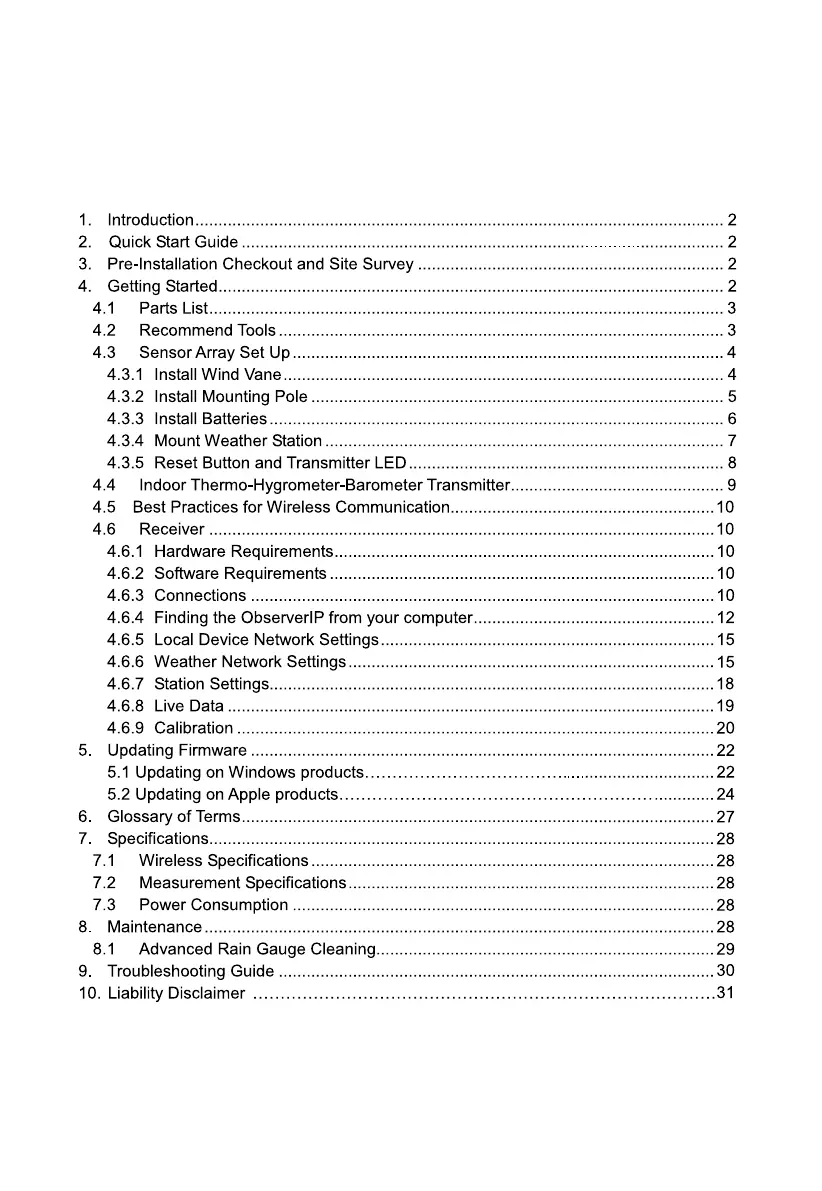
Summary

Introduction to IP Observer Internet Weather Station

Quick Start Guide for Weather Station Setup

Pre-Installation Checkout and Site Survey

Pre Installation Checkout Procedure

Recommend operating the weather station temporarily to check functions and wireless range.

Site Survey Considerations

Site survey considerations for optimal sensor placement and performance.

Getting Started with the Weather Station

Parts List for Weather Station Components

Recommended Tools for Installation

Sensor Array Setup Instructions

Install Wind Vane

Align the flat key on the wind vane shaft and tighten the set screw.

Install Mounting Pole

Remove the mounting pole collar and align the groove on the sensor array and mounting pole.

Install Batteries in Sensor Array

Open the battery compartment, insert 3xAA batteries, and close the door.

Mount the Weather Station

Fasten the mounting pole with U-bolt and align the compass rose direction to true north.

Reset Button and Transmitter LED

Steps to reset the sensor array and understand the transmitter LED status.

Indoor Thermo-Hygrometer-Barometer Transmitter Setup

Best Practices for Wireless Communication

Receiver Setup and Configuration

Receiver Hardware Requirements

Specifies the necessary hardware for the receiver, including a router and internet connection.

Receiver Software Requirements

Identifies the IP scan tool needed to locate the device on the network.

Receiver Connections and Synchronization

Instructions for connecting the receiver to power and the network, and synchronizing sensors.

Finding the ObserverIP from your computer

Locate receiver IP using IP Tools software across different OS.

Local Device Network Settings

Configuration of local network settings like IP address, gateway, and DNS server.

Weather Network Settings for Data Upload

Setup for uploading weather data to remote servers like Wunderground.com.

Station Settings Configuration

Configuration of transmitter settings, time zone, DST, and units of measure.

Live Data Monitoring

Viewing real-time weather data and options to freeze updates.

Reset Rain Gauge Reading

Procedure to reset the rain gauge reading to zero.

Calibration of Weather Parameters

Instructions and examples for calibrating various weather parameters.

Updating Device Firmware

Updating Firmware on Windows Products

Detailed steps for updating the device firmware on Windows operating systems.

Updating Firmware on Apple Products

Detailed steps for updating the device firmware on Apple operating systems.

Glossary of Weather Station Terms

Product Specifications

Wireless Specifications

Technical details regarding wireless transmission capabilities.

Measurement Specifications

Accuracy, range, and resolution specifications for measured weather parameters.

Power Consumption Details

Information on the power requirements for the receiver and sensors.

Maintenance Procedures

Advanced Rain Gauge Cleaning

Procedures for cleaning the rain gauge and sensor array housing.

Troubleshooting Guide for Weather Station Issues

Wireless remote not reporting to Receiver

Solutions for issues with the remote sensor not communicating with the receiver.

Outdoor sensor array communication failure

Steps to diagnose and resolve communication problems with the outdoor sensor array.

Temperature sensor reading too high

Advice on placement to prevent the temperature sensor from reading inaccurately high.

Relative pressure mismatch with official station

Guidance on calibrating relative pressure to match official weather station data.

Rain gauge reports rain when it is not raining

Troubleshooting steps for false rain readings from the gauge.

Data not reporting to Wunderground.com

Solutions for problems with uploading weather data to the Wunderground platform.

Liability Disclaimer and Usage Guidelines

Renkforce WH2600 Specifications

General IconGeneral
Device TypeWeather Station
Wireless Range100 m
Rainfall MeasurementYes
Wind Speed MeasurementYes
Wind Direction DisplayYes
Barometric Pressure MeasurementYes
Weather ForecastYes
Radio Frequency868 MHz
Power Supply (Sensor)2x AA batteries (not included)
Display TypeLCD
Temperature Range (Indoor)0°C to +50°C
Power Supply (Station)3 x AA batteries (not included)

Related product manuals