EasyManua.ls Logo

RENPHO RF-BMF01 - Page 8

RENPHO RF-BMF01
48 pages
Print Icon
To Next Page IconTo Next Page
To Previous Page IconTo Previous Page
Loading...

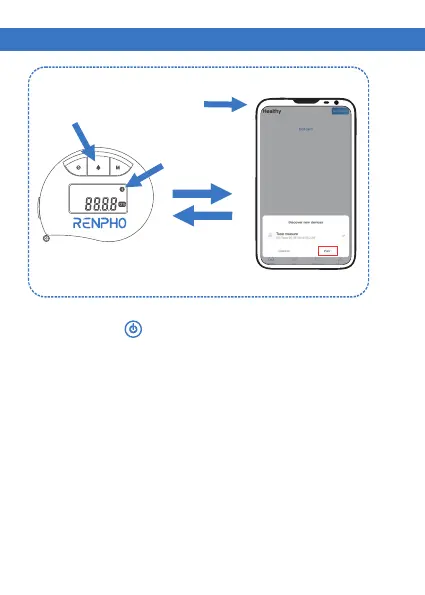
If the Bluetooth icon flashes continuously, it means
that Bluetooth is not connected.
Short press “ ” button to turn the device on.
1. Turn on Bluetooth and open the “Renpho Health”
App.

connect the tape with the app.

connection.
STEP 3


Related product manuals