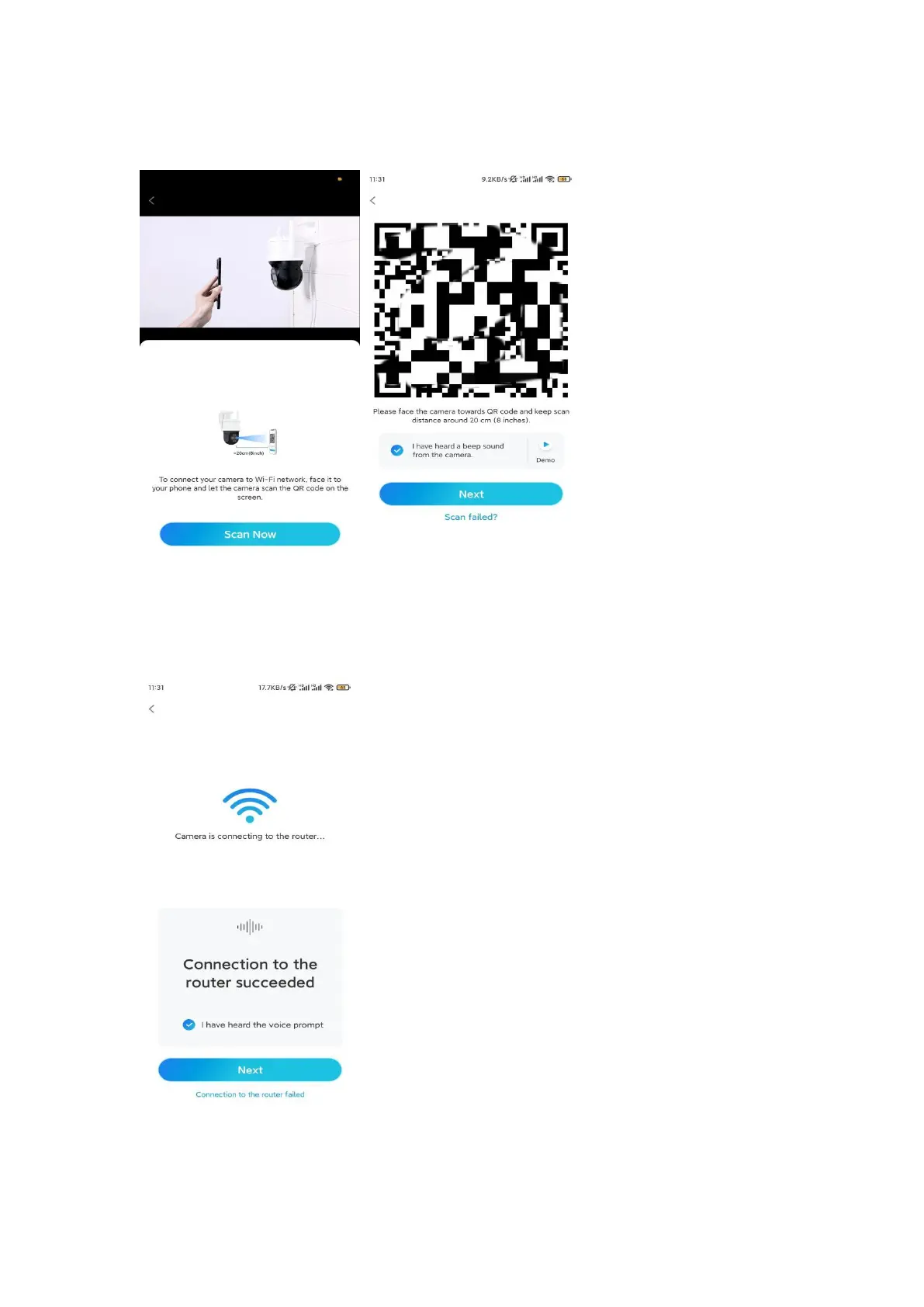
After you hear the beep sound, tick "I have heard a beep sound from the
camera" and tap Next.
Step 7. After you hear a voice prompt "Connection to the router succeeded" from
the camera, tick "I have heard the voice prompt" and tap Next.
Note: If you hear the voice prompt "Connection to the router failed", please
double-check if you have entered the Wi-Fi information correctly in the previous








 To Next Page