English English11 12
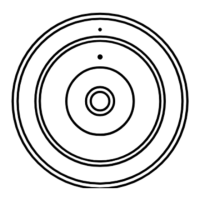
Mount the Camera to Ceiling
1.Drillholesinaccordancewiththemountingholetemplate.Usethedrywallanchors
includedinthepackageifneeded.
2.Securethemountbasetotheceilingwithscrews.
3.Runthecableofthefisheyecamerathroughthecablegrooveonthemountbase,
androtatethecameracounterclockwisetolockitinposition.
VGAHDMIUSB
AUDIO
OUT
DC 48V
ON
2 4 6 8
1 3 5 7
OFF
LAN
eSATA
You haven't added any device. Please click
the"+"button in the top right corner to add
VGAHDMIUSB
AUDIO
OUT
DC 48V
ON
2 4 6 8
1 3 5 7
OFF
LAN
eSATA
You haven't added any device. Please click
the"+"button in the top right corner to add
NOTE: Fitthethreemountingholesofthecameraintothemountbase.
Troubleshooting
IftheInfraredLEDsofyourcamerastopworking,pleasetrythe
followingsolutions:
•EnableinfraredlightsonDeviceSettingspageviaReolinkApp/Client.
•CheckiftheDay/Nightmodeisenabledandsetupautoinfraredlightsatnighton
LiveViewpageviaReolinkApp/Client.
•Upgradethefirmwareofyourcameratothelatestversion.
•Restorethecameratofactorysettingsandcheckouttheinfraredlightsettings
again.
Infrared LEDs Stop Working



 To Next Page
 Loading...