11
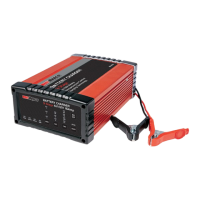
RBC25SS3
RBC5SS3
FAQ’S
Q. What does Er1 signify?
A. Incorrect connection – check and reconnect.
Q. What does Er2 signify?
A. Bad Battery condition – unable to recover or
recharge.
Q. Can I use the charger as a power supply?
A. Automatic chargers are designed to only supply
power to the battery clips when correctly
connected to a battery; this is to prevent
sparks or damage to the charger or battery if
connected incorrectly. Consequently, this safety
feature prevents the charger from being used
as a ‘Power Supply’.
Q. Why is there no output on the battery charger’s
battery clamps when it is turned on?
A. The charger incorporates reverse polarity and
short circuit protection that makes it much
safer to use. For this reason, the charger will
only output power when connected to a battery
exhibiting a voltage above 2 volts (2V).
Q. The charger is making a “clicking” sound, is
this normal?
A. Switch mode chargers will often produce a
clicking sound as the microprocessor relay
switches between each stage.
Q. Why won’t the battery accept charge?
A. A number of conditions may cause this
behaviour. Check the voltage selection for
the battery, and/or ensure adequate time is
provided to allow sufficient charge cycles (up
to 48 hours).
Q. What is a Faulty Cell?
A. 12 Volt batteries contain 6 cells (6 volt batteries
contain 3 cells) - one faulty cell is enough
to ruin your battery. If the “ERROR” LED
illuminates after a period of charge, you should
test the cells using a hydrometer. If one reading
is lower than the rest it indicates a faulty cell. It
is pointless to continue charging, as the battery
needs replacing.



 To Next Page