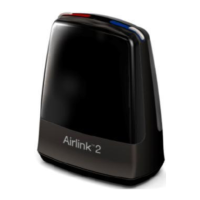
Accessing wireless accessories
To access a wireless device that has already been paired with your hearing aids, press the push
button for maximum 2 seconds. The hearing aid will emit a sound to confirm the connection.
For information about how to pair your hearing aids with a wireless accessory, see the user guide for
the relevant wireless accessory.
NOTE:
• Please contact your hearing care professional for an overview of compatible wireless accessories that
are approved by GN ReSound A/S.
• You should only use ReSound wireless accessories with your wireless hearing aids.
Low battery alert when paired with wireless accessories
NOTE:
Your batteries will drain faster when you use wireless functions like streaming from your smart device or
from your TV with our TV streamer. As the battery power declines, the wireless functions stop working. A
short melody will play every five minutes to let you know that the battery power is low. The table below
shows the functionality with different battery charge levels.
30 Wireless accessories


 To Next Page
 Loading...