EasyManua.ls Logo

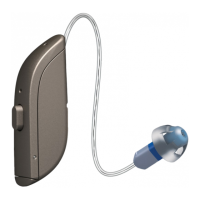
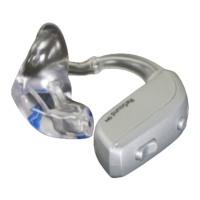
ReSound ONE RT988-DWC - User Manual

ReSound ONE RT988-DWC
72 pages
Print Icon
To Next Page IconTo Next Page
Loading...
resound.com
User guide
ReSound Behind-The-Ear power hearing aids, Rechargeable

Questions and Answers

  • S
    Stefanie RojasAug 6, 2025
    Why does my ReSound Hearing Aid whistle?
    • C
      Cynthia EvansAug 6, 2025
      Your ReSound Hearing Aid may be whistling due to several reasons: * Your earmould might not be correctly inserted; try re-inserting it. * The volume could be too high; try reducing it. * An object might be too close to the hearing aid; create more space between the hearing aid and the object. * Your ear may be full of wax; visit your hearing care professional or physician to have your ears checked.
  • J
    jeffreyzunigaAug 12, 2025
    How to fix ReSound ONE RT988-DWC Hearing Aid that is not charging?
    • C
      Candice CharlesAug 12, 2025
      If your ReSound Hearing Aid is not charging: * Ensure the hearing aid sits correctly in the charger; reinsert it if necessary. * Check that the charger is plugged into a power source; plug it in if it isn't.
  • M
    Melissa MarshAug 17, 2025
    What to do if my ReSound ONE RT988-DWC Hearing Aid has no sound?
    • J
      James RogersAug 18, 2025
      If your ReSound Hearing Aid has no sound, consider the following: * Ensure the hearing aid is turned on. * Check if it is in telecoil mode; switch to the microphone program. * Verify the hearing aid is charged by placing it in the charger. * If the issue persists, your ear may be full of wax; visit your physician.
  • K
    Kelly ThomasAug 23, 2025
    Why is my ReSound ONE RT988-DWC Hearing Aid battery draining so quickly?
    • O
      orobinsonAug 25, 2025
      If your ReSound Hearing Aid battery drains quickly: * Make sure you are placing your hearing aids in the charger for recharging when you are not using them, or switch them off. * If the hearing aid is old, visit your hearing care professional.
  • L
    laurenhillAug 29, 2025
    What to do if my ReSound Hearing Aid sound is distorted?
    • J
      jcortezAug 29, 2025
      If the sound from your ReSound Hearing Aid is distorted or weak: * If your hearing aid got moist, use a desiccant (drying kit). * If the plastic tube or earmould is clogged or broken, consult your hearing care professional.

Summary

Introduction

Intended purpose

Defines the hearing aid's purpose for compensating hearing impairment.

Target group and user profile

Specifies the intended users and fitting professionals for the hearing aid.

Therapeutic indications

Lists the types of hearing loss the device is designed to treat.

Contra-indications

Advises consultation with a physician for specific ear conditions before use.

Side effects

Details potential side effects and advises contacting a professional if experienced.

Getting to know your hearing aid

Model 88 parts overview

Identifies and labels the components of the Model 88 hearing aid.

Left;Right identification

Explains the color-coding system for identifying left and right hearing aids.

Charging your hearing aids

Battery warnings

Provides crucial safety warnings regarding the rechargeable lithium-ion battery.

Low battery alert

Describes the auditory alert indicating low battery status and device shutdown.

Placing your hearing aids in your ears

How to tell left from right

Details the color markings used to distinguish left from right hearing aids.

Inserting earmoulds

Provides step-by-step instructions for properly inserting earmoulds into the ear.

Removing hearing aids

Explains the correct procedure for safely removing hearing aids from the ear.

Using your hearing aids

Turning on;off and indicator lights

Instructions for powering the hearing aids on/off and understanding indicator light meanings.

Smart Start and volume adjustment

Details the Smart Start feature and how to adjust the hearing aid volume.

Listening programs

Describes various listening programs available for specific situations.

Apps for control

Information on using smartphone apps to control hearing aid functions.

Changing program

Explains how to select different listening programs using the hearing aid button.

Teleloop systems

Guide to using telecoil functionality with teleloop systems for better sound.

Using a telephone

Tips and guidance for using telephones with hearing aids.

Phone Now feature

Details the optional Phone Now feature for automatic telephone program switching.

Direct Audio Input

Information on connecting external audio sources via DAI.

Advanced options

Mobile device connectivity

Explains connectivity with iPhone, iPad, iPod, and Android smartphones.

Mobile app control

Details controlling hearing aids via the ReSound Smart 3D™ app.

ReSound Assist services

Describes remote adjustment and software update services offered by ReSound.

Wireless accessories

Available accessories

Lists and describes various wireless accessories compatible with the hearing aids.

Accessing accessories

Instructions on how to access and pair wireless devices with the hearing aids.

Flight Mode operation

Explains how to turn off wireless communication for flight mode.

Cleaning and caring for your hearing aids

Cleaning tools

Identifies the cleaning tools provided with the hearing aids.

General care instructions

Provides general guidelines for maintaining and caring for the hearing aids.

Daily maintenance

Details the daily cleaning routine for keeping hearing aids clean and dry.

Earmould cleaning

Instructions for cleaning the earmoulds and tubing.

Microphone filter replacement

Guide on how to change the microphone filters to maintain sound quality.

Storing hearing aids

Instructions on how to properly store rechargeable hearing aids when not in use.

Tinnitus Management

Tinnitus Sound Generator module

Introduces the TSG module for tinnitus management and temporary relief.

TSG functions and explanation

Explains how the TSG module works, including sound generation and customization.

TSG technical specifications

Details the technical specifications of the Tinnitus Sound Generator module.

TSG warnings and precautions

Provides warnings and precautions for using the TSG module safely and effectively.

General warnings and cautions

General safety warnings

Covers essential safety advice for hearing aid usage and handling.

Power hearing aid warnings

Specific warnings related to the power output and potential risks of power hearing aids.

Other cautions

Additional cautions regarding modification, side effects, and ear care.

Cyber security warnings

Security precautions

Advises on safe connection and software update practices for hearing aid security.

Troubleshooting

Common issues and solutions

Provides solutions for common problems like feedback, no sound, and battery issues.

Warnings to hearing care professionals (US only)

User expectations

Sets expectations for hearing aid performance and rehabilitation.

Guidance for dispensers

Provides guidance for hearing aid dispensers regarding user suitability.

Children with hearing loss

Addresses the specific needs of children with hearing loss and audiological evaluation.

Regulatory information

Warranties and storage

Details warranty terms, repair information, and storage conditions.

Expected service lifetime

Outlines the expected service lifetime for the hearing aid and its components.

Compliance and designations

States regulatory compliance and provides type designations for the device.

Technical specifications

Power BTE specifications

Provides detailed technical specifications for Power BTE models.

High Power BTE specifications

Provides detailed technical specifications for High Power BTE models.

Additional information

Acknowledgments

Contains copyright and software licensing information.

ReSound ONE RT988-DWC Specifications

General IconGeneral
StyleReceiver-in-canal (RIC)
TechnologyDigital
Channels17
Water ResistanceIP68
Rechargeable OptionYes
Directional MicrophonesYes
Tinnitus MaskerYes
TelecoilYes
CompatibilityiOS and Android
Maximum Output Sound Pressure Level (OSPL90)132 dB
Battery Type312
Wireless ConnectivityBluetooth

Related product manuals