Revision 2.6 Page 34 of 53
Intuitive Mercury 6-5M Controller with TDB
Warning
Please Note
The specifications of the product detailed on this
Set-Up Guide may change without notice. RDM
Ltd. shall not be liable for errors or for incidental
or consequential damages, directly and indirectly,
in connection with the furnishing, performance or
misuse of this product or document.
Ensure that all power is
switched off before
installing or maintaining
this product
This block performs an automatic
summer/winter (BST/GMT) time
change. Block Name can be changed
if required.
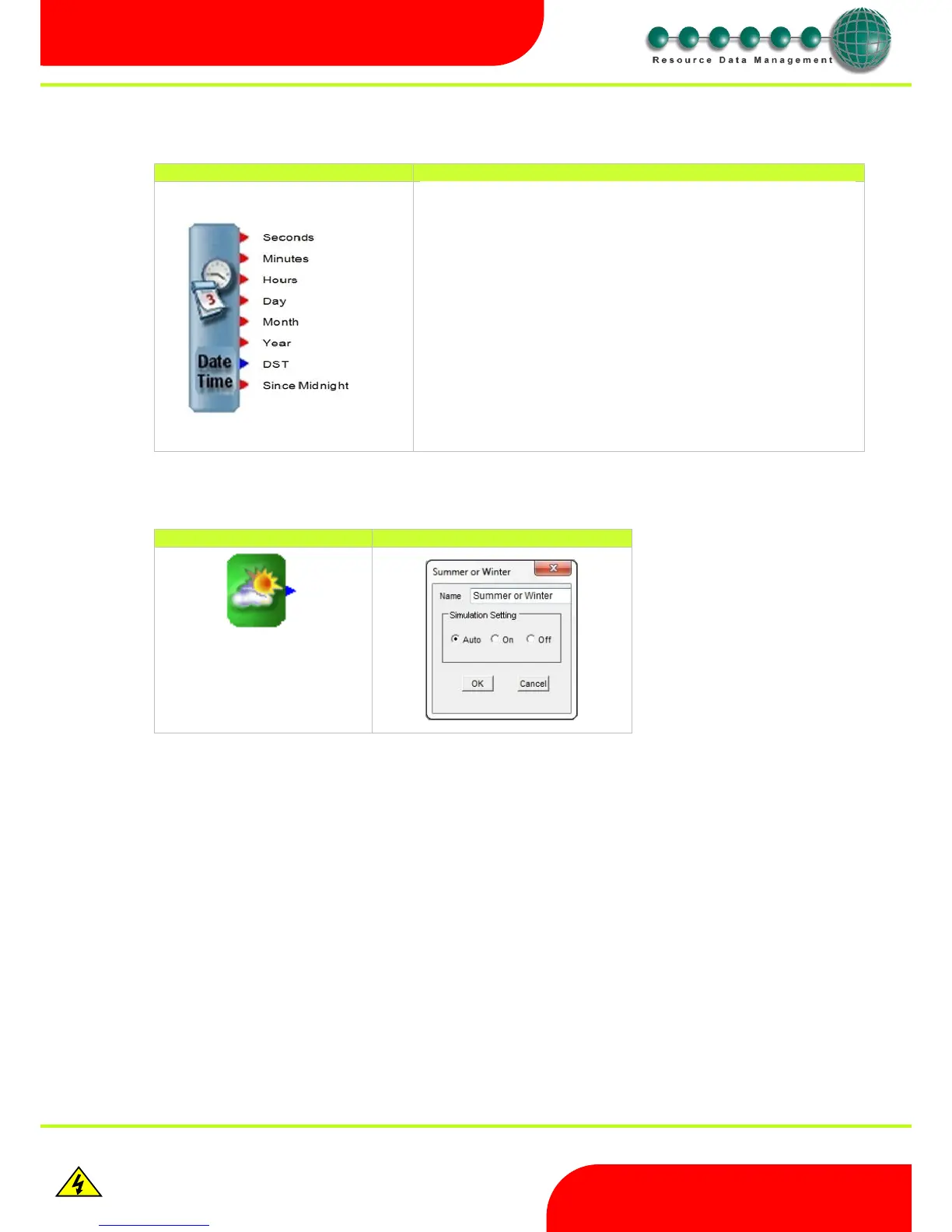
Provides the time in: -
Seconds 0-59
Minutes 0-59
Hours 0-24
Provides the date in the format: -
Day 0-31
Month 0-12
Year 0-99
The “DST” output comes on when daylight saving time is in force.
The “Since Midnight” output counts up the seconds since midnight. Resets to 0
each midnight



 To Next Page