12
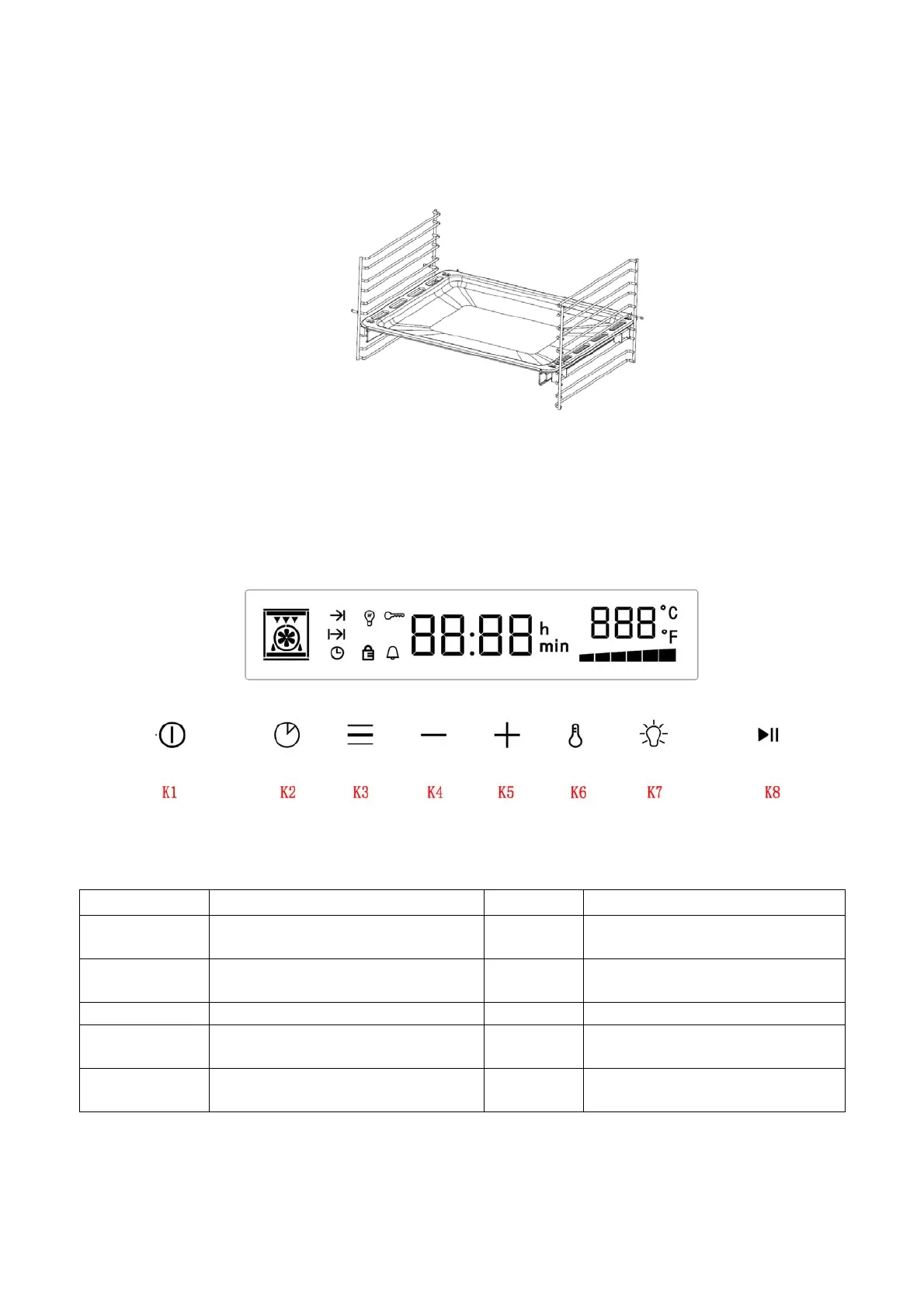
Guide sliding
Generally installed on the second or fourth layer of the side self, it can support the oven tray
or wire rack to be pulled out and pushed smoothly, which is convenient for placing and
taking out food.
D. Control panel
Here, you will see an overview of the control panel. Depending on the appliance model,
individual details may differ.
1.1 Button icon instruction
Pic 1: Button diagram
Icons Function Icons Function
K1
Power button, for closing the
oven (press and hold for 3S)
K5
Time or temperature
increasing button
K2 Reservation function button K6
Time or temperature
switching button
K3 Function selector K7 Lamp button
K4
Time or temperature reduction
button
K8 Start or pause button
Combination
K5+K6
Adjusting time combination
button


 To Next Page