23
EverGo User Manual
Visual, Audio
Indicators
Description What To Do
1st press
= 1 long
beep�
2nd press to
turn device
OFF
= 3 long
beeps
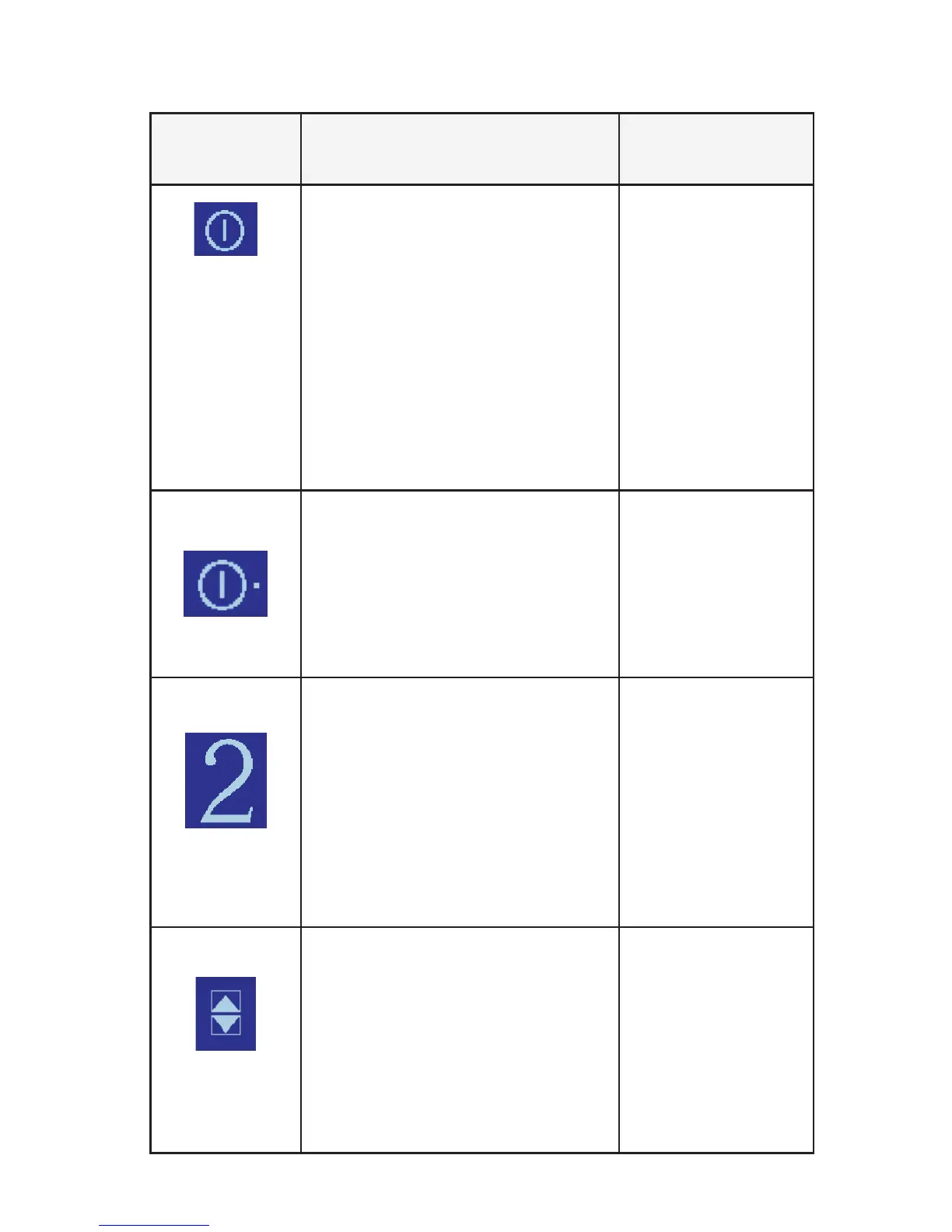
On/O Symbol
This symbol appears when the
device is powered ON, or is ready
to be turned ON or OFF�
Touch this symbol
to turn the device
on or o�
Note: To prevent
inadvertent starts
and stops, the
device requires
two touches of the
screen to turn it on
and o�
Pulse Symbol
The dot next to the On/O
symbol appears when the unit
delivers a pulse, whenever you
take a breath�
No action needed�
1 short beep
Flow Control Setting
The large number in the center
of the screen shows the oxygen
ow setting� (In this example, it
is shown as 2�) This number can
range from 1 to 6 in increments
of one-half: 1, 1½, 2, 2½, etc�
If this is your ow
setting, no action
is needed�
If this is not your
proper ow
setting, touch the
number to activate
the arrows (shown
below)�
1 short beep
Flow Control Change Arrows
These arrow symbols appear
after you touch the ow control
setting number� They allow
you to change the ow control
setting�
Touch the top
arrow to increase
the ow control
setting�
Touch the bottom
arrow to decrease
the ow control
setting�


 To Next Page