Read before using the product:
1. Power ON / OFF
Press the “ON/OFF” button till the Green/Red LED is ON, then release the button, the tracker is powered ON,
when the LED flash means the tracker is working well.
Press the “ON/OFF” button till the all the LED turn off, then release the button, the tracker is powered OFF.
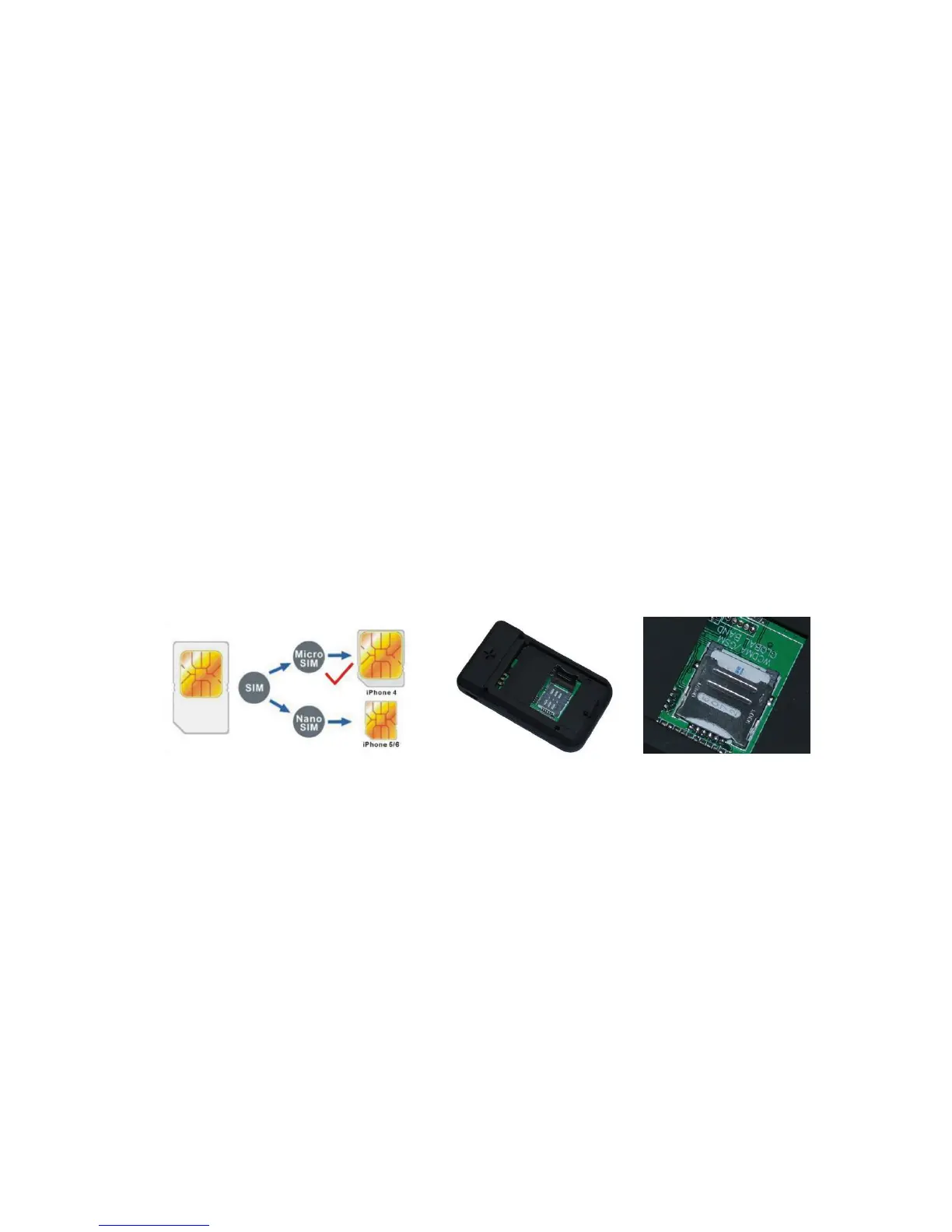
2. Install SIM card (Micro SIM Card)
At first to buy a 3G WCDMA or 2G GSM SIM card which have SMS service and incoming caller ID service &
internet data service, in which the SIM card phone number is the very tracker number and all the operation for the
tracker is to this number, such as locating immediately, add & delete preset number, change password, enable over
speed alarm, enable move alarm etc.
Note:
1. This tracker use WCDMA/GSM network, and need about 10MB-30MB data per month according the
different working mode, recommended order a internet data package for the SIM card.
2. This tracker use micro SIM card (bigger than SIM card used in iPhone 5/6), please see the following
diagram to select the SIM card.
3. LED flash indicator
Green Power LED Flash once : working well
Green Power LED Flash three times : GSM/WCDMA and GPS working well but battery is low
Green Power LED ON continuously : Searching GSM/WCDMA network
Red GSM LED Flash once : Upload location to server OK
Red GSM LED Flash twice : Upload location to server Fail
Blue GPS LED Flash once : GPS OK
Blue GPS LED ON continuously : Searching GPS signal
4. Recharge the Battery:
Please check and confirm that the adapter model is suit for this tracker, for which we recommend using OEM
charger to recharge the tracker.While charging, the Green led will flash slowly when the unit is working, and the Red
led will be on when the unit is powered off.
Warning: this tracker use the USB 5V DC voltage to recharge, so too high voltage or AC voltage may damage


 To Next Page