the tracker or even cause accidents.
Use the car adapter or home charger or PC USB to recharge the tracker: insert the USB wire into the tracker and
car adapter or home charger or PC USB, If the LED on the adapter is RED, it means it is recharging, if the LED on
the adapter is GREEN, it means, it means the recharging is finished. This will take about 2-4 hours.
5. Battery Low Alarm:
When the battery voltage in the tracker is too low, the tracker green LED will flash 3 or 4 times, and send battery
low alarm information to authorized number, and later if the battery power is too low, it will power off automatically.
6. Back to Factory Setting
Sending SMS “FACTORY*123456” to the tracker SIM card number, the tracker , the tracker will delete all the
user setting (authorized number / Alarm setting / Password / APN / Working mode etc), reset to factory default setting,
and then re-power on.
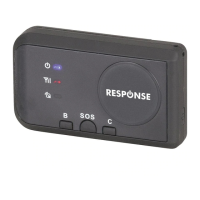
Before power on, press the button B and C simultaneity, then power on. After the GREEN led flashes 5
seconds, release the button, then the unit will re-power on, and reset to factory.
7. ANTENNA
The Antenna is built in the tracker.Pleas leave the tracker away from big metal, this will reduce the GSMWCDMA
or GPS signal.
8. Using Condition
The working temperature is -20℃ to 60℃, over this range the specification maybe can not reach the standard level. the
storage temperature can reach to -40℃ to 80℃.
Simply Using Step
1. First to buy a 2G GSM or 3G WCDMA mobile phone SIM card and enable data service, order a data package
(Normally will use about 10M-30M GPRS data every month), install in the tracker, please refer the above Before
Using 1 & 2..
2. Press ON/OFF button till the tracker power on, first time using please put the tracker outdoor for easy get
GPS & GSM signal.
3. Send SMS “URL*123456” to the tracker, a few minutes later, the tracker will get the location with Google map
link by SMS. Please refer the following Locate Operation & Setting 3.
4. This tracker default working mode is 1, the tracker locating & uploading is controlled by shock sensor,
if the tracker is moving , the tracker will upload the location to server every 5 minutes (time interval can be
set, please refer Locate Operation & Setting 6), if the tracker stop moving, 2 minutes later, the tracker will


 To Next Page