reply SMS, if the other phone number call to the tracker, the tracker will hang up the calling immediately without ring
& will not reply SMS.
If the tracker can not get the location text description, the tracker will reply the location with Google map link
SMS to user.
3. Sending SMS trigger reply Google map link SMS(Platform is not necessary):
Send SMS “URL*123456” to the tracker also can trigger the tracker locate & reply SMS with current location with
Google map link, “URL” and “456” is a command, “123456” is password; if the password is not right, the operation is
fault, the tracker will send back information “Wrong Password.
If the tracker has set the authorized phone number, then send SMS “URL#” also can trigger the tracker locate &
reply SMS with current location text description, the password is not necessary any more.
The SMS examples is same as follow:
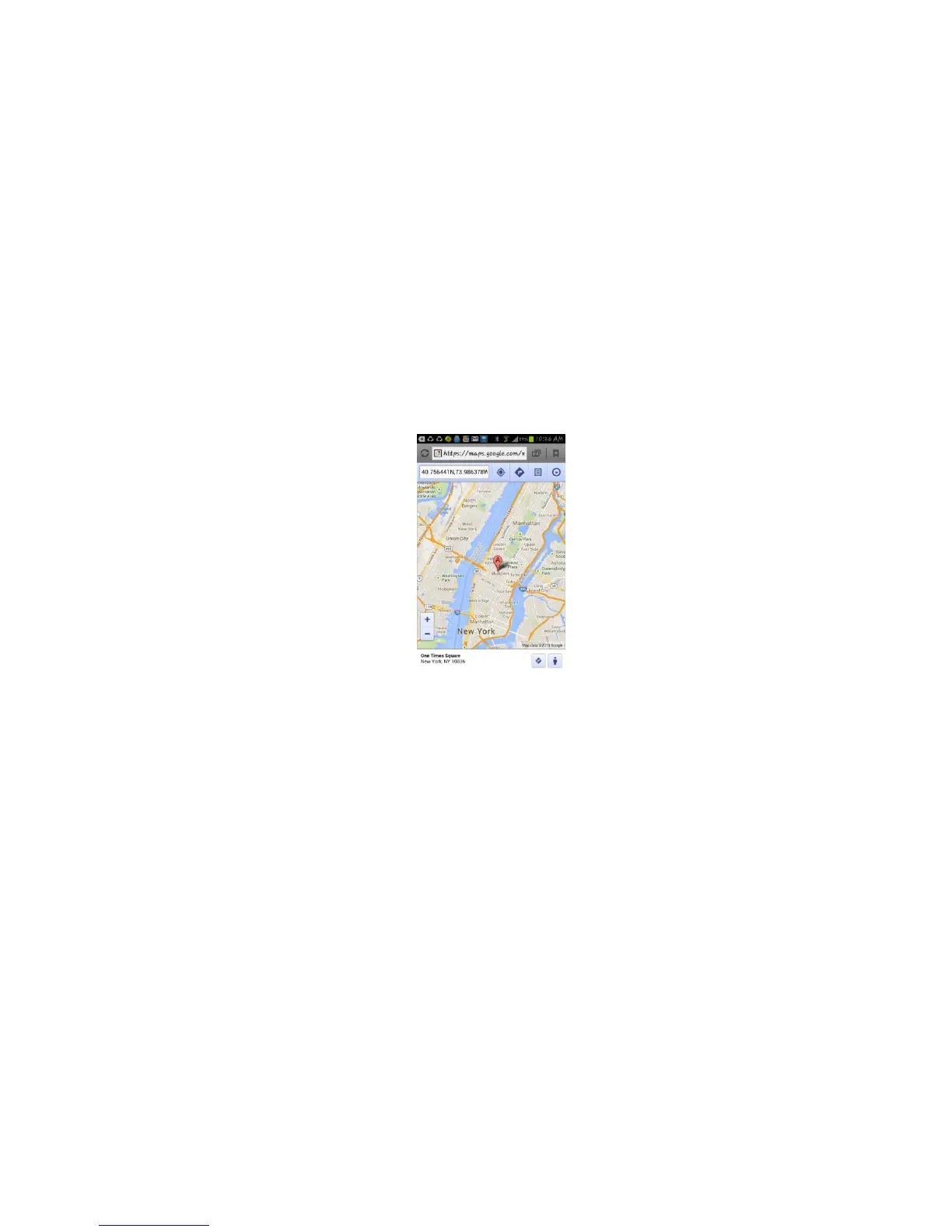
http://maps.google.com/maps?q=N40.756441,W73.986378
Battery:91%
4. LBS Located (GSM network Cell ID Locate):
When the tracker is triggered to locate, the tracker will reply SMS with CELL ID location to user, and the
precision is about 50-500m, according to the around mobile phone base station density. The location SMS is like
below, click the link the map is same with the above 2.
Cell ID Location
http://maps.google.com/maps?q=N40.756441,W73.986378
Battery:91%
Note: The LBS location precision is not very high, in the city maybe 30-50 meters, in country side maybe over
300 meters according the GSM base station density. So this location only can be used as a reference. If the LBS can
not locate either, the tracker will reply “Can not Locate now, Please Try Later !”.
5. Set System Working Mode
Send SMS “MODE*123456*X” to the tracker, “MODE” is command, “123456” is password, “X” is the working
mode, it is 1,or 3. if the “X” is 3, the SMS command should be “MODE*123456*3*Y” , “Y” is the sleep time from 01-99,
unit is hour. after receive the command, the tracker will reply SMS “Working mode set to X (1 Working,3 Cycle On/Off
GPRS)” . The working modes are described below:
Mode 1 (Factory Mode) ------ Continuously Working (Locate every 5 minutes)
This mode is the default working mode. under this mode, the tracker can receive SMS or calling, locate and


 To Next Page