Note: In the default, the over speed alarm setting is OFF.
8. In & Out Geo-fence Alarm (5 Geo-Fences Can be Set) set or delete
Total 5 Geo-fences can be set, the geo-fence is a circle and the radius is set by SMS, and the center of the circle
is set by tracker current location or another position ( including longitude and latitude )set by SMS.
Note: After enable the geo-fence alarm, when the unit is moving, it will detect the fence status live.
Default all the geo-fence alarm is OFF.
The command is “SETFENCE*123456*Geo-Name*GGG*22.680307N*114.146843E”
“Geo-Name” is the fence’s name user defined, like school, family or other name, max 8 characters and can be
added up to 5 different fence.
“GGG” is the fence’s radius, from 001 to 999, unit is km.
“22.680307N*114.146843E” is the longitude and latitude of the fence center point . “N” is north, “S” south, and
“E” is east, “W” west.
if no longitude and latitude in the SMS command, like “SETFENCE*123456*Geo-Name*GGG”, the tracker will
turn on the GPS & locate immediately, the tracker will set current location as the fence center point, if the tracker
locate failed, the command will failed.
Going in or going out the fence all can trigger the fence alarm, after the fence alarm is triggered, an alarm SMS
will be sent to the preset phone A, B and C. And the tracker will dial the 3 preset phone one by one to notice the user,
every trigger will only send SMS one time and dial the 3 preset phone one time.
In or Out Geofence (Geo-Name) Alarm
https://maps.google.com/maps?q=22.67680N,114.15188E
Battery:88%
Delete the fence
You can delete any fence by the name, like below:
FENCEOFF*123456*Geo-Name
If the operation successes, a SMS would be back,”set fence (Geo-Name) alarm off”.
9. Check Alarm Setting
Send SMS “ALARM*123456” to the tracker number, “ALARM” is command, “123456” is password, the tracker
will send back the information of the alarm setting, for example:
Fence:OFF(100km/h),Over speed alarm:OFF, Alarm calling:ON, Alarm SMS:ON
10. Cancel All Alarm Setting
Send SMS “CANCELALARM*123456” to tracker, “CANCELALARM” is a command, “123456” is password, the
tracker will send back information “ Cancel All Alarm Setting”, and cancel all alarm setting .
Note: RESET and FACTORY also can cancel all alarm setting, please see the following.
11. SOS Emergency Help (No Platform Necessary)
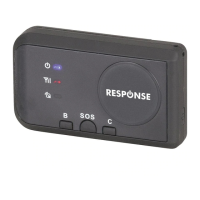
In the normal mode press the button SOS on the tracker and don’t release (Press button over 6 seconds), the
GREED LED will flash quickly, later it will be turned OFF, then release the button, the tracker will send SOS help
information to all 3 preset phone, and then call the authorized number A first, if no answered then B and C, if 3


 To Next Page