OPERATION
General Usage
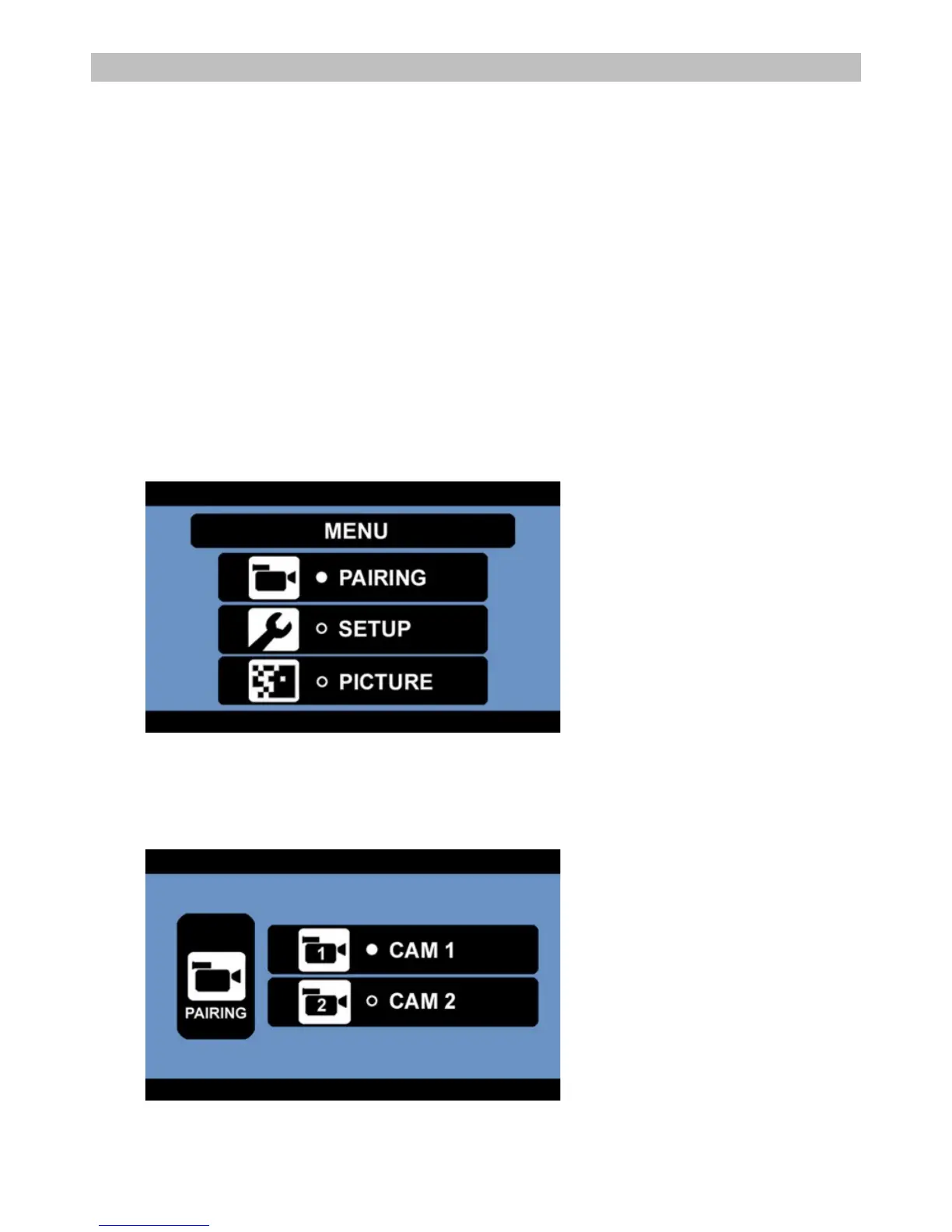
Select the desired menu item by using the UP/DOWN buttons. Confirm your choice with the OK button.
Press the MENU button to exit a submenu, or wait a fe seconds without any input to exit automatically.
Power Button
Press the POWER button to power-on the monitor. The screen on the monitor will turn on automatically
when the vehicle is in reverse gear (when already paired to the cameras). When the monitor is on and gets
a signal, the blue LED will light up, otherwise it will blink. When the monitor is off, no picture will appear on
the screen and the blue LED will be off.
Using the Pairing Menu
- Press the MENU button to enter the main menu screen.
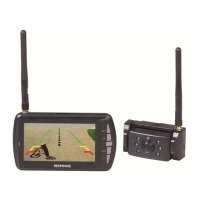
- Here you can pair up to 2 cameras. Select CAM1 or CAM2 and press the OK button to start the
pairing process.


 To Next Page