Need help?
Do you have a question about the Response SL8 and is the answer not in the manual?
Information on local regulations and legislative requirements for alarm system installation and operation.
Declaration of compliance with essential requirements of the R&TTE directive.
Details on how various wall types affect the system's radio range.
Details on system design for intruder detection and deterrence, and encoding.
General safety advice for installation, tool use, ladder safety, and ear protection.
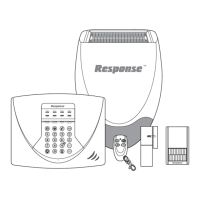
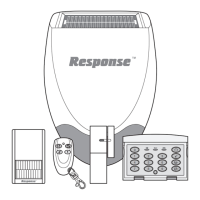
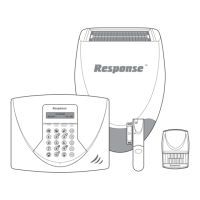
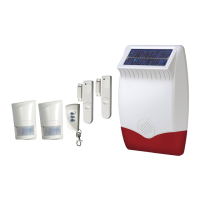
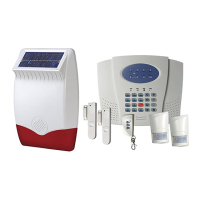
Lists the devices included in the alarm system kit for SL3 and SL8 models.
Important instructions regarding battery check and replacement before system installation.
Explains the 'Full Arm' and 'Part-Arm' modes for arming the security system.
Details how zones can be programmed for instant or delay modes for entry and exit.
Describes the system's 6 wireless intruder zones and 1 fire zone, and their configurations.
Explains the feature that ignores alarms from a zone after multiple triggers.
Covers tamper protection features in system devices to prevent unauthorized access.
Details the function to detect and alert attempts to jam the system's radio channels.
Explains the system's feature for monitoring battery levels in all devices.
Information on the 4-digit code for system access and programming.
Guides detector placement and provides a typical installation example, including zone assignment rules.
Step-by-step guide to installing and configuring the remote control unit.
Instructions for testing the functionality of the remote control.
Considerations and advice for selecting a suitable location for the control panel.
Detailed instructions for mounting and installing the control panel on a wall.
Procedure to link new remote controls or keypads to the control panel.
Steps to remove all previously linked remote controls and keypads from the system.
Instructions for testing the operation of the control panel and remote control together.
Recommendations and guidelines for optimal placement of PIR detectors.
Step-by-step guide for installing and configuring the PIR detectors.
Instructions for testing the functionality and detection of PIR detectors.
Guidelines for optimally positioning door and window detectors for effective protection.
Detailed steps for installing and configuring magnetic door/window detectors.
Procedure for testing the door/window detectors and their communication with the control panel.
Process for adding new PIR or MAG detectors to the alarm system zones.
Steps to remove PIR or MAG detectors from specific zones on the control panel.
Procedure for linking new smoke detectors to the dedicated fire zone.
Steps to remove all smoke detectors from the fire zone.
Advice on selecting the best external wall location for optimal performance and visibility.
Step-by-step guide for installing and configuring the external solar siren unit.
Instructions for powering up the solar siren and initial setup in service mode.
Procedure for linking the solar siren to the control panel.
Procedure for testing the external solar siren after linking it to the control panel.
Detailed steps for securely mounting the solar siren unit onto an external wall.
Procedure for pairing the control panel with the Spectra lighting receiver.
Instructions for testing the Spectra lighting receiver functionality.
Diagram and explanation of the terminal block connections for a hardwired siren.
Guide for performing a walk test to verify detector functionality and range.
Instructions for testing remote controls, PIR, and door/window detectors.
Procedures for testing wireless, internal, and wired sirens.
Explanation of the service mode for the solar siren for maintenance.
Steps to reset the alarm system to its original factory default settings.
Instructions for changing the 4-digit user access code for system security.
How to set the duration period for the siren and control panel alarms.
Configuration of entry and exit delay periods for zones.
Defines which zones operate with entry/exit delay and which trigger alarms instantly.
Enabling or disabling the audible warning beeps during entry/exit delays.
Configures which zones are active when the system is in Part-Arm mode.
Enables or disables the feature that limits zone alarm triggers before disarming.
Controls the anti-jamming detection facility for the system.
Configures Spectra lighting status and time-on period.
Defines the standard intruder monitoring mode for each alarm zone.
Instructions for setting the alarm system to FULL ARM mode.
Instructions for setting the alarm system to PART-ARM mode.
Instructions for disarming the alarm system using the remote or control panel.
How to trigger an immediate alarm for personal safety using the PA button.
Explains how device tamper detection triggers an alarm.
Details the dedicated fire zone's 24-hour operation and alarm behavior.
Procedure to place the siren into service mode for maintenance.
How to switch the siren back from service mode to operating mode.
Information on low battery indicators for various system devices.
How to control Spectra lighting linked to the alarm system.
Care and maintenance for solar siren and control panel rechargeable batteries.
Maintenance for detectors, remote controls, and keypads, including battery replacement.
Details on replacement battery types and product disposal/recycling guidelines.
Troubleshooting steps for control unit power loss or flashing LED indication.
Resolving low battery alerts and access code rejection on the control unit.
Diagnosing why detection zones trigger LEDs but not alarms.
Troubleshooting issues with siren response, control panel communication, and remote control visibility.
Resolving false alarms and detection failures for PIR and Door/Window detectors.
Contact information for customer support and installation advice.
Lists available accessories to enhance the alarm system's functionality and security.
Technical specifications for sirens, control panel, detectors, remote controls, and keypads.
Technical details for optional external lighting control.
Contact details for customer helpline and R&D information.
 General
| Brand | Response |
|---|---|
| Model | SL8 |
| Category | Security System |
| Language | English |


 To Next Page