
EasyManua.ls Logo

Restek 22839 - User Manual

Restek 22839
12 pages
Print Icon
To Next Page IconTo Next Page
Loading...
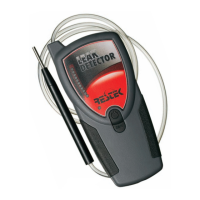
Restek’s
Electronic
Leak Detector
(cat.# 22839)
Instruction Manual

Questions and Answers

  • T
    Tina PatrickAug 3, 2025
    What to do if Restek Security Sensors does not power up?
    • T
      Travis SmithAug 3, 2025
      If your Restek Security Sensors unit doesn't power up, the batteries likely need charging. To resolve this, charge the unit for a full 24 hours.
  • W
    Wesley GomezAug 11, 2025
    Why does the LED bar graph stay lit during operation on Restek Security Sensors?
    • K
      Kimberly MannAug 11, 2025
      If the LED bar graph on your Restek Security Sensors stays lit during operation, it could be due to a couple of reasons. First, the detector might have been re-zeroed before the unit was fully purged. To fix this, allow adequate time for the detector to purge, then re-zero it. Another possibility is that the reference gas inlet is covered by your hand or another object. Make sure to remove any obstructions from the inlet.
  • B
    Brooke RiversAug 18, 2025
    How to troubleshoot decreased sensitivity in Restek Security Sensors?
    • K
      Kim DayAug 18, 2025
      A decrease in sensitivity in Restek Security Sensors may be due to a clogged probe. Clean the probe tip to remove any debris. Alternatively, the probe line may be punctured; visually inspect it for holes. Also, a weak battery could be the cause; recharge the unit, or return it to Restek for battery replacement.
  • C
    christine34Aug 25, 2025
    What to do if response decreased in Restek Security Sensors?
    • S
      smcdanielAug 26, 2025
      If you notice a decreased response in your Restek Security Sensors, it might be because the detector wasn't zeroed properly. The solution is to re-zero the detector.

Summary

Restek Electronic Leak Detector Introduction

Restek Electronic Leak Detector Battery Charging

Restek Electronic Leak Detector Powering Up

Restek Electronic Leak Detector Power Up Procedure

Depress and hold the power button until the unit responds with the wake-up mode. The leak detector will run through a self-calibration sequence.

Restek Electronic Leak Detector Zeroing the Unit

Restek Electronic Leak Detector Zeroing Procedure

After LED lights stop flashing, the unit may need to be zeroed. Remove probe from storage before zeroing.

Restek Electronic Leak Detector Prior to Operation

Restek Electronic Leak Detector Pre-Operation Checks

Verify operation by sampling gas from a GC split vent. Inspect probe tip, reference gas inlet, and exhaust port for obstructions.

Restek Electronic Leak Detector Detecting Leaks

Restek Electronic Leak Detector Leak Detection Method

Move probe tip around fittings. LED bar graph and alarm indicate leaks. Red LEDs for He/H2, Yellow for N2/Ar/CO2.

Restek Electronic Leak Detector Specifications

Restek Electronic Leak Detector Maintenance

Restek Electronic Leak Detector Maintenance Procedures

Avoid spilling liquids. Clean probe tip periodically to prevent dust and debris from clogging the tubing.

Restek Electronic Leak Detector Troubleshooting

Restek Electronic Leak Detector Technology Overview

Restek Electronic Leak Detector Measurement Principle

Measurement based on thermal conductivity comparisons. Dual thermistor technology measures ratio of [probe]:[reference] heat exchange values.

Restek Electronic Leak Detector Interpreting Results

Restek Electronic Leak Detector LED Response Interpretation

LED light response correlates to leak size. Red LEDs indicate Helium/Hydrogen, Yellow LEDs indicate Nitrogen/Argon/Carbon Dioxide.

Restek Electronic Leak Detector Service Information

Restek Electronic Leak Detector Service and Warranty

One year limited warranty. Contact Restek Technical Service for questions, problems, or repair services.

Restek 22839 Specifications

General IconGeneral
ID0.25 mm
Length30 m
PhaseRxi-5Sil MS
Film Thickness0.25 μm
Dimensions0.25 mm ID
Temperature Range-60 °C