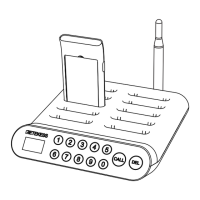
02
2.Change Advertising Pager
Put the desired paper onto the pager then insert the transparent cover.
3.Specification
4.Instructions
4.1. Before Using
Please charge the pagers for more than 10 minutes before using
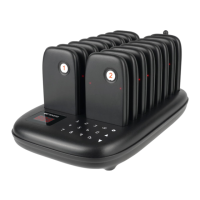
Connect the transmitter to the power supply and put the pagers on the charging slots. The charging indicator
flashes quickly during charging and stays on when fully charged.
After being inserted into the charging slot, the pagers will automatically turn on and charge.
After removing the pager, the charging indicator flashes slowly and on the standby mode, the pager could be
called then.
4.2. Operating Instruction
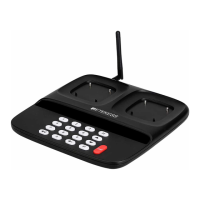
Normally, the transmitter can call the pager in the Call Mode (000 displayed).
Continuously press [Back] key to return to the Call Mode while in the other modes.
Enter the number and press [Call] key to call the corresponding pager
4.3. Call History
The transmitter displays the called number when press △/▽ key.
The showing number can be re-called by pressing [Call] key.
It can be checked 10 recent called number.
Note: Page up and down does not cycle.
4.4. Turn Off Pagers
Enter 999 in the Call Mode, press [Call] key, all the charging pagers will be off. All charging indicators will turn off
for 5 seconds, and then light up again to indicate the charging status.
The indicator light goes out when the pager is taken out of the charging slot after shutting down.
If you need to turn on the pagers, insert them into the charging slots and connect the transmitter to the power
source.
Note: This instruction is invalid to the pagers that are not being charged.
5. Function Setting
5.1. Paring Operation (F1)
On the charging mode
A. Press [Set] key to enter setting mode, the F1 is shown on display
B. Press [Call] key to enter the paring mode , the charging indicators on pagers will turn off, and other indicators
will turn on. 000 shows on the display
C. Remove a pager from the charging slot, and enter a desired number (1-998) through the keyboard within 10s
D. Press [Call] key to confirm, the pager beeps, paring is done
E. Repeat above steps (C and D) to pair other pagers
F. Press [Back] key twice to exit the setting mode
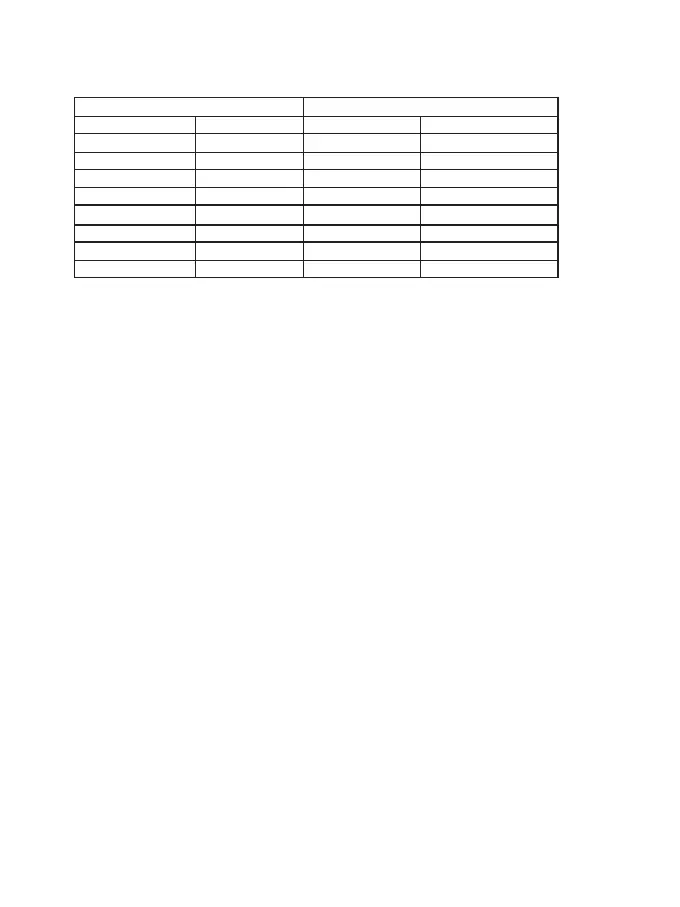
Operating Voltage
Frequency
Standby Power
Modulation Type
Charging Pagers
Max Capacity
Keyboard Type
Material
Dimensions
Transmitter Pager
DC12V/2A
433.92MHz
<400mW
OOK
20pcs
998pcs
Touching Pad
ABS
285*155*32mm
Battery
Frequency
Standby Current
Standby Duration
Sensitivity
Prompt Mode
Prompt Time
Material
Dimensions
Li-ion 3.7V 200mAh
433.92MHz
<12mA
24h
-108dBm
Vibration/Buzzer/Flashing
1-999s
ABS
100*50*10mm



 To Next Page