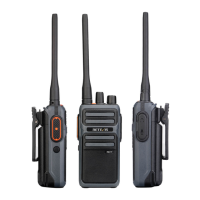
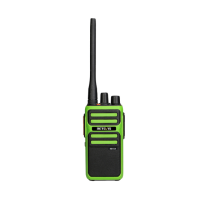
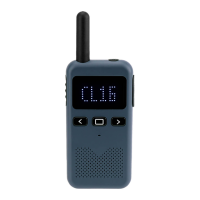
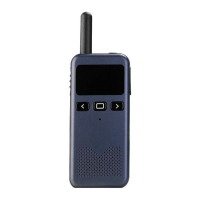
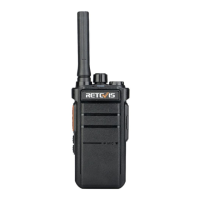
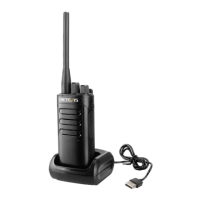
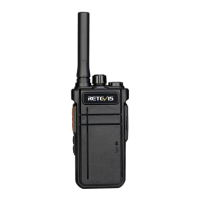
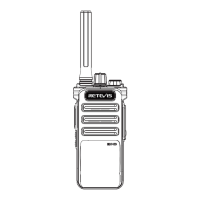
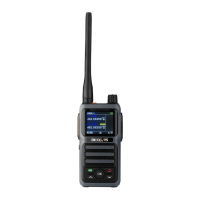
The parts of radio
1.PTT Button:
A:Press PTT can talk
2.Programmable Side button
A:Set as the CTCSS/DCS menu: Short press will switch: OFF -> CTCSS ->
DCS N -> DCS I -> OFF
B:Short press activate the function you set.Optional Function: scan, vox,
sub-channel transmit, NOAA, Monitor(Cancel squelch);
C:Long press activate Monitor Function(Cancel squelch)
3.Antenna
A:Receive and transmit signal
4.Alarm button
A:In standby state, press this top Alarm button to activate Alarm.The Alarm mode
can be programmed by its software. (local or local+ remote)
B: When alarm is on. No key operation will work.After sending the alarm bell for
20s, standby 10s and repeat again and again.
C: Press PTT button exit the alarm
5.Speaker
A: Output Audio
6.Menu button
A:Press will into Menu setting
7.Up
A: In the programming setting, press the up button.
B: In channel mode standby, switch scan direction in scan mode.
C: Long press to achieve quick rollover
8.Confirm Button
A: In menu operation, short press to confirm;
B: In standby, long press to open or close the keyboard lock.
9.Down
A: In the programming setting, press the down button.
B: In channel mode standby, switch scan direction in scan mode.
C: Long press to achieve quick rollover
10.Back Button
A: Short press during menu operation to return to the previous level, short press
during standby to switch the main frequency to A or B;
B: Long press to start scanning; Activate NOAA channel scan when NOAA is on.
When NOAA is off or standby, press to activate radio scan.
11. Status indicator
A: The red light is on when transmitting, and the green light is on when receiving.
12. Power/volume switch
A: Turn on or off the walkie-talkie/ Adjust the volume of the walkie-talkie.
13. MIC/SP jack
A: It is used for external earphones, and can also be connected to the
programming cable to program your radio
14. Battery pack
A: Supply power for your walkie talkie
2


 To Next Page