10. Call Tones
A call tone alerts others that you want to start talking.
1. Setting the Call Tone
The Walkie talkie has 10 different call tones.
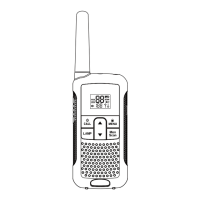
● Press the MENU- button(12) four times, “CA” is displayed and
the current call tone is flashing.
● Press the ▲-button(7) or the ▼-button(8) to change to another
Call Tone.
● Press the PTT - button(14) to confirm and return to stand-by
Mode.
2. Sending a call Tone
Press the CALL-button(9) briefly. The call tone will be transmitted
on the set channel.
11. Key-Tone On / Off
When a button is pressed, the unit will beep briefly.
To set the key-tone.
● Press the MENU- button(12) five times. “tO” will be displayed.
● Press ▲ to enable (ON) or ▼ disable the Key Tones (OF).
● Press the PTT - button(14) to confirm your selection and return to
the standby mode.
12. Roger Beep On/Off
Roger Beep function is that when you finish talking and release
PTT-button, the device will send out a roger beep to confirm that
you have stopped talking.
9



 To Next Page