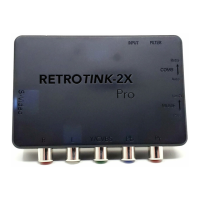
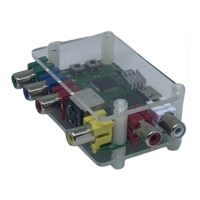
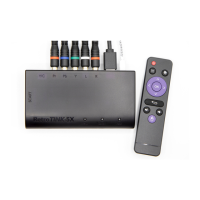
The RetroTINK-2X MINI is a compact and efficient device designed to enhance the gaming experience for retro console enthusiasts by converting standard definition (SD) video signals to modern display formats. Its primary function is to line-double composite and S-Video signals from classic gaming consoles, outputting them as 480p/576p, which is readily accepted by contemporary televisions and monitors. A key advantage of the MINI is its "zero added lag" processing, ensuring that the original gaming experience, with its precise timing and responsiveness, is preserved without any noticeable delay. This makes it an ideal solution for gamers who want to enjoy their vintage systems on modern screens without compromising on performance.
The device boasts multi-region decoding capabilities, supporting a wide array of encoded formats including NTSC, PAL, and PAL-60. This broad compatibility ensures that users with consoles from various regions can utilize the MINI without issues, making it a versatile tool for international retro gaming collections.
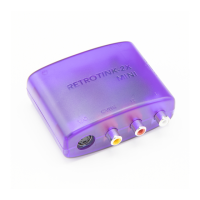
From a usage perspective, the RetroTINK-2X MINI is designed for straightforward operation. It features dedicated inputs for S-Video and composite video, allowing users to connect their consoles via either standard. Additionally, it includes an audio input for stereo sound, ensuring that both video and audio are processed and outputted through a single digital video connection to the HDTV. Power is supplied via a microUSB input, requiring a source capable of delivering 500 mA or more. The device's digital video output connects directly to your HDTV, simplifying the setup process.
A notable feature is the COMB switch, which offers two filtering modes for composite video: "notch" (Retro) and "comb" (Auto). The "Retro" mode is often preferred for older, off-spec systems like the NES, as it can yield a better visual outcome. Conversely, the "Auto" mode, which employs an automatic 5-line comb filter, might be more suitable for systems with higher quality composite output, such as the PC Engine. The "Auto" setting also activates a high-frequency luma filter when in S-Video mode. This filter subtly reduces luma sharpness but effectively eliminates chroma cross-talk noise, a particularly useful feature for PAL/PAL-60 N64 users who might experience chroma noise, especially without shielded S-Video cables. Given the N64's inherently softer image, the slight reduction in luma resolution is generally negligible in this context.
The MINI also incorporates a FILTER button, which allows users to cycle between normal and smoothed video modes. An indicator light for the Smoothing Filter illuminates blue when this feature is active, providing visual confirmation of the selected mode. This flexibility enables users to fine-tune the visual output to their preference, whether they seek a sharper, more pixel-perfect image or a softer, more analog-like presentation.
The device's input management is intelligent and user-friendly. Both composite and S-Video inputs can be connected simultaneously. The MINI automatically detects and prioritizes the first active input. Should the selected input become inactive (e.g., the console is turned off), the device will automatically enter a search mode to find a new valid source. The audio inputs are shared, meaning that if two consoles are connected, users might employ a Y-splitter for each audio input to accommodate both sources. However, it's crucial to only have one console active at a time to prevent audio mixing. This automatic input switching extends to external S-Video/composite switches, allowing the MINI to seamlessly integrate into more complex setups.
Maintenance and troubleshooting for the RetroTINK-2X MINI are generally straightforward, focusing on common issues encountered with retro gaming setups. If only colorbars are displayed, it typically indicates a problem with the console, game cartridge, or video cable, suggesting a need to clean the cartridge or verify the console's functionality. In cases of no image, users are advised to confirm the MINI's power status, the secure connection of the digital video cable to the TV, and to test with alternative TVs or cables. A blue screen should appear without any console connected; if not, further assistance from the seller may be required.
For issues with noisy or interfered pictures, the manual emphasizes that such problems almost invariably stem from the console itself, its power supply, or the connecting cables, rather than the MINI. To maintain image sharpness, the MINI applies minimal filtering to noisy sources. Therefore, using official power supplies for consoles and shielded video cables is highly recommended for optimal image quality. PAL/PAL-60 users experiencing chroma noise are encouraged to try the 'Auto' setting on the COMB switch, which enhances noise filtering at the slight cost of luma sharpness. If no sound is heard, users should verify audio cable connections and consider testing with a different TV. Due to the off-spec video timing of some retro consoles, certain displays might reject the audio stream within the digital video connection. In such scenarios, directly connecting the console's audio output to a sound system, bypassing the MINI, is a viable workaround.
The RetroTINK-2X MINI is designed to be a reliable and user-friendly solution for bringing classic gaming into the modern era, offering a blend of advanced video processing with simple operation and effective troubleshooting guidance.


 To Next Page
 General