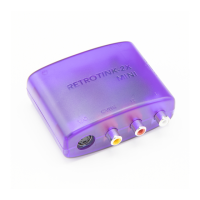
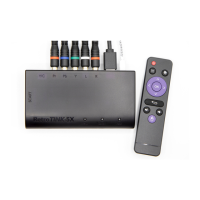
The RetroTINK-2X Pro Multiformat (2X-M) is a versatile device designed to enhance the video output of retro gaming consoles and other standard definition sources. Its primary function is to line-double standard definition composite, S-video, and component signals, outputting them as 480p/576p digital video. Additionally, it can pass through 480p component video signals without altering their timing. A key feature of the 2X-M is its "zero added lag" processing, which ensures that the original gaming experience is preserved without any noticeable input delay.
Important Technical Specifications:
- Input Connections: The device supports CVBS (composite video), S-Video, Component (YPbPr), and Analog Stereo Audio inputs.
- Output Connection: It features a Digital Video Connector (TMDS) for output.
- Supported Formats: The 2X-M handles 240p, 288p, 480i, 576i, and 480p video formats.
- Supported Standards: It is compatible with NTSC, PAL, and PAL-60 video standards, along with other encoded formats.
- Latency: The device boasts extremely low latency, with less than 100 µS from analog input to digital video output.
- Data Interface: For firmware updates and communication, it uses an FTDI USB Virtual Serial Port with 115200 bps 8-N-1 RTS/CTS Flow Control.
- Power: The 2X-M requires less than 300 mA of power over microUSB and includes a 500 mA PTC fuse for overcurrent protection.
Usage Features:
The 2X-M offers a range of features to customize the video output:
- Input Selection: A dedicated 'INPUT' button allows users to cycle between component, S-video, and composite inputs. The 'Indicator LED' provides visual feedback on the currently selected input: Green for Component (turning purple for 480p sources), White for S-video, and Yellow for Composite.
- Audio Input: The device includes audio input jacks that are shared by both component/composite and S-video inputs.
- Line Doubling and Pass-Thru Modes: The 'MODE' switch toggles between 'Line2x' (line doubling) and 'Pass' (pass-thru) modes. For standard definition 240p/288p sources, 'Line2x' outputs 480p/576p. 'Pass' mode digitizes the video signal while preserving original timing, which can be useful for video capture or as a pre-processor for other devices like the OSSC or RGB monitors.
- Scanline Generation: The 'FILTER' button allows users to cycle between normal and scanline modes, adding a retro aesthetic to standard definition sources. The device remembers input and filter settings across power cycles.
- Comb Filtering: The 'COMB' switch controls chroma/luma separation for composite video. The 'Retro' setting uses a notch filter, which may reduce vertical artifacts for off-spec encoded retro consoles (like the NES) at the expense of horizontal resolution, mimicking an old CRT TV. The 'Auto' setting generally produces a sharper and cleaner image for cleaner video sources like LaserDisc or newer consoles. Users are encouraged to try both settings to determine their preference.
- De-interlace Field Offset: By simultaneously pressing the 'MODE' and 'INPUT' buttons, users can cycle through different combinations of odd/even field offsets. This feature is particularly useful for 240p games incorrectly output as 480i on modern consoles, allowing for perfect reconstruction of the original image as if it were line-doubled from 240p content. This setting is not saved across power cycles.
- Multi-region Decoding: The 2X-M supports multi-region decoding for NTSC, PAL, PAL-60, and other encoded formats.
Maintenance Features:
- Firmware Upgrades: The 2X-M supports firmware upgrades over USB using a PC-based application, eliminating the need for special tools. To enter bootloader mode, hold down the 'INPUT' button while connecting the microUSB cable. The LED indicator will turn solid RED. If an upgrade fails, simply power cycle the device and re-enter bootloader mode; the bootloader resides in a protected memory region, making it highly unlikely to brick the device. To exit bootloader mode without upgrading, disconnect and reinsert the microUSB cord without holding the 'INPUT' button. Detailed instructions and firmware files are available on www.retrotink.com.
- Troubleshooting: The manual provides guidance for common issues such as no image, black and white image, glitchy output, noisy picture/interference, and no sound. It recommends checking power, cable connections, trying different TVs, and power cycling the device. For noisy images, it suggests using official console power supplies and shielded video cables, as the 2X-M performs minimal filtering to preserve sharpness. For sound issues, it advises checking audio connections and considering bypassing the 2X-M by connecting the console's audio output directly to a sound system.
- Warranty and Disposal: All RetroTINK units come with a one-year warranty. For malfunctions, users should contact their place of purchase for repair or replacement. Outside of warranty, resellers may offer repair services. For disposal, users in most countries can recycle the unit at local recycling centers. Specific resources are provided for the UK and the Republic of Ireland, and users outside these regions are advised to check with local authorities or contact RetroTINK for return arrangements.
The RetroTINK-2X Pro Multiformat is a comprehensive solution for retro gaming enthusiasts, offering high-quality video upscaling, versatile input options, and user-friendly controls, all while maintaining the integrity of the original gaming experience.

 Need help?
 General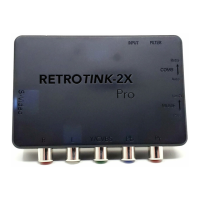

 To Next Page