Description
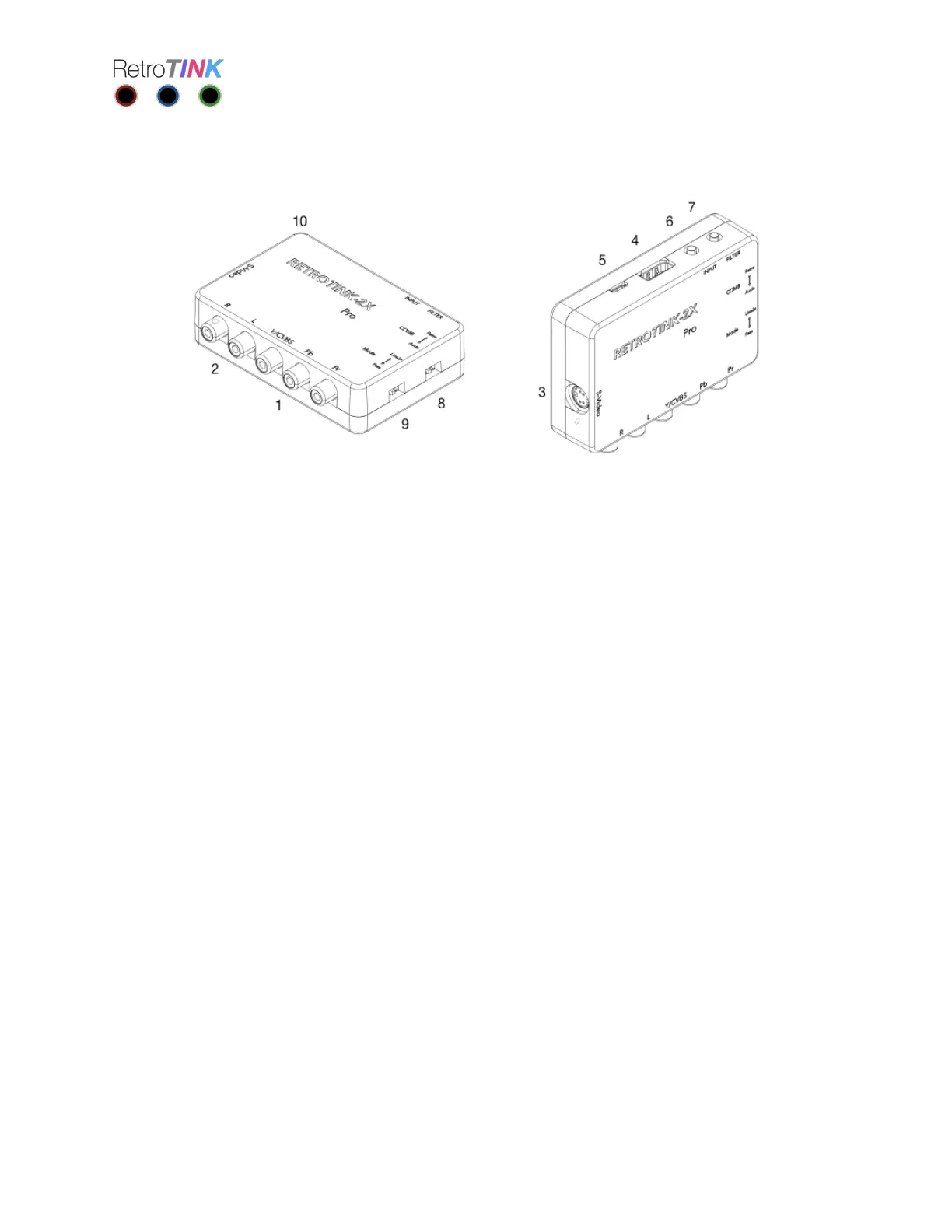
1. YPbPr/CVBS input. For composite sources, connect the Yellow video line to the Green
jack.
2. Audio input.
3. S-Video input.
4. Digital Video output.
5. microUSB power input. Connect to any microUSB power source capable of supplying
500 mA or more.
6. INPUT button. Cycles between component, S-video and composite inputs.
7. FILTER button. Cycles between normal and scanline modes.
8. COMB switch. Toggles between notch and automatic comb filtering for composite
video.
9. MODE switch. Toggles between line doubling and pass-thru modes.
10. Indicator LED.


 To Next Page