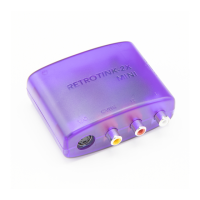
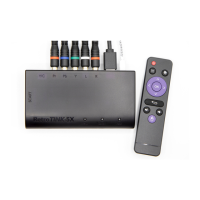
Quick Start
First insert a microUSB power cable to the device. You may use any source capable of
supplying at least 500 mA.
Second, connect your console to the device. You can leave both the component/composite
and S-video inputs plugged in at the same time, although both video ports share the same
set of audio inputs.
Third, press the ‘INPUT’ button until the correct video input type is selected. The ‘Indicator
LED’ shows the current input:
•
GREEN - Component (480p sources will cause the green to turn purple)
•
WHITE - S-video
•
YELLOW - Composite
Fourth, make sure that the ‘MODE’ switch is set to ‘Line2x’.
Fifth, connect the device to your display via a Digital Video cable. You should now see the
output from your console on your display.
Finally, press the ‘FITLER’ button until your desired effect is shown. The filters cycle between
norma and scan-line effects.
The RT2X-M remembers the input and filter settings between power cycles.


 To Next Page