14
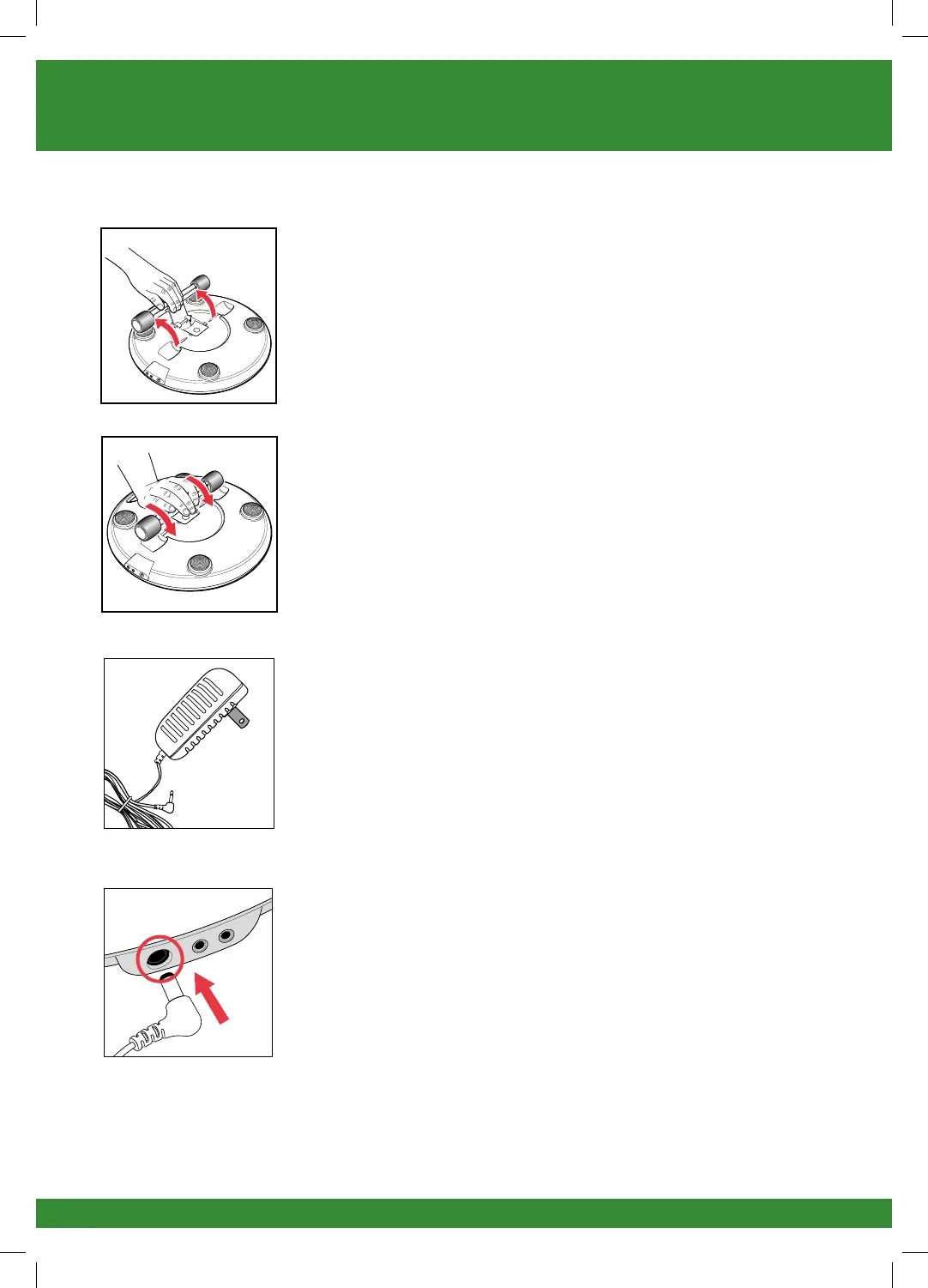
• Pull the IsoRocker bar back until it clicks open as
shown.
• To re-enable the IsoRocker, pull the IsoRocker bar
and press into place on the bottom of REVITIVE.
Instructions for use
d Locate the AC/DC power adapter.
e Plug the small end of the power cord into the opening on
the side of the REVITIVE.
f Plug the power adapter into the nearest electrical outlet.
1718_IFU01_7244012.indd 14 27/03/2015 10:04


 To Next Page