17
English
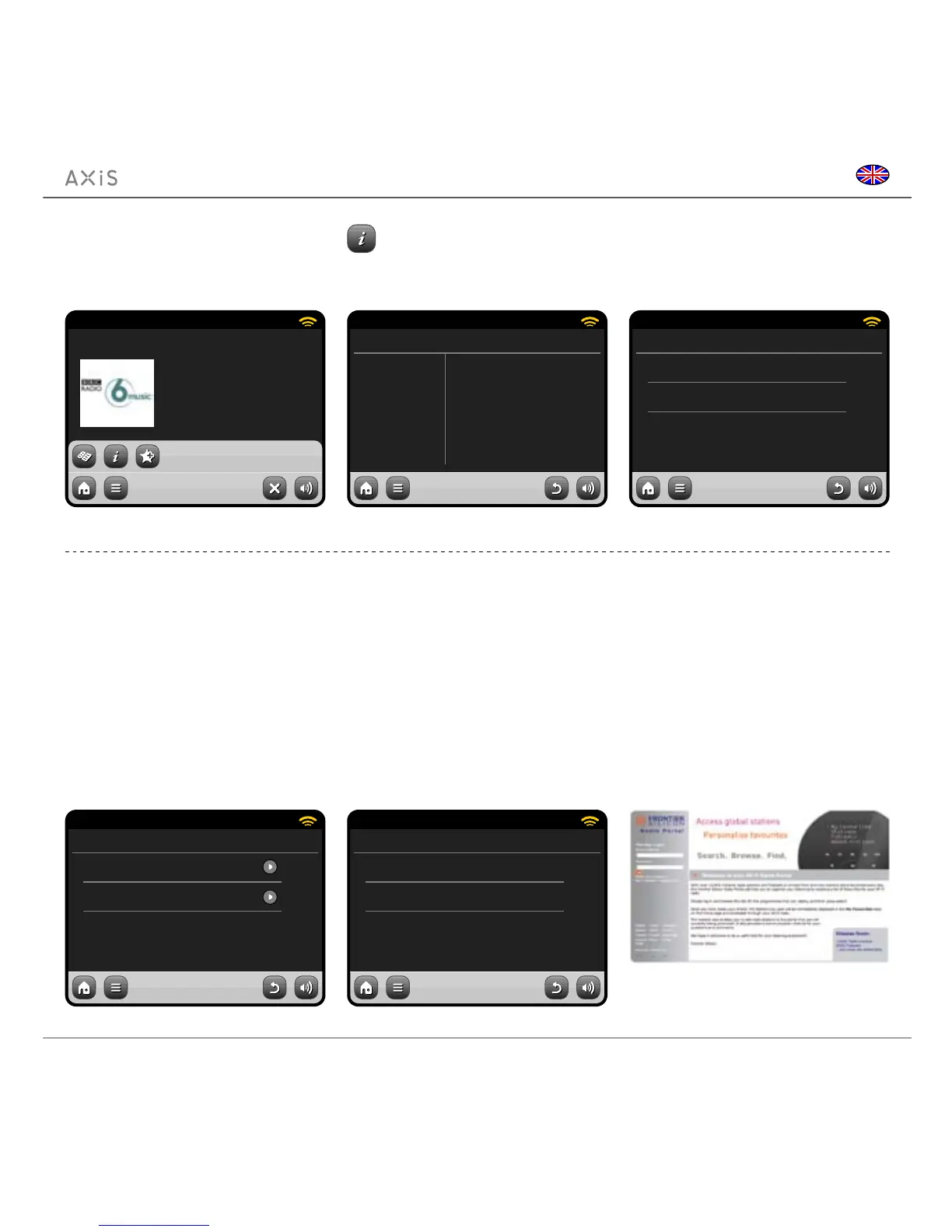
The Information button takes
you to a screen displaying
technical specications for the
station you’re listening to.
Under the “Help” section, you’ll nd your
AXiS’s access code plus the heading
“FAQ”. This contains a couple of short
audio tracks offering guidance.
When you exit Internet Radio mode, your
last listened-to radio station is saved to
AXiS’s memory and will be automatically
restored next time you use Internet Radio.
15:27 12 Oct 2009
BBC Radio 6 Music
Description
Bit rate
Codec
Sampling rate
The BBC’s new digital radio net-
64 kb/s
REALCOOK
44.1 kHz
Internet Radio
15:27 12 Oct 2009
Access code
XXXX1234
Internet Radio
Get access code
15:27 12 Oct 2009
Get Access Code
F A Q
Internet Radio
Help
Internet Radio Portal
AXiS can use the Frontier Silicon Internet
Radio Portal to access some advanced
internet radio features. To access the
portal you need to register your AXiS
on the Frontier Silicon website at:
www.wiradio-frontier.com
Your AXiS has a unique access code.
To nd it, enter Internet Radio mode. On
the menu screen, scroll down and press
Help. Now press Get Access Code.
Make a note of this code, then use your
computer to access the website. Click on
the “Register Here” link on the left side of
the screen, then follow the instructions.
If you already have an account on the Portal,
you can register your AXiS as an additional
radio. Log into your account then select My
Preferences, then “Add Another Wi-Fi Radio”.
Now you’ll be able to take advantage of
features such as manually adding your
own stations, or creating shared favourites
lists to use with multiple devices.
www.wiradio-frontier.com
15:27 12 Oct 2009
BBC Radio 6 Music
Rock/Alternative/Variety
London United Kingdom
The BBC’s new digital radio
network featuring a rich music
mix of breaking talent, classic
artists and live performances
Internet Radio
15:27 12 Oct 2009
Why do stations not work somtimes ...
Why do stations disappear from my l...
Internet Radio
FAQ


 To Next Page