7
English
Digital Digits
Touchstar
Kontrol
User’s Recommended Radio
1:24/4.31
Last.fm
15:27 12 Oct 2009
Time, Date, Alarm and Network status
are displayed along the top of the
screen. These are not touch-activated
but provide a quick, handy summary.
The central area of the screen is the
main information display, showing
you menu lists and information about
whatever you’re currently listening to.
Navigational menus occupy the
bottom of the screen. These allow
you to access features and settings
and get back to the home screen.
AXiS’s remote control is powered by a 3V
lithium-ion battery. Depending on usage, this
battery should happily run for 1 – 2 years.
Replace the battery with a new CR2025
lithium cell when button presses seem
sluggish, or when the operating range
seems to have reduced signicantly.
Remote Control (optional)
Guiding Principles
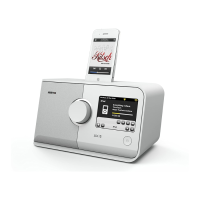
One of AXiS’s dening features is
its 3.5 inch colour touchscreen,
which puts you in direct contact
with the radio’s many functions.
AXiS’s controls are very intuitive, so
should require little explanation. The
graphical representation of features and
the ability to directly touch words and
buttons to activate them should feel
natural after just a few minutes of use.
To get you started, the following two
pages aim to offer a summary of what you
can expect to see in the different areas
of your AXiS’s screen and provide an
outline of how to nd your way around.
2
3
1
An AXiS remote control is available as an optional accessory, and can
be purchased from the ofcial REVO website - www.revo.co.uk
Standby
Skip Back
Snooze (alarm)
Volume Down
Play / Pause
Love (Last.fm mode)
Mute
Skip Forward
Sleep (alarm)
Volume Up
Stop
Ban (Last.fm mode)


 To Next Page