EasyManua.ls Logo

Revo REHVDPTZ22-1 - User Manual

Revo REHVDPTZ22-1
84 pages
Print Icon
To Next Page IconTo Next Page
Loading...
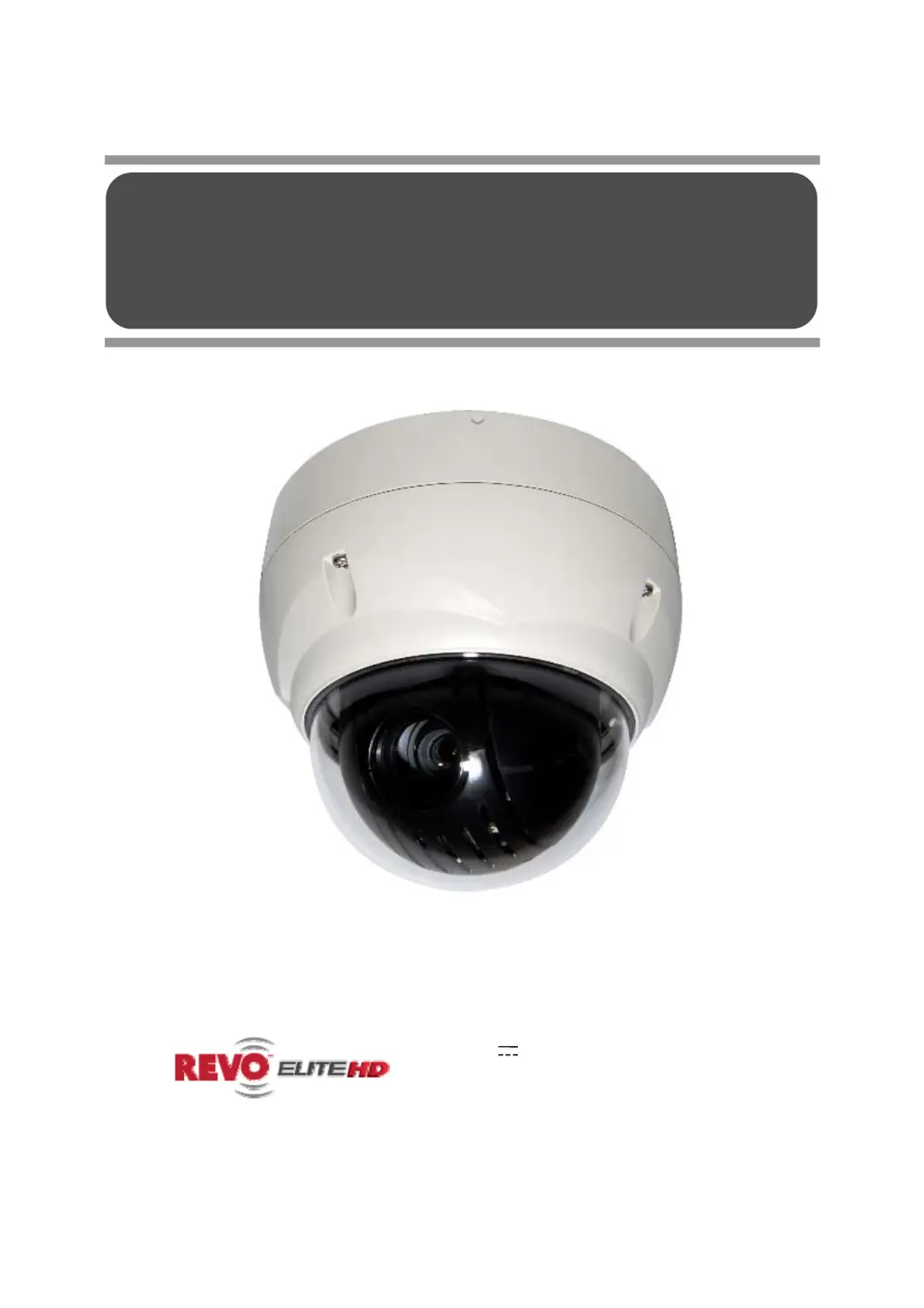
User’s Manual
Model No.: REHVDPTZ22-1
(DC 12V 1.0A)
REVO AMERICA
700 FREEPORT PARKWAY SUITE 100 COPPELL,
TX 75019 U.S.A TEL.: 1-866-625-REVO(7386)
22X REVO TRAX DOME CAMERA
Please read this manual thoroughly before use and keep it handy for future reference.

Questions and Answers

  • S
    Sherry GloverAug 8, 2025
    What to do if my Revo Security Camera has no video?
    • A
      Ann DunnAug 8, 2025
      If your Revo Security Camera system shows no video, first ensure that all components are properly connected to a power source and that all power switches are turned on. Then, verify all video connections are secure.
  • A
    Amber SanchezAug 13, 2025
    Why is my Revo Security Camera video quality poor?
    • J
      Jamie BrownAug 13, 2025
      If your Revo Security Camera video quality is poor, check that the BNC connectors are properly inserted. Also, verify the voltage level of the dome camera and ensure that the video cable is shielded.
  • K
    Kelly SmithAug 18, 2025
    What to do if Revo REHVDPTZ22-1 Security Camera connection is cut-off at short intervals?
    • K
      Katie Ferguson DVMAug 18, 2025
      If your Revo Security Camera connection is cut-off at short intervals, check the network traffic and contact with network administrator.
  • S
    Scott ScottAug 23, 2025
    Why do Revo Security Camera dome cameras lose their positions?
    • H
      hlopezAug 23, 2025
      If Revo Security Camera dome cameras lose their positions, try resetting the cameras using the Dome configuration menus. Ensure the dome cameras are correctly inserted in the base and check the voltage level of the dome camera.
  • R
    Renee WilliamsAug 28, 2025
    How to fix Revo Security Camera frame rate decrease?
    • D
      Daniel YoungAug 28, 2025
      If you experience a frame rate decrease on your Revo Security Camera, change the current value to a lower resolution, compression rate, and frame rate.
  • A
    Allison LarsonSep 2, 2025
    What to do if Revo Security Camera number does not match the multiplexer number?
    • M
      mooreshannonSep 2, 2025
      If the camera number does not match the multiplexer number on your Revo Security Camera system, check the camera ID and insert the BNC cable into the correct input of the multiplexer.

Summary

Important Safety Instructions

Introduction

Product Features

Details the camera's key features and capabilities for surveillance systems.

Installation and Configuration

Camera Installation

Provides instructions for mounting the dome camera and securing it.

Basic System Configuration

Explains the system's wiring and connection configuration.

Setting Camera Address (ID)

Explains how to assign a unique address to the camera for system identification.

Connecting Components

Details how to connect alarms, RS485, video, and power sources.

IP Address Assignment

Guides on assigning an IP address using the SmartManager utility.

Program and Operation

Auto Scan Setup

Guides on programming automatic scanning sequences with specified parameters.

Preset Programming

Details how to program and store specific camera positions and settings.

Tour Programming

Guides on creating and programming sequences of camera movements and actions.

Web Browser Operation

Network Camera Configuration

Covers basic, video, audio, event, and system settings.

Appendix A: Specifications

Appendix B: Troubleshooting

Appendix D: Shortcut Keys

Revo REHVDPTZ22-1 Specifications

General IconGeneral
ModelREHVDPTZ22-1
CategorySecurity Camera
Form FactorDome
Lens4.7-94mm
Night VisionYes
Weather ResistanceIP66
TypePTZ
Camera TechnologyIP
Resolution1080p
ZoomOptical Zoom
StorageMicroSD card
CompatibilityONVIF
IR RangeUp to 328ft (100m)

Related product manuals