EasyManua.ls Logo

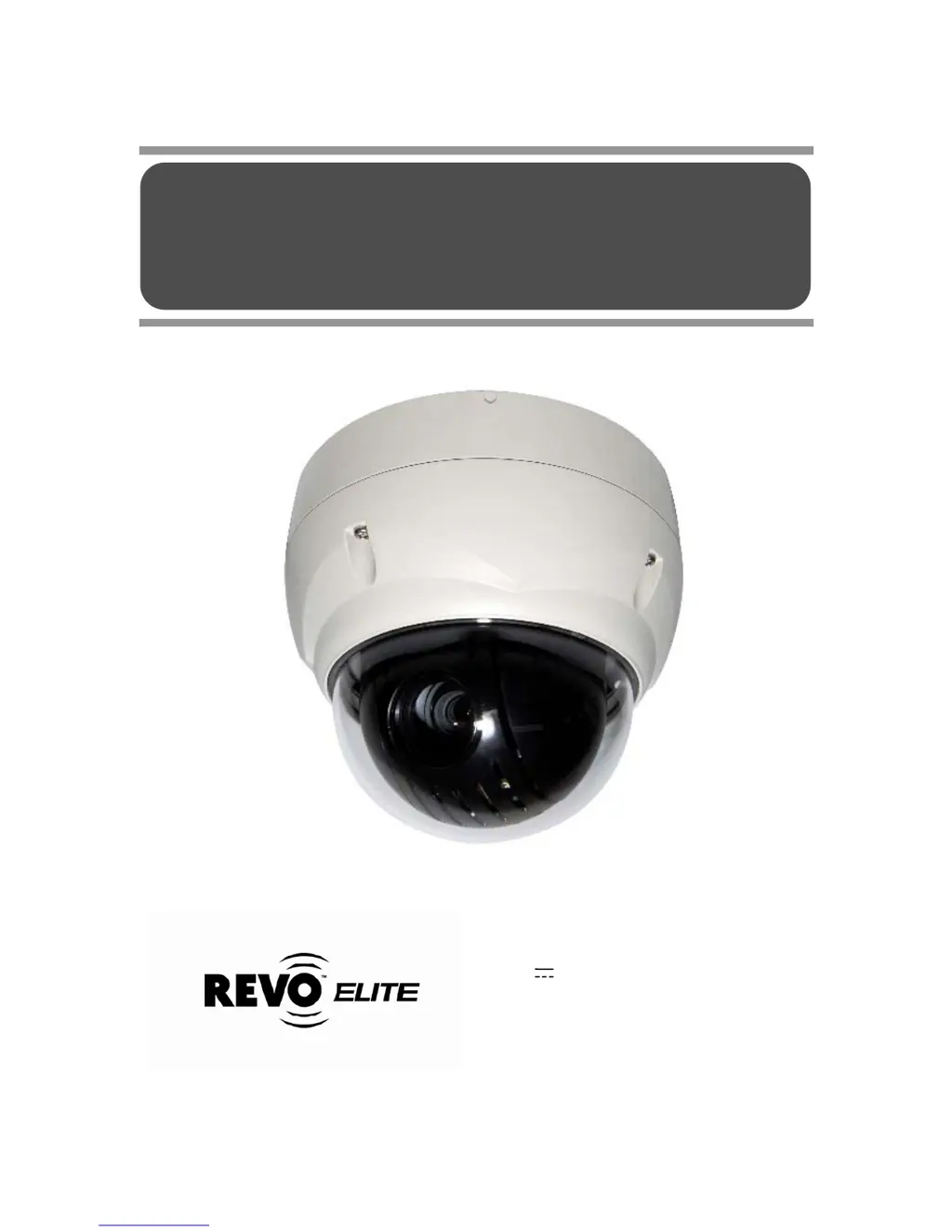
Revo REVDPTZ22-2 - User Manual

Revo REVDPTZ22-2
48 pages
Print Icon
To Next Page IconTo Next Page
Loading...
INSTRUCTION MANUAL
Please read this manual thoroughly before use and keep it handy for future reference.
Model No.: REVDPTZ22-2
(DC 12V /AC 24V ~ 60HZ, 12W / NTSC)
REVO AMERICA
700 FREEPORT PARKWAY SUITE 100 COPPELL,
TX 75019 U.S.A. TEL.: 1-866-625-REVO(7386)
22X REVO TRAX DOME CAMERA

Questions and Answers

  • A
    andrew44Aug 10, 2025
    What to do if my Revo REVDPTZ22-2 Security Camera has no video?
    • E
      emaysAug 10, 2025
      If your Revo Security Camera system shows no video, ensure that all equipment is properly connected to a power source and that all power switches are turned on. Also, verify all video connections are correctly established.
  • J
    jeremyfuentesAug 16, 2025
    Why is the video quality poor on my Revo REVDPTZ22-2?
    • K
      Karen HillAug 16, 2025
      If you are experiencing poor video quality with your Revo Security Camera, check that the BNC connectors are properly inserted. Also, verify the voltage level of the dome camera and ensure the video cable is shielded.
  • K
    Kurt BarrAug 22, 2025
    What to do if the camera number does not match the multiplexer number on my Revo Security Camera?
    • A
      Ana HudsonAug 22, 2025
      If the camera number does not match the multiplexer number on your Revo Security Camera, verify the camera ID and ensure that the BNC cable is inserted into the correct input of the multiplexer.
  • M
    mario03Aug 27, 2025
    How to fix Revo REVDPTZ22-2 Security Camera dome cameras losing their positions?
    • A
      Alexandra GentryAug 27, 2025
      To resolve the issue of Revo Security Camera dome cameras losing their positions, reset the cameras using the Dome configuration menus. Ensure that the dome cameras are correctly inserted in the base and that the voltage level of the dome camera is correct.
  • J
    Julie MoranSep 3, 2025
    What to do if the picture is torn when switching on my Revo REVDPTZ22-2 Security Camera?
    • T
      Tiffany GentrySep 3, 2025
      If the picture appears torn when switching on your Revo Security Camera, check the Line Lock setting and adjust the phase of L/L.

Summary

FCC Compliance Statement

CE Compliance Statement

Important Safety Instructions

Chapter 2 Installation and Configuration

2.2 Installation

Provides instructions for mounting the dome camera and ensuring waterproofing.

2.3 Basic Configuration of Dome Camera System

Illustrates the basic wiring and connection diagram for the camera system.

2.5 Setting Dome Camera Address (ID)

Details the process of assigning a unique address to each dome camera.

2.7 Connections

Explains how to connect RS485, video out, alarms, and power sources.

Chapter 3 Program and Operation

3.4 Auto Scan (Shortcut: SCAN)

Details programming programmed angles, speed, and scan direction for auto scan.

3.5 Preset (Shortcut: PRST)

Instructions for storing and recalling programmed camera positions and settings.

3.7 Tour (Shortcut: TOUR)

Guides on programming sequences of presets, patterns, and scans for automated movement.

3.12 Camera Menu

Covers advanced settings like focus, white balance, AE, DNR, and image flip.

Appendix A Specifications

Appendix B Troubleshooting

Appendix D Short Cut Key

Revo REVDPTZ22-2 Specifications

General IconGeneral
BrandRevo
ModelREVDPTZ22-2
CategorySecurity Camera
LanguageEnglish

Related product manuals