EasyManua.ls Logo

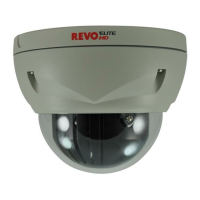
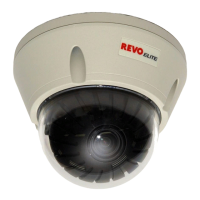
Revo REHXT0550-1 - User Manual

Revo REHXT0550-1
12 pages
Print Icon
To Next Page IconTo Next Page
Loading...
Quick Installation Guide
REVO Elite HD
NETWORK BOX
CAMERA
Please read this manual thoroughly before use, and keep it handy for future reference.

Questions and Answers

  • M
    Mackenzie MooreSep 3, 2025
    How to fix rolling dark bands or flickering in Revo Security Camera image?
    • G
      gparkerSep 4, 2025
      To address rolling dark bands or flickering in your Revo Security Camera image, try adjusting the Exposure Control setting under AE and AWB part.
  • M
    Melissa RosalesSep 18, 2025
    Why is Multicast H.264 not displayed in the client for my Revo REHXT0550-1 Security Camera?
    • E
      Edgar DavisSep 18, 2025
      If Multicast H.264 is not displayed in the client for your Revo Security Camera, check with your network administrator that the multicast addresses used by the camera are valid for your network. Also, check that the 'Enable multicast' checkbox is enabled in the System/Network/RTP tab and check with your network administrator to see if there is a firewall preventing viewing.
  • S
    Sharon StevensSep 16, 2025
    Why is Multicast H.264 only accessible by local clients on my Revo REHXT0550-1 Security Camera?
    • L
      Luis WellsSep 16, 2025
      If Multicast H.264 is only accessible by local clients on your Revo Security Camera, check if your router supports multicasting, or if the router settings between the client and the server need to be configured. The TTL value may need to be increased.
  • S
    Samantha LoweSep 14, 2025
    Why is the color saturation different in H.264 and Motion JPEG on my Revo REHXT0550-1 Security Camera?
    • A
      allenkimSep 14, 2025
      If the color saturation is different in H.264 and Motion JPEG on your Revo Security Camera, modify the settings for your graphics adapter. Please see the adapter's documentation for more information.
  • H
    Heather GomezSep 12, 2025
    How to fix Revo REHXT0550-1 Security Camera if it cannot be accessed via a host name?
    • J
      Joshua WarrenSep 12, 2025
      If your Revo Security Camera cannot be accessed via a host name, ensure that the host name and DNS server settings are correct.
  • M
    Miranda MuellerSep 12, 2025
    Why does my Revo Security Camera work locally but not externally?
    • J
      Joseph WarrenSep 12, 2025
      If your Revo Security Camera works locally but not externally, check if there are firewall settings that need to be adjusted and if there are router settings that need to be configured.
  • W
    William MannSep 9, 2025
    How to fix slow updating of images or no image using Refresh on Revo REHXT0550-1 Security Camera?
    • A
      aaron18Sep 9, 2025
      If you experience slow updating of images or no image when using Refresh on your Revo Security Camera, and the images are very complex, try limiting the number of clients accessing the camera.
  • Z
    zcollierSep 7, 2025
    Why can't some clients access my Revo REHXT0550-1?
    • K
      Kelsey WadeSep 7, 2025
      If some clients cannot access your Revo Security Camera, and you are using a proxy server, try disabling the proxy setting in your browser. Also, check all cabling and connectors.
  • F
    Frank JonesSep 5, 2025
    What to do if my Revo Security Camera has a poor or intermittent network connection?
    • T
      tjonesSep 6, 2025
      If your Revo Security Camera experiences a poor or intermittent network connection, and you are using a network switch, check that the port on that device uses the same setting for the network connection type (speed/duplex).
  • B
    Barbara ChavezAug 21, 2025
    Why is the image quality poor on my Revo Security Camera?
    • N
      nlinAug 21, 2025
      Poor image quality can often be improved by increasing the lighting at the monitored location. Ensure there is sufficient lighting and check all image and lighting settings.

Revo REHXT0550-1 Specifications

General IconGeneral
BrandRevo
ModelREHXT0550-1
CategorySecurity Camera
LanguageEnglish

Related product manuals