- 14 -
Config - Lock Front Panel Display:
The Front Panel display can be locked to keep the front panel controls from changing any
configuration settings. The ‗Lock Front Panel‘ mode can be activated by selecting the option in the
‗config‘ tab of the device window.
Config - Base Station Operation Mode:
This displays the current state of DIP switch #1 located on the rear panel of the Base Station. It will
display either ‗Primary‘ or ‗Secondary‘ mode.
Status Monitoring
The Revolabs HD Control Panel monitors the Executive HD Base Station and Microphones. All status
monitoring is located in the ‗Monitor‘ tab of the device window.
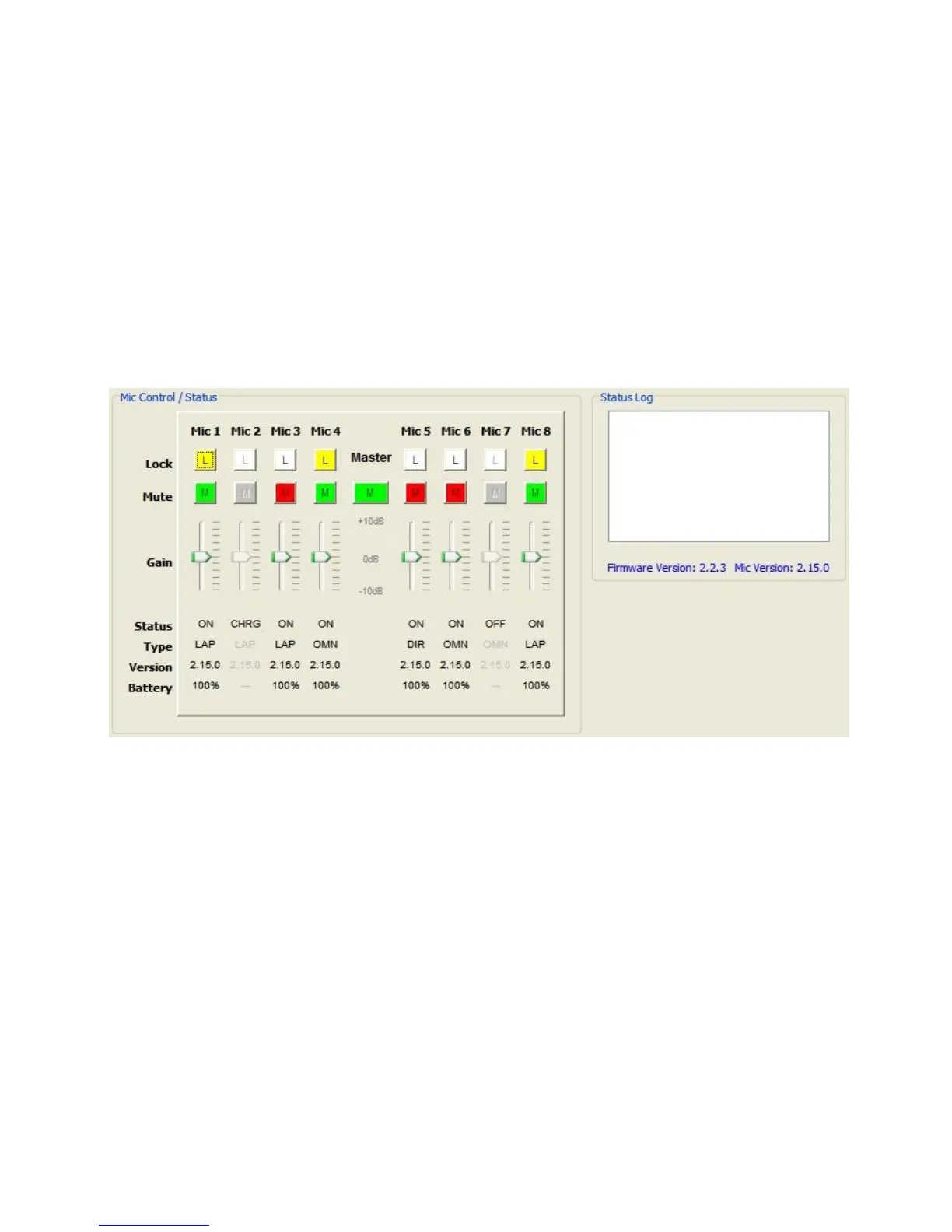
Monitor – Microphone Lock:*
Each microphone has individual lock capabilities. By turning on the lock for a specific microphone, the
microphone mute button will deactivate leaving the user without the ability to individually control the
microphones mute status at the microphone. However, the HD Control Panel Software, as well as
any connected Serial Control Processor, will still have the ability to control and monitor all locked
microphones.
Note: A microphone lock is stored in the Base Station. If a new microphone is paired to a locked
channel, that microphone will then be locked as well. The same goes for a locked microphone that is
paired to an unlocked channel, that microphone will then be unlocked.
Monitor – Microphone Mute:*
Each microphone has individual mute capabilities. The HD Control Panel Software provides the user
the ability to mute and unmute a microphone from their PC. These mute controls will always remain
synchronized to the actual state of the microphone. If the microphone state is changed through
another method, the mute controls will display that change.


 To Next Page