EasyManua.ls Logo

Rexing FMT2 - User Manual

Rexing FMT2
13 pages
Print Icon
To Next Page IconTo Next Page
Loading...
User Manual
FM Transmitter
FMT2
The information in this manual is subject to change without notice.
Rexing All Rights Reserved
www.rexingusa.com
Question and Answer IconNeed help?

Do you have a question about the Rexing FMT2 and is the answer not in the manual?

Summary

Product Overview

Features

Highlights the key functionalities and capabilities of the FMT2, including music playback and hands-free calling.

Specifications

Details the technical parameters, compatibility, and performance metrics of the FMT2, such as Bluetooth version and charging protocols.

Basic Operations

FM;Bluetooth Pairing

Guide on how to pair the transmitter with the car radio using FM frequency and with a smartphone via Bluetooth.

Music Function

Advanced Features

Charging Ports

Information on QC3.0 and Type-C charging ports, including power output and supported protocols.

Troubleshooting & Support

Frequently Asked Questions

Answers to common issues like noise, call clarity, and volume problems.

Overview

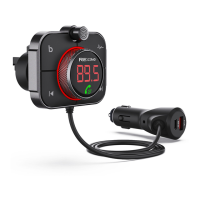
The Rexing FMT2 is an FM Transmitter designed to enhance your in-car audio and communication experience. It allows you to transmit music from an SD card or a Bluetooth-connected device to your car's speakers via an FM radio channel. Additionally, it offers hands-free calling, fast charging for mobile devices, and advanced noise cancellation features for clear communication.

Function Description:

The primary function of the FMT2 is to act as a bridge between your digital music sources and your car's FM radio. By tuning the transmitter and your car radio to the same blank FM frequency, you can enjoy music stored on a Micro SD card or streamed from your smartphone via Bluetooth.

For music playback, the device supports various audio formats including MP3, WMA, WAV, FLAC, and APE. When a Micro SD card is inserted, the transmitter automatically begins playing files. In Bluetooth mode, music from a connected smart device is synchronized to the car's built-in speaker. The device offers music playback controls such as play/pause, previous/next song, and various play modes (list loop, single loop, random play).

Beyond music, the FMT2 facilitates hands-free calling. Once paired with your phone via Bluetooth, you can answer, hang up, or reject calls directly from the device. A notable feature is the high-speed noise cancellation mode, which, when activated during a call, suppresses road, wind, and environmental noise, ensuring a clear conversation for both parties.

The FMT2 also serves as a charging hub for your mobile devices. It includes a QC3.0 Fast Charging Port, compatible with various fast-charging protocols (FCP/QC3.0/QC2.0/BC1.2/DCP), delivering up to 18W of power. Additionally, it features a Type-C Charging Port that supports PD3.0 (20W) charging protocol, providing fast charging for compatible devices. Even when the device is turned off, the charging ports remain functional.

For user convenience, the FMT2 integrates voice assistance, supporting Siri and Google Assistant wake-up with a long press of a button. It also features an ambient light with multiple color options (red, green, blue, yellow, purple, sky blue, white, orange, multi-color rotation) that can be switched by long-pressing a button.

Important Technical Specifications:

  • Bluetooth Version: V5.0
  • Working Range: 16.5 FT
  • Memory Card Support: Micro SD card, up to 64GB
  • FM Frequency Range: 87.5MHz-108.0MHz
  • Compatible Audio Formats: MP3, WMA, WAV, FLAC, APE
  • Compatible Bluetooth Protocols: A2DP/AVRCP/HSP/HFP
  • QC3.0 Fast Charging Port Output: DC 3.6-6.5V/3A, 6.5-9V/2A, 9-12V/1.5A (supports QC3.0 Protocol)
  • Type-C Port Support: PD3.0 (20W) charging protocol (DC 5V/3A, 9V/2.22A, 12V/1.67A output)
  • Microphone: Unidirectional

Usage Features:

  • Product Installation: The FMT2 comes with an air vent bracket for easy installation. The bracket is inserted into the main unit, tightened, and then clipped onto the car's air-conditioning vent grille.
  • Power ON/OFF: Insert the FMT2 into the car's cigarette lighter hole to power on. The blue display will flash, indicating it's on. A long press of the main button for 3 seconds can also turn it on or off.
  • FM Pairing: To ensure high-quality music, it's crucial to match the FMT2's frequency with a blank (non-local broadcast) frequency on your car radio. Long-press the main button to enter FM pairing mode, then rotate the knob to adjust the frequency.
  • Bluetooth Pairing: After power-on, the device enters Bluetooth pairing mode. Search for "FMT2" on your smart device, connect, and if prompted, enter "0000". The device will automatically reconnect to the last paired device.
  • Music Mode Controls:
    • Short press the aluminum knob to play/pause.
    • Turn the knob left for volume down (V-) and right for volume up (V+).
    • Short press the "previous song" button for the previous track.
    • Short press the "next song" button for the next track.
    • Long press the "previous song" button for 2 seconds to switch music play modes (loop, single, random).
  • Call Mode Controls:
    • Short press the aluminum knob to answer an incoming call.
    • Long press the aluminum knob to reject an incoming call.
    • Short press the aluminum knob to hang up during a call.
    • Long press the aluminum knob during a call to transfer to a private call.
  • Noise Cancellation: Click the dedicated noise canceling button to activate/deactivate high-speed noise cancellation during calls. A "Dingdong" voice prompt confirms activation.
  • Ambient Light Control: Long press the "next song" button for 2 seconds to switch between different ambient light colors.
  • Voice Assistant: Double-click the aluminum knob to wake up Siri/Google voice assistant.

Maintenance Features:

  • Fuse Replacement: The FMT2 features an innovative and replaceable 4A fuse tube for overcurrent protection. The manual provides detailed instructions for fuse replacement:
    1. Rotate the screw on the bottom of the Bluetooth FM transmitter counterclockwise.
    2. Insert the new fuse into the screw hole, ensuring the metal on the edge of the fuse attaches to the metal tip.
    3. Assemble the rubber gasket.
    4. Assemble the metal gasket.
    5. Turn the screw clockwise to tighten the bottom of the Bluetooth FM transmitter.
  • Troubleshooting: The manual includes a "Frequently Asked Questions" section to address common issues like noise problems during playback or difficulties with call audio, offering solutions such as adjusting volume, switching FM frequencies, or checking the dialing method.
  • Warranty & Support: Rexing offers a 12-month warranty, extendable to 18 months upon product registration. Customer support is available via email (care@rexingusa.com) and phone ((877) 740-8004) for any product-related questions or feedback.

Rexing FMT2 Specifications

General IconGeneral
BrandRexing
ModelFMT2
CategoryTransmitter
LanguageEnglish

Related product manuals