12
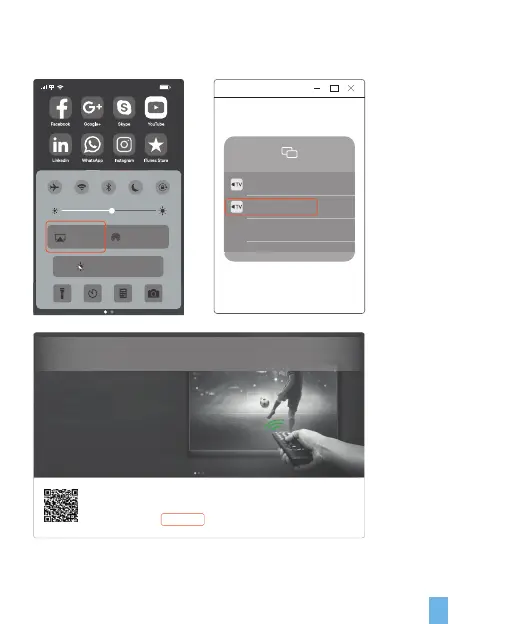
5. From the device list, click the name of the projected device you want to connect
(Eshare-****) to successfully cast the screen.
90%
11:45
Higth Shift: On
AirDrop
Receiving Off
AirPlay
Mirroring
EShare-2366
EShare-7556
1. Connect your device to “Ding Talk”
2. Visit “http://172.18.1.74:8000” with web browser or scan the QR-code to download app.
3. Launch EShare and click “EShare-7556” to connect.
Everything is Under Control
Use your phone as the wireless mouse, keyboard, touchpad, gamepad, remote control, air mouse and wireless camera


 To Next Page